8.8. Menu function descriptions
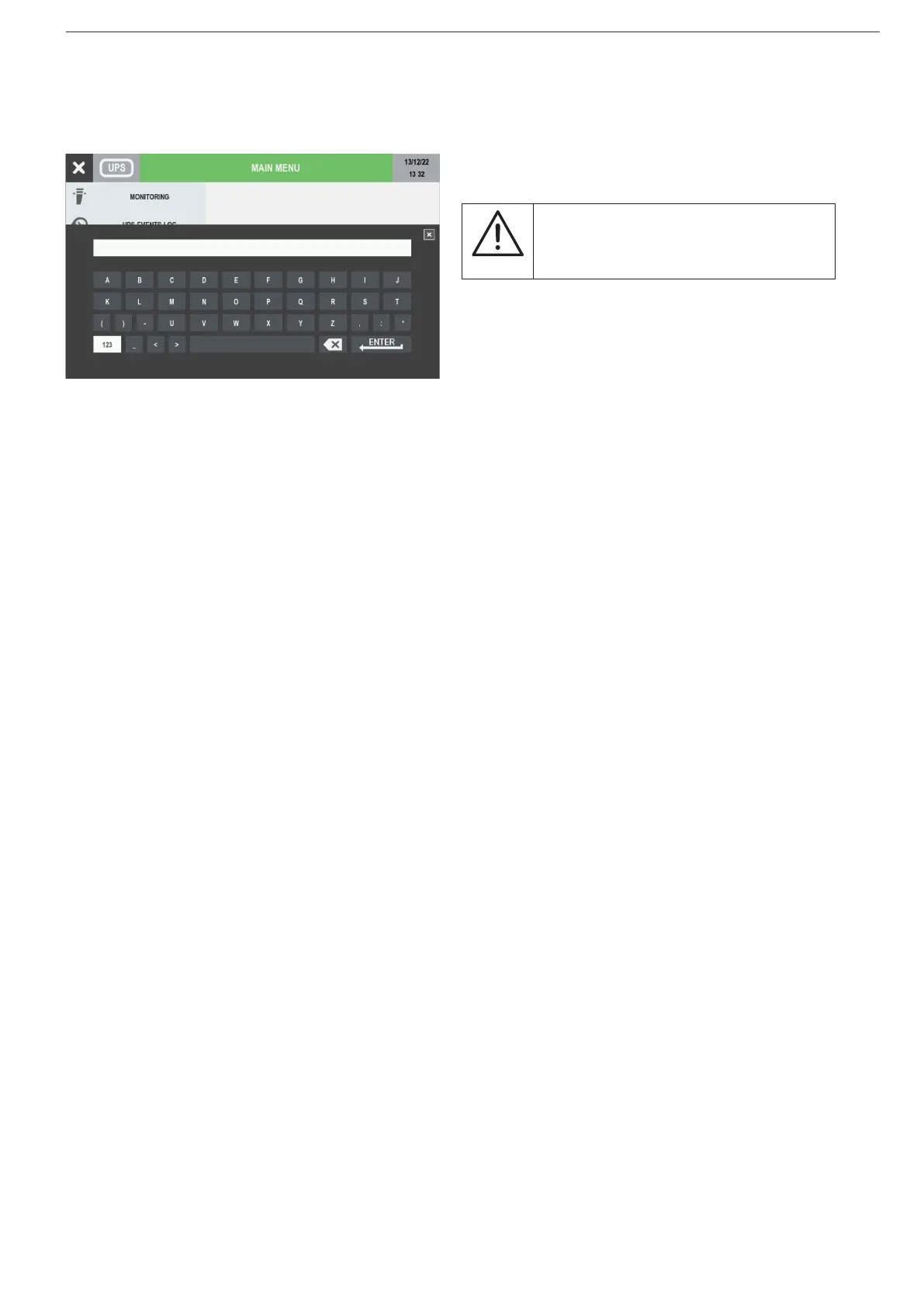
8.8.1. Entering passwords
Some operations and settings require a password in order to be performed.
Wildcard covering of the password is active by default.
The default password is SOCO.
NOTE!
The password must only contain capital
letters and not include the following
characters ():*<>._
Press ENTER to conrm the selection or close the window to abort.
8.8.2. MONITORING menu
Submenu Alarm opens the alarm pages.
Submenu Status opens the status pages.
8.8.3. EVENTS LOG menu
This menu accesses the event log (Status and Alarms).
8.8.4. MEASUREMENTS menu
This menu displays all UPS measurements relating to the rectier input stage, output stage, batteries, bypass input stage
and inverter.
The pins on the bottom of the screen indicate whether or not there are more pages. Sliding to the right or left changes
measurements page.
8.8.5. CONTROLS menu
This menu contains the commands that can be sent to the UPS. Some of them are password protected. If a command is
not available, a COMMAND FAILURE message appears.
• UPS PROCEDURE: START/ON MAINTENANCE BYPASS/STOP see 'Operating procedures' chapter.
• BATTERY: BATTERY CONTROLS > BATTERY TEST: this function checks whether or not test conditions are
available and returns the results.
• MODE: ECO MODE CONTROLS: this function sets/resets the ECO MODE.
• MAINTENANCE: Alarms reset: this function clears the alarm history, LED test: this function activates LED ashing for
a few seconds.




 To Next Page