MODULYS XM650 - 552615A - SOCOMEC
8. DISPLAY OPERATION
8.1. Display description
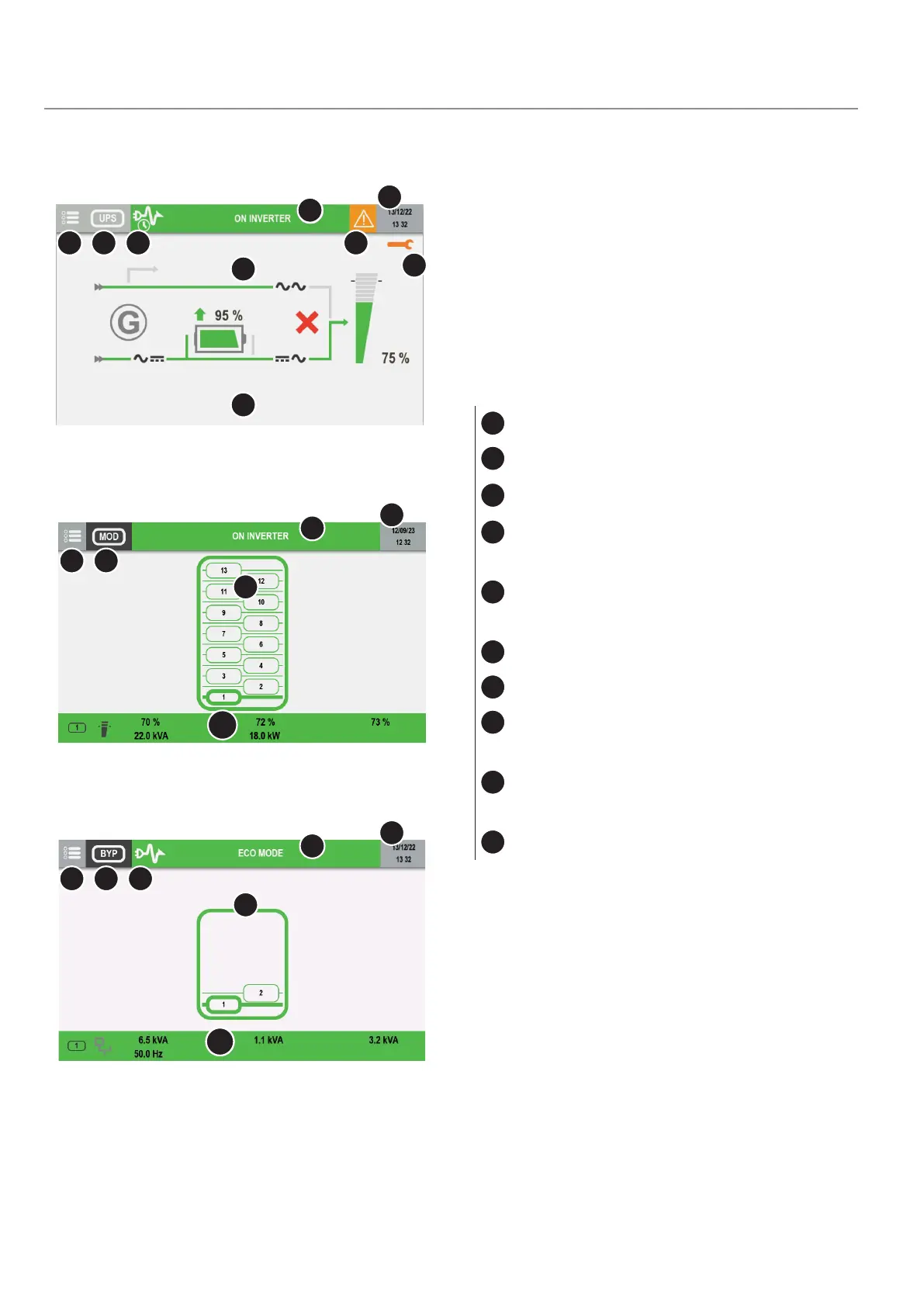
Stand alone UPS or unit view:
1
Menu access
2
Device reference
3
Functioning mode (see 'Functioning mode'
chapter)
4
Status displaying / Status page access
5
Alarm present – access to alarm page
“Alarms” icon appears in case of preventive/
critical alarm. A dedicated pop-up appears and
can be cleared.
6
Clock
7
Maintenance alert
8
Synoptic area
9
Help message area
“Press Key to wake up” appears when the
display goes on standby. Touch the display to
wake it up.
10
Measures report
7
2 31
4
6
5
8
9
Modules view:
21
4
6
8
10
BYPASS view:
2 31
4
6
8
10




 To Next Page