6.2. External battery connection
NOTE!
For further information refer to the battery cabinet manual.
• Remove the plastic terminal block protection.
• Connect the protective earth (PE) cable.
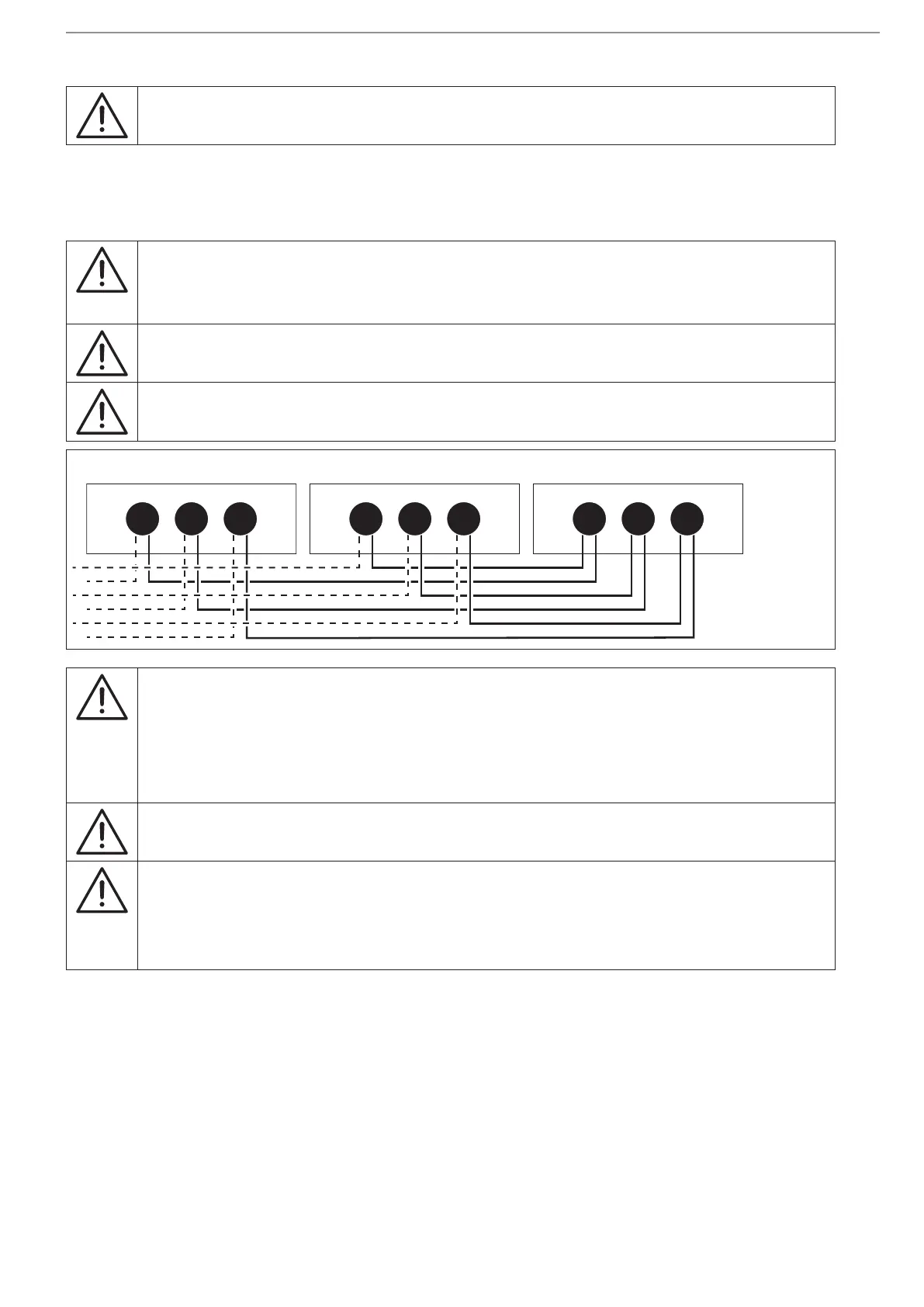
• Connect the cables between the UPS terminals and the battery cabinet terminals.
WARNING!
Strictly observe:
• the polarity of each individual string (refer to the gure below);
• the cable cross section (refer to 'UPS conguration' chapter).
WARNING!
Cabling errors with inversion of battery polarity may cause permanent damage to the
equipment.
Reassemble the plastic terminal block protection.
UPSBATTERY CABINET BATTERY CABINET
--- +++ NNN
Note!
When battery cabinets not supplied by Socomec are used, the installer is responsible for:
• checking electrical compatibility;
• checking the presence of appropriate protective devices (fuses and switches that ensure the
cables are protected from the UPS to the battery cabinet).
Once the UPS is switched on – before closing the battery switches – check the battery parameters on
the control panel menu. For further information, refer to 'Display operation' chapter.
Note!
Not all battery/capacity combinations are available.
Note for Li-ion batteries (LIB):
The UPS interface to the Li-ion batteries (LIB), which could be based on a communication
protocol or on dry contacts, monitors battery operation for the sole purpose of ensuring
overall system service. This UPS battery interface cannot in any way replace safety systems to
protect the battery against abuse or improper use, which requires an independent system in
compliance with the relevant standards.




 To Next Page