29 / 47
4. PV Input Mode
PV input mode selection: HYD-ES inverter has 2 MPPT channels. The 2 MPPT can operate independently, also can
operate in parallel. If the PV strings are connected in parallel outside the inverter, you should choose the “in parallel
mode”, otherwise use the default setting (independent mode).
5. EPS Mode
2.Set EPS Changeover Time(default 20ms)
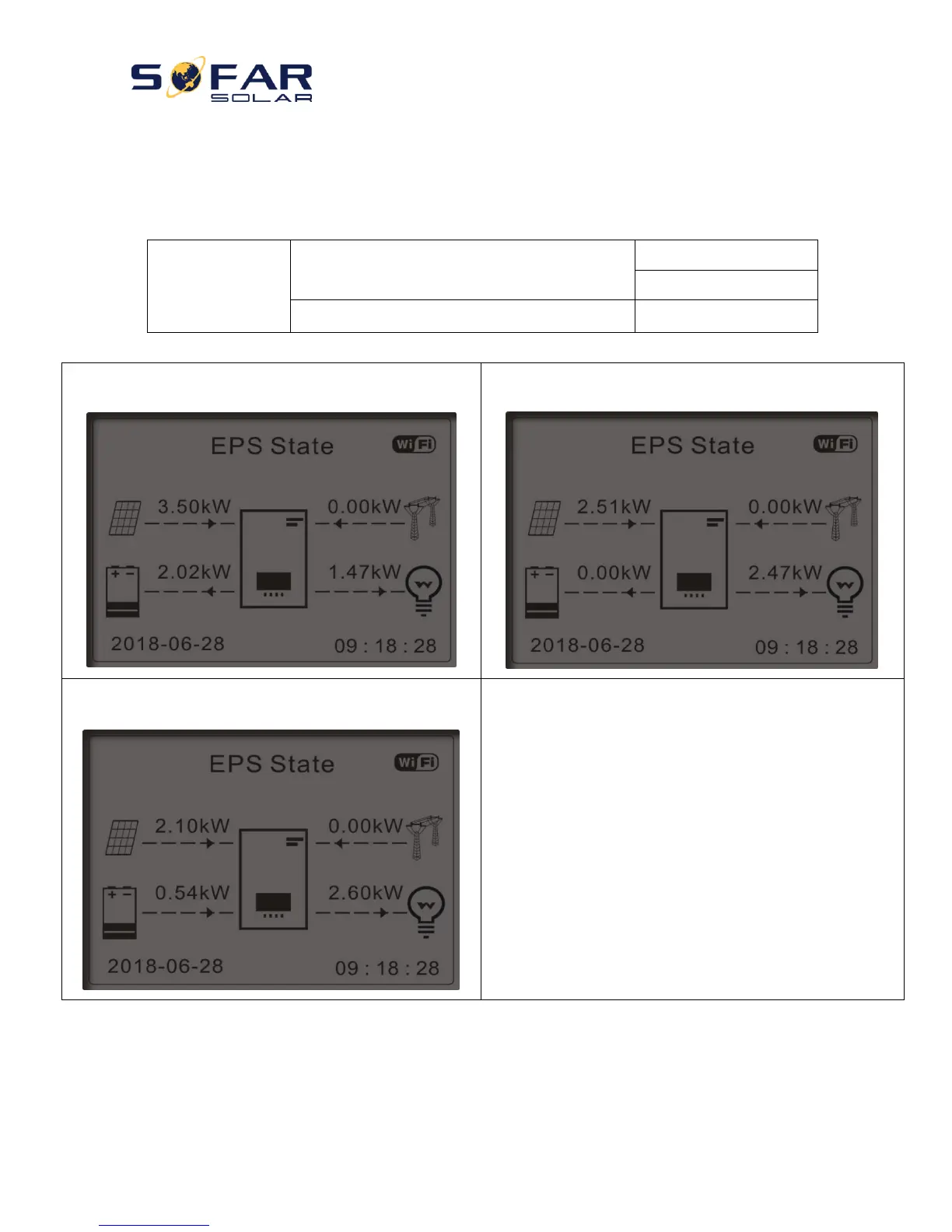
1) If PV generation > LOAD consumption (ΔP > 100W), HYD-
ES inverter will charge battery.
2) If PV generation = LOAD consumption, HYD-ES inverter
wont’ charge or discharge battery.
3) If PV generation < LOAD consumption (ΔP > 100W),
HYD-ES inverter will discharge battery.
6. Communication Addr.
Select “6. Set Communication Addr.”, press “OK”. Press “Up” or “Down” to change the 1
st
digit, press “OK” to switch
to next digit, after changing the 485-communication address (default :01), press “OK”.



 To Next Page