COMBINATION LOCK
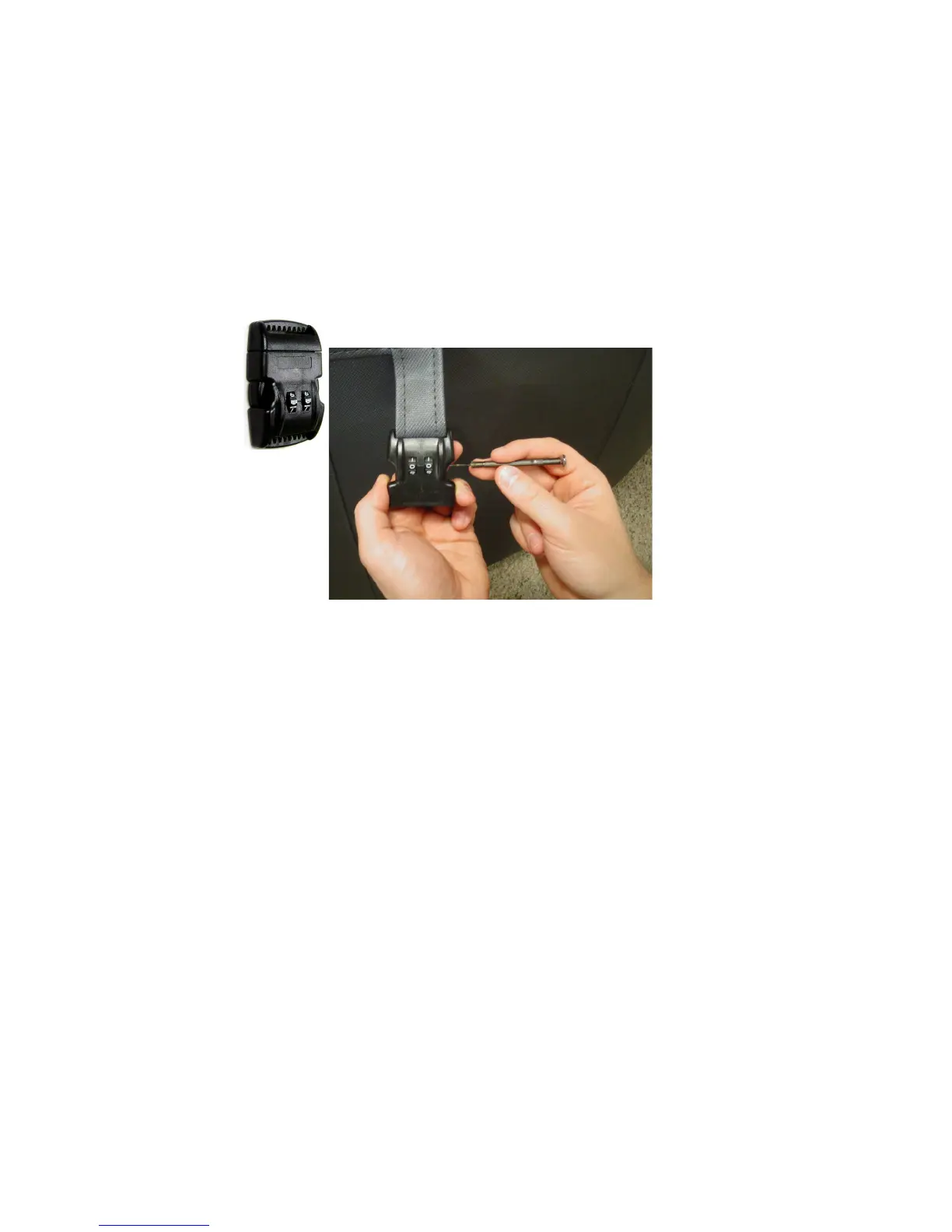
Your Softub features a patented combination lock located at the end of
the fastening straps with the lock preset to open at 0-0. To reset the
combination to your own number, first open the buckle, then use a
pointed object, such as a ballpoint pen, to press in the reset button.
Next, rotate the dial to your desired number while keeping the reset
button depressed. Finally, release the reset button.
14



 To Next Page