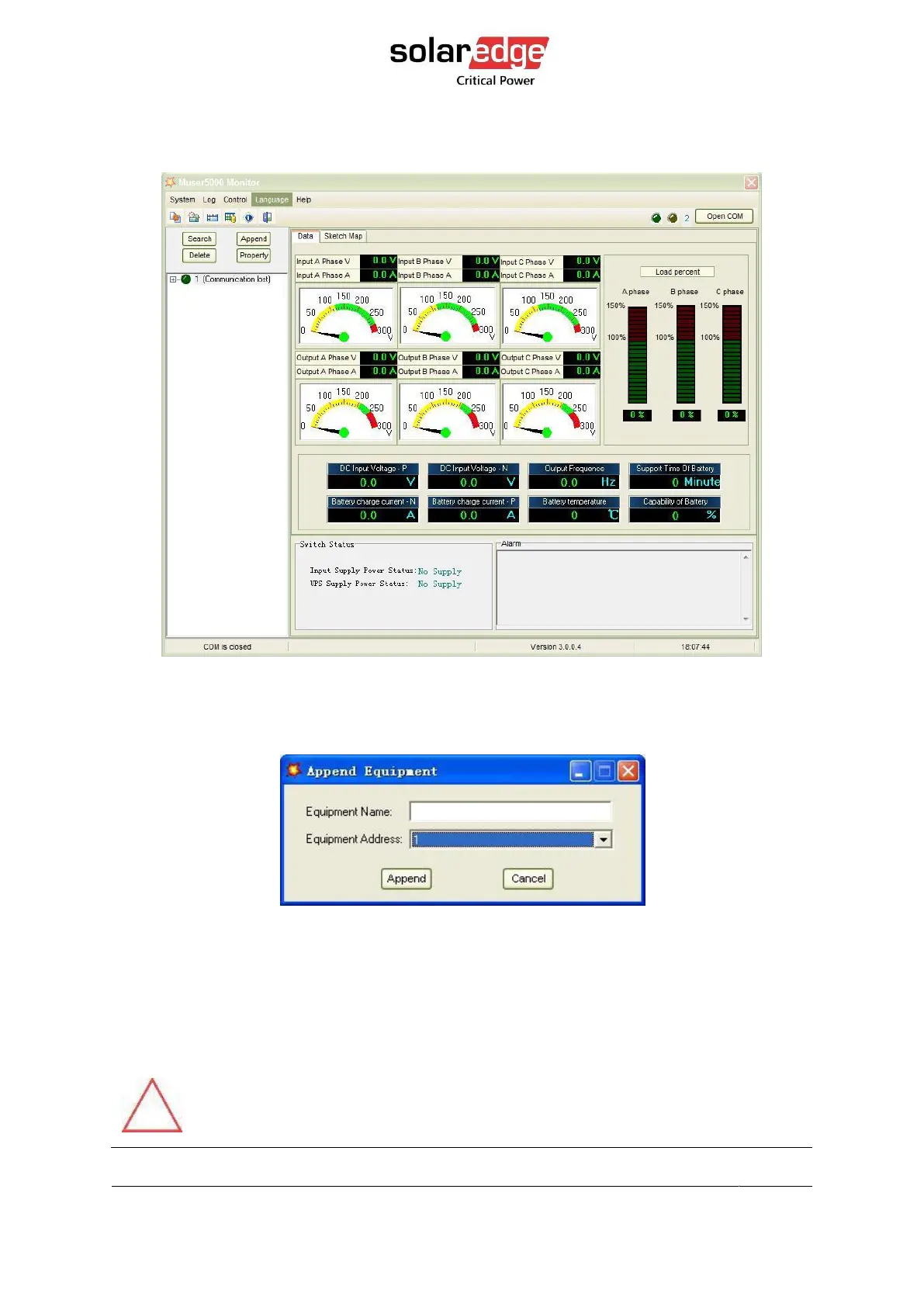
4. On the main page of Muser5000, click the button of “Append”, then goes to a window of
“Append equipment”. Password is YDC3350.
Figure 7 Muser5000 Append equipment page
5. Fill the UPS name field with “Equipment Name”, and UPS’ ID address fieldwith
“Equipment address”.
Figure 8 Muser5000 Append equipment manual setting page
6. Click the button “Append”, then the connection between UPS & computeris
accomplished.
CAUTION!
When the UPS works on inverter: If you want to use PC to set the output
voltage and frequency, you must shut down the inverter first.



 To Next Page