Page 34 Scenario C: L2 Bridge Mode
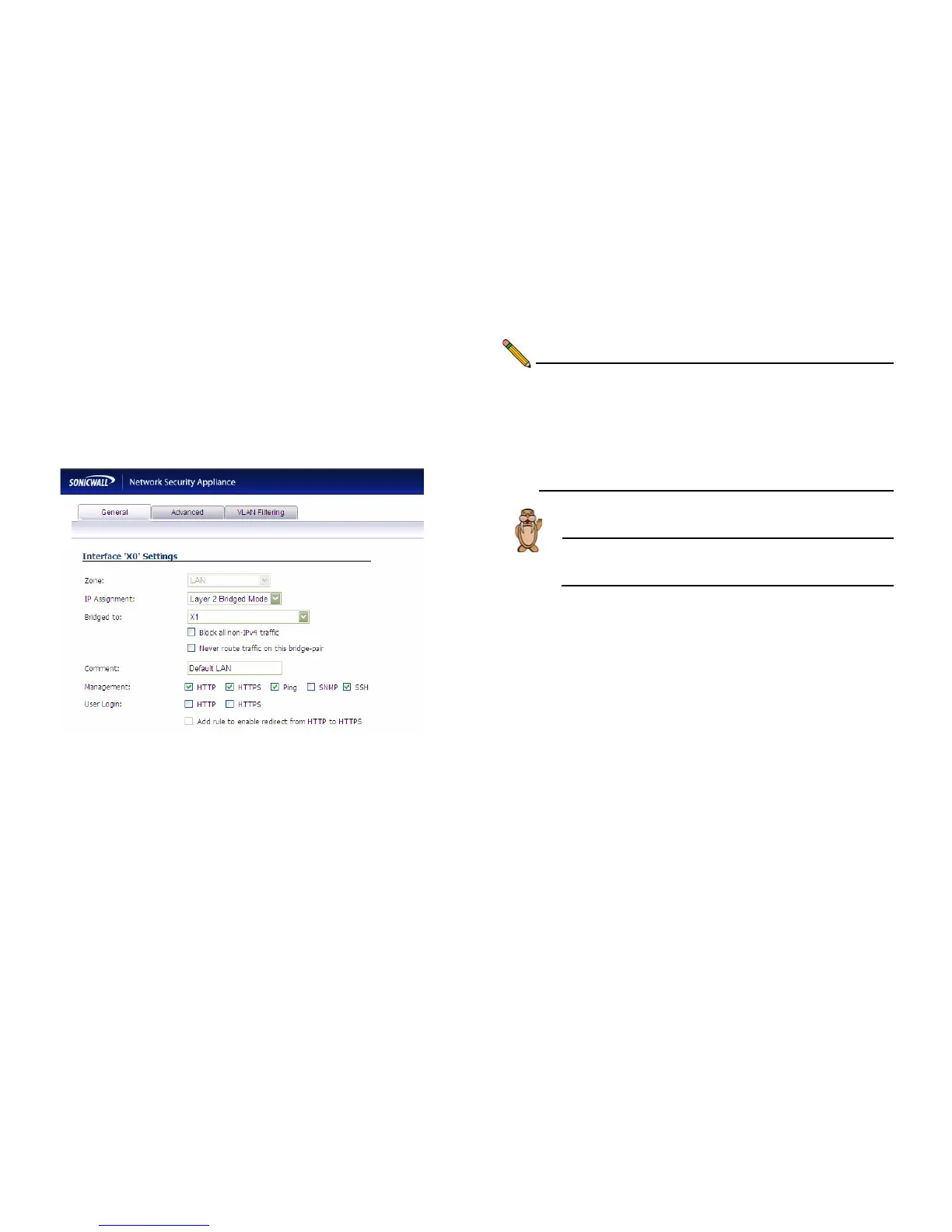
Configuring the Secondary Bridge Interface
Complete the following steps to configure the SonicWALL
appliance:
1. Navigate to Network > Interfaces.
2. Click the Configure icon in the right column of the X0 (LAN)
interface.
3. In the IP Assignment drop-down list, select Layer 2
Bridge Mode.
4. In the Bridged to drop-down list, select the X1 interface.
5. Configure management options (HTTP, HTTPS, Ping,
SNMP, SSH, User logins, or HTTP redirects).
Note: Do not enable Never route traffic on the bridge-pair
unless your network topology requires that all packets
entering the L2 Bridge remain on the L2 Bridge
segments.
You may optionally enable the Block all non-IPv4
traffic setting to prevent the L2 bridge from passing
non-IPv4 traffic.
Next... Continue to Verifying Your Connection section,
on page 35 to verify your WWAN connection.



 To Next Page