© Sontheim Industrie Elektronik GmbH 13.05.2022 page 17 of 30
Sontheim_Telemetry_Verona_Gen 4_operations manual.docx Version of the Document: 2.1
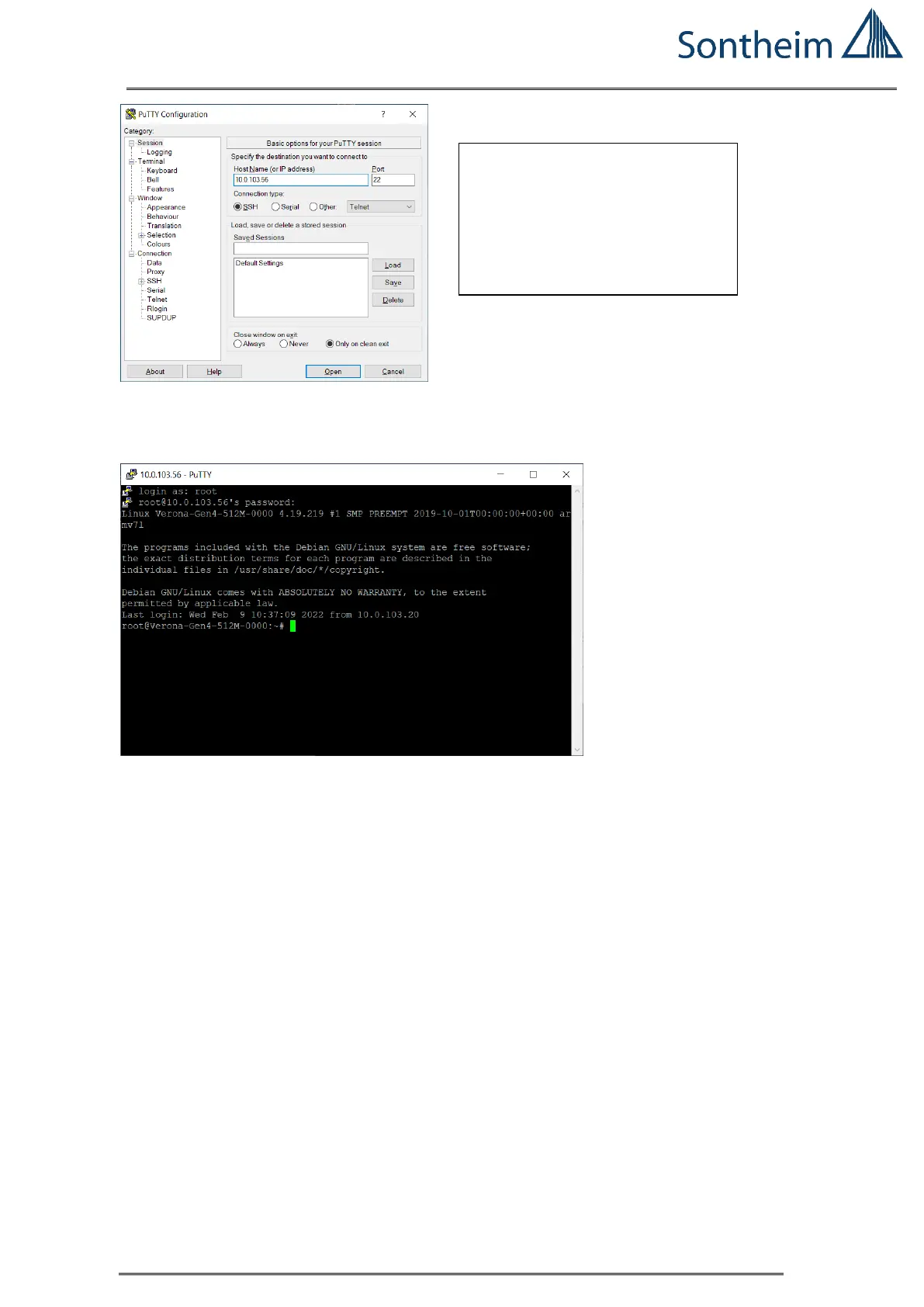
Figure 7 setup PUTTY Console
The Verona Gen 4 reports as follows:
Figure 8 Verona Gen 4 Response in Putty Console
Command line opens, the commands can be entered directly.
13.2. Operating the Software via WIFI (Verona Gen 4 is powered and connected
to the PC via WiFi)
Log in from the PC to the Verona Gen 4 telemetry node via SSH using the “putty”
software tool over WIFI:
SSH connection via Putty (via
network cable):
- IP: 10.0.103.56
- user: root
- passwd: root


 To Next Page