© Sontheim Industrie Elektronik GmbH 13.05.2022 page 18 of 30
Sontheim_Telemetry_Verona_Gen 4_operations manual.docx Version of the Document: 2.1
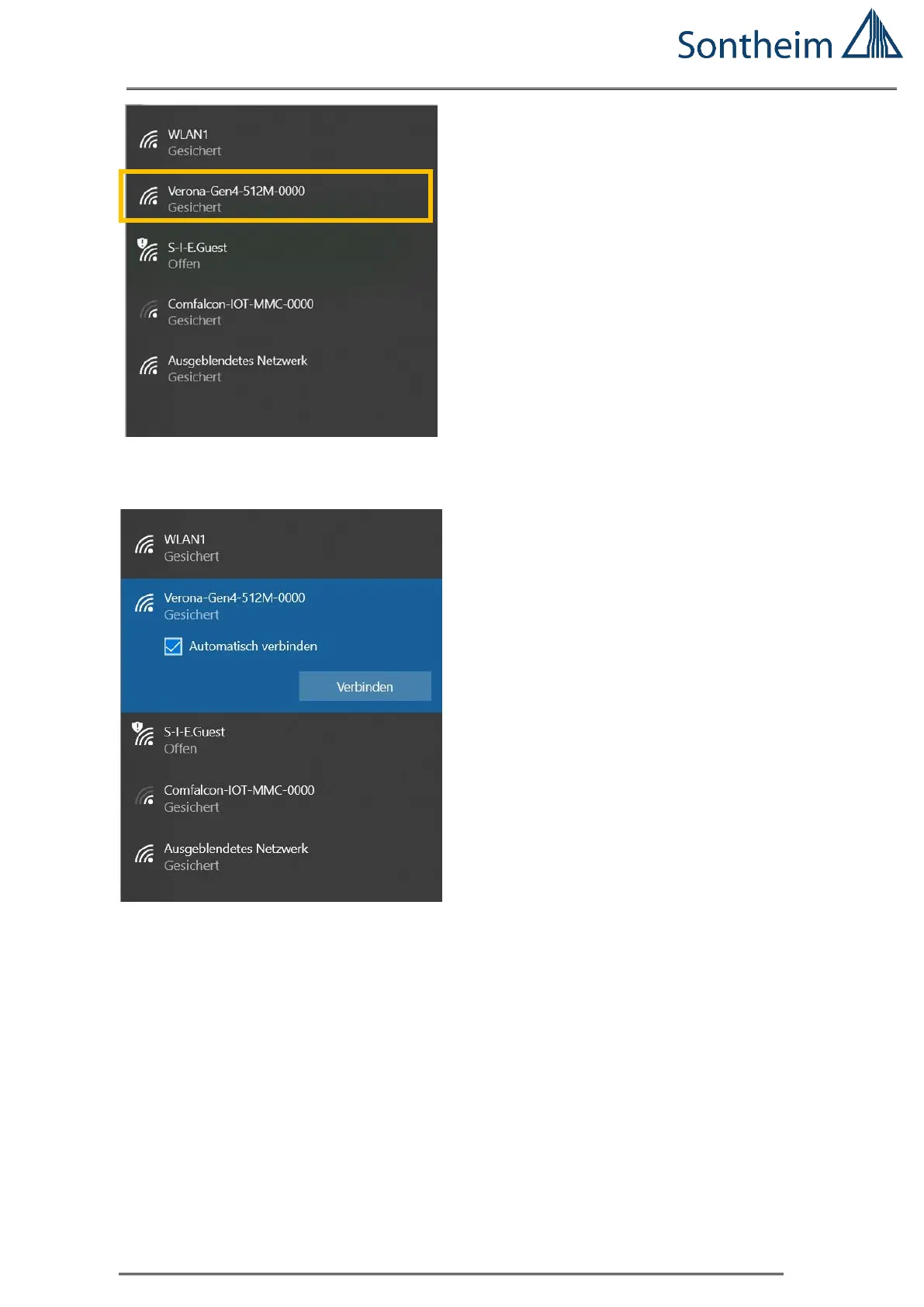
Figure 9 Windows 10 WLAN - networks available
Select the network: Verona-Gen4-512M-0000
Figure 10 WIFI Verona Gen 4 - automatic connection
Select the network: Verona-Gen4-512M-0000
Enter the network password: secret_word
After connecting the COMhawk xt / VERONA Gen 4, open a SSH console.
In this example, PuTTY was used:
Enter the IP address: 10.0.0.1
Port: 22 (is automatically set)
Than press open


 To Next Page