© Sontheim Industrie Elektronik GmbH 13.05.2022 page 20 of 30
Sontheim_Telemetry_Verona_Gen 4_operations manual.docx Version of the Document: 2.1
13.3. WinSCP Access:
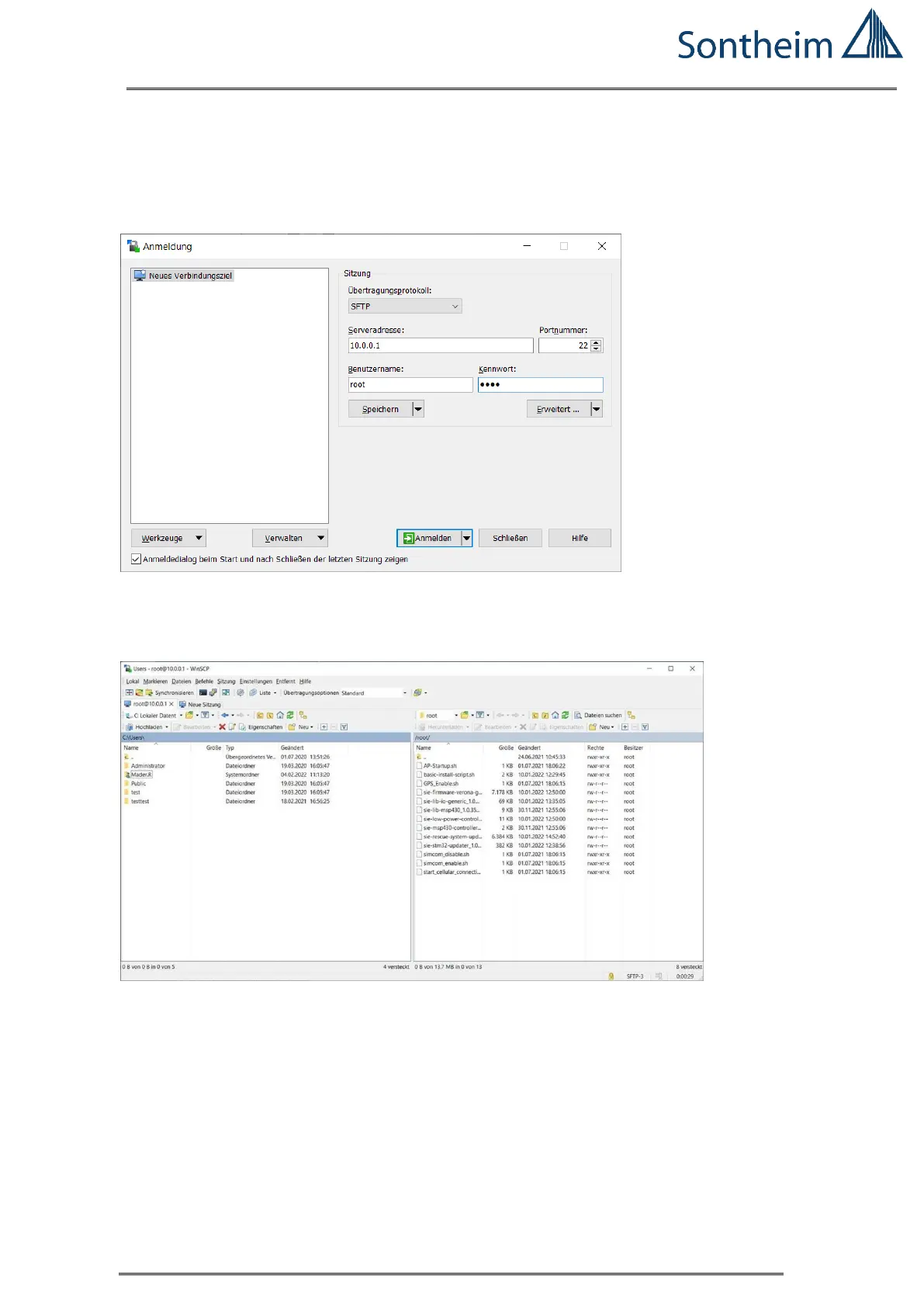
To easily access from PC the COMhawk xt file system, WinSCP can be used:
Example is with WiFi connection:
Set the IP-address: 10.0.0.1
User: root
Password: root
Figure 14 Start Screen for WinSCP
Protocol is SFTP (was automatically selected)
The COMhawk xt directory opens (right is COMhawk xt):
Figure 15 COMhawk xt Start Directory Structure (Example)
Start is the 'root' directory, -> go up and change to the 'home' directory!


 To Next Page