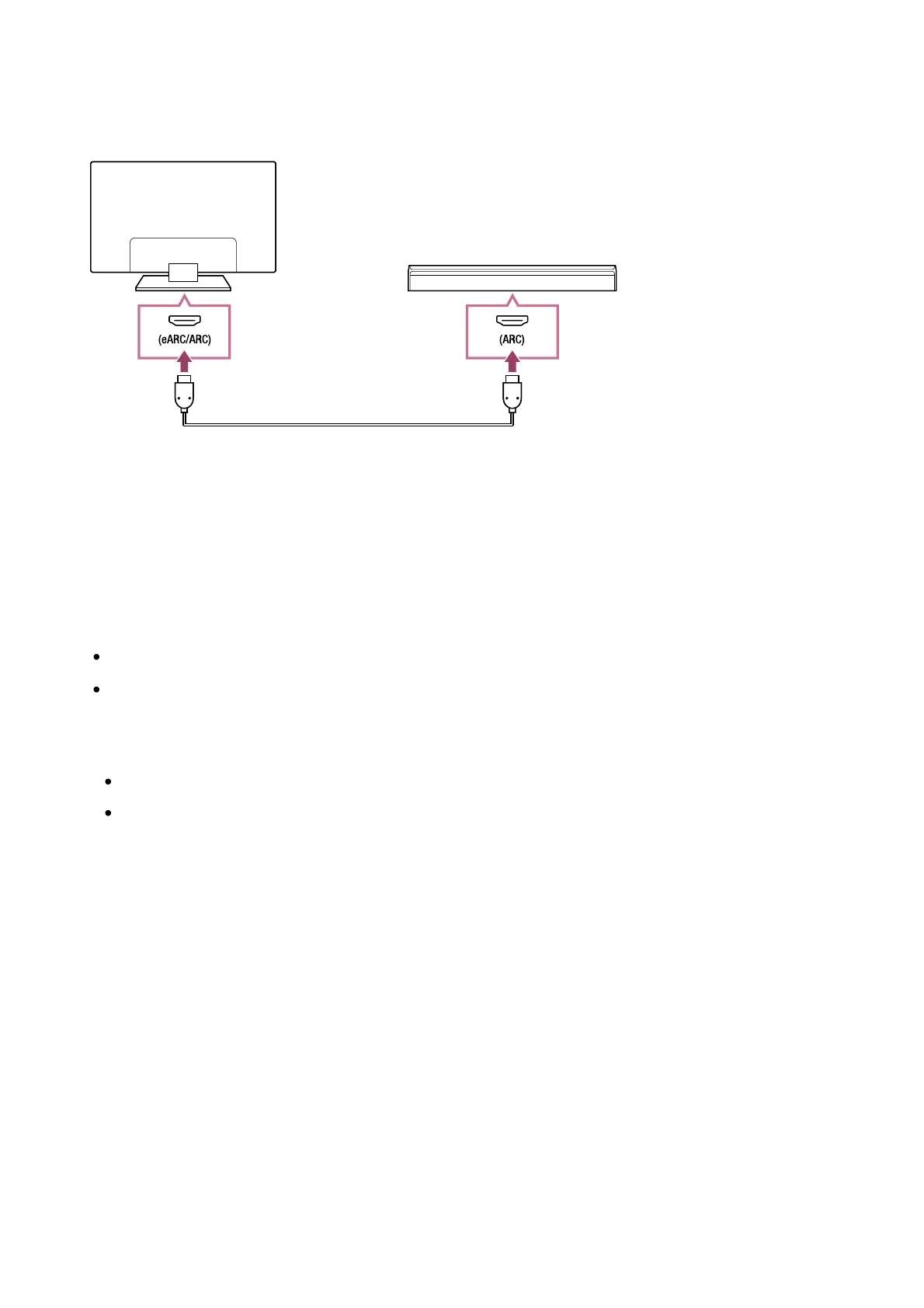
Sound bar connection
We recommend connecting the TV's HDMI input terminal (eARC or ARC) to the sound bar's
HDMI output terminal (eARC or ARC) with an HDMI cable.
(A) Sound bar
(B) HDMI cable (not supplied)
We recommend an authorised Premium High Speed HDMI Cable(s).
To connect a sound bar via HDMI, see “HDMI connection”.
If you connect the TV to a sound bar via HDMI, you can use the following features.
Link the power state of the sound bar and TV
Display and configure the sound bar settings on the TV
Note
The available functions depend on the sound bar.
Depending on the sound bar, “eARC” or “ARC” may not be indicated on the HDMI
terminal. For details on how to connect, refer to the sound bar manual.
Audio amp connection
We recommend connecting the TV's HDMI input terminal (eARC or ARC) to the sound bar's
HDMI output terminal (eARC or ARC) via HDMI. Depending on your audio system, you can
also connect with a digital optical cable.
*
* ™













 To Next Page