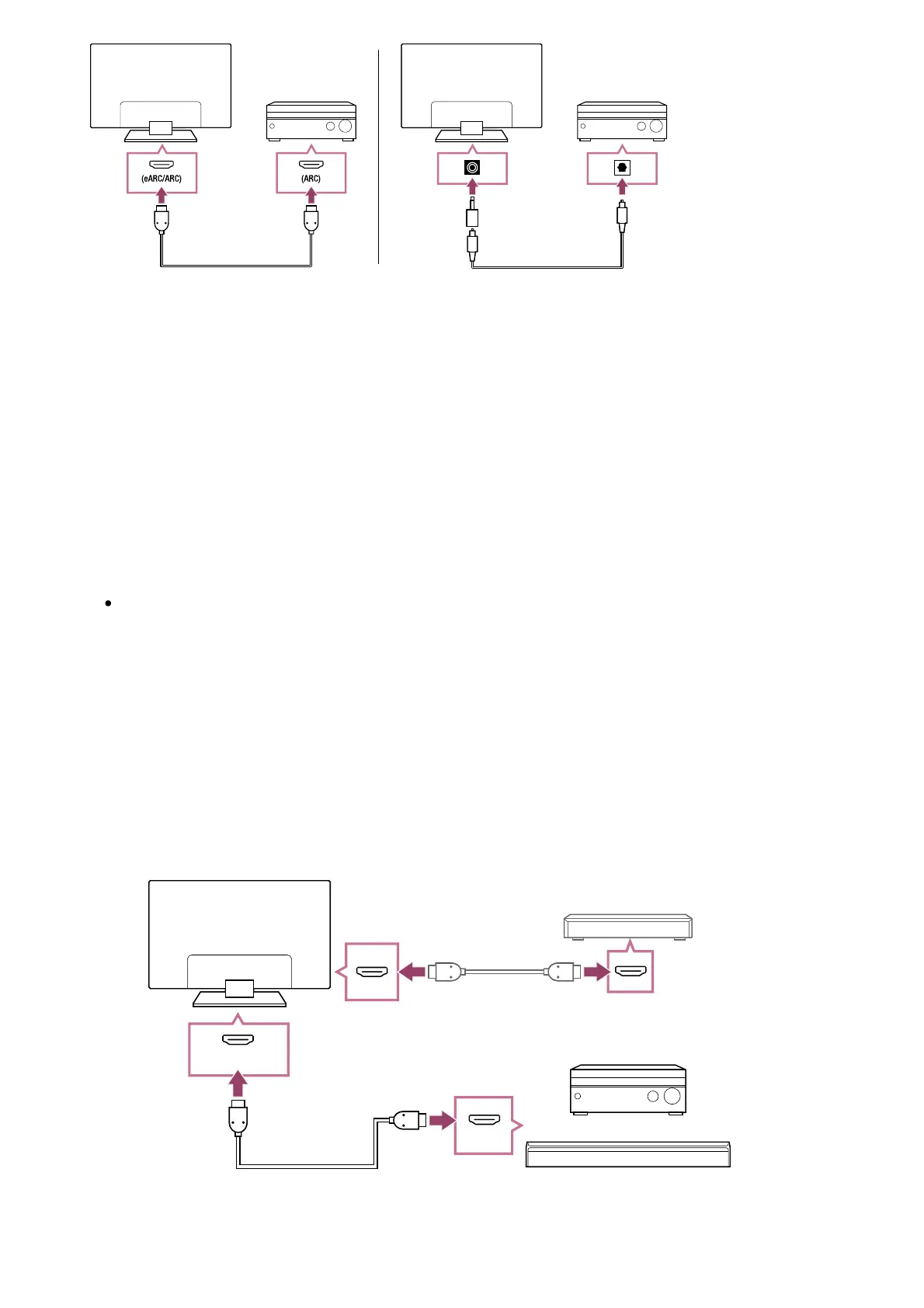
(A) Audio amp
(B) HDMI cable (not supplied)
(C) Digital optical cable (not supplied)
(D) Digital audio connector adapter (supplied)
We recommend an authorised Premium High Speed HDMI Cable(s).
To connect an audio amp via HDMI, see “HDMI connection”. To connect an audio amp with a
digital optical cable, see “Digital optical cable connection”.
Note
ALWAYS keep small accessories out of the reach of children, so that they are not
mistakenly swallowed.
HDMI connection (eARC supported)
Connect the external input device and TV with an HDMI cable. Connect the TV
and audio system with another HDMI cable.
Connect the audio system to the TV’s HDMI input terminal bearing the text “ARC” or
“eARC/ARC”.











 To Next Page