1
2
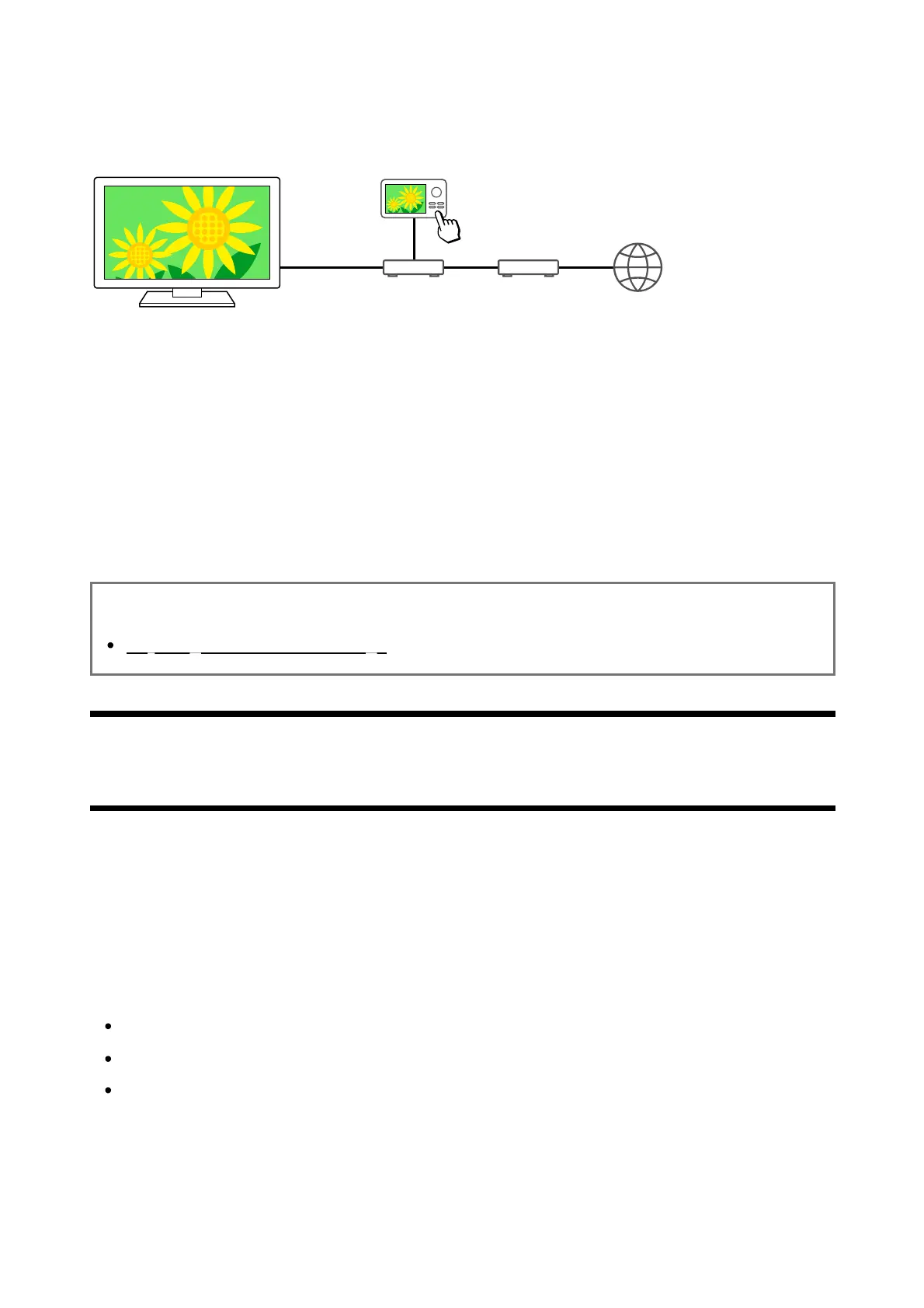
You can play photo/music/video files in a controller (e.g., digital still camera) on the TV screen
by operating the controller directly, if you connect the TV to a home network via a router. The
controller should also be renderer-compatible.
(A) Digital still camera (Controller)
(B) Router
(C) Modem
(D) Internet
Connect the TV to your home network.
Operate the controller to start playing the content on the TV screen.
Related topics
Adjusting home network settings
[88] Connecting to a Network
Viewing Internet content
You can use video streaming services such as YouTube™ and Netflix to watch Internet
content. The available services vary depending on your country and region. You can launch
these services by selecting their apps in the Home Menu. If a Google Account is set on the
TV, you can also select content that is displayed in the Home Menu.
Note
An Internet connection is required to watch Internet content.
Video streaming services such as Netflix and Amazon Prime are paid services.
Supported video streaming services depend on the model/region/country, and some
models/regions/countries do not support such services.
Hint













 To Next Page