Attachinga lens
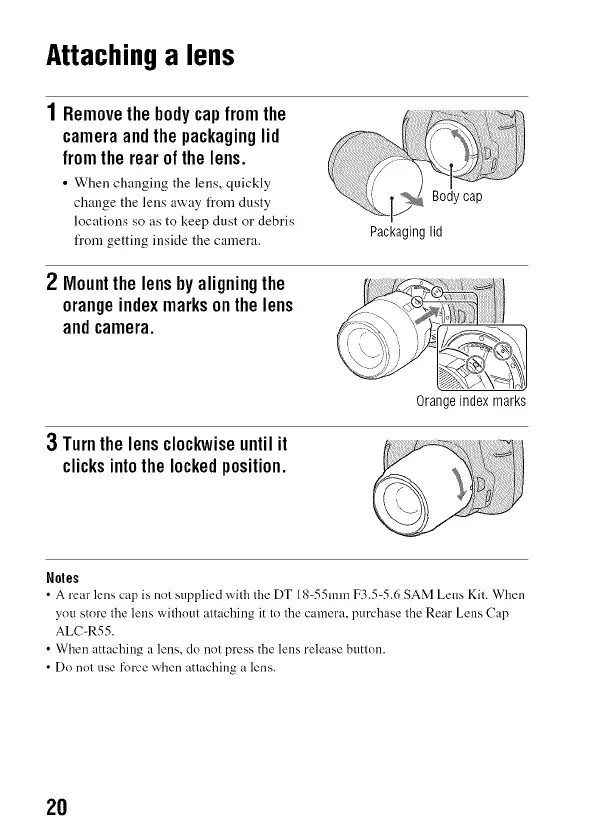
1Removethebodycapfromthe
cameraandthepackaginglid
fromtherearof the lens.
• When changing the lens, quickly
change the lens away from dusty
locations so as to keep dust or debris
from getting inside the camera.
Packaginglid
2 Mountthelensbyaligningthe
orangeindexmarksonthelens
andcamera.
3 Turnthelensclockwiseuntilit
clicksintothe lockedposition.
Orangeindex marks
N01es
• A rear lens cap is not supplied v_qththe DT 18-55mm F3.54.6 SAM Lens Kit. When
ynu store the lens without attaching it to the camera, purchase the Rear Lens Cap
ALC-R55.
• When attaching a lens, do not press the lens release button.
• Do not use force when attaching a lens.
2O



 To Next Page