Operation
Sot/ 0 'o sQs,STE 2
1
4 ESC 3
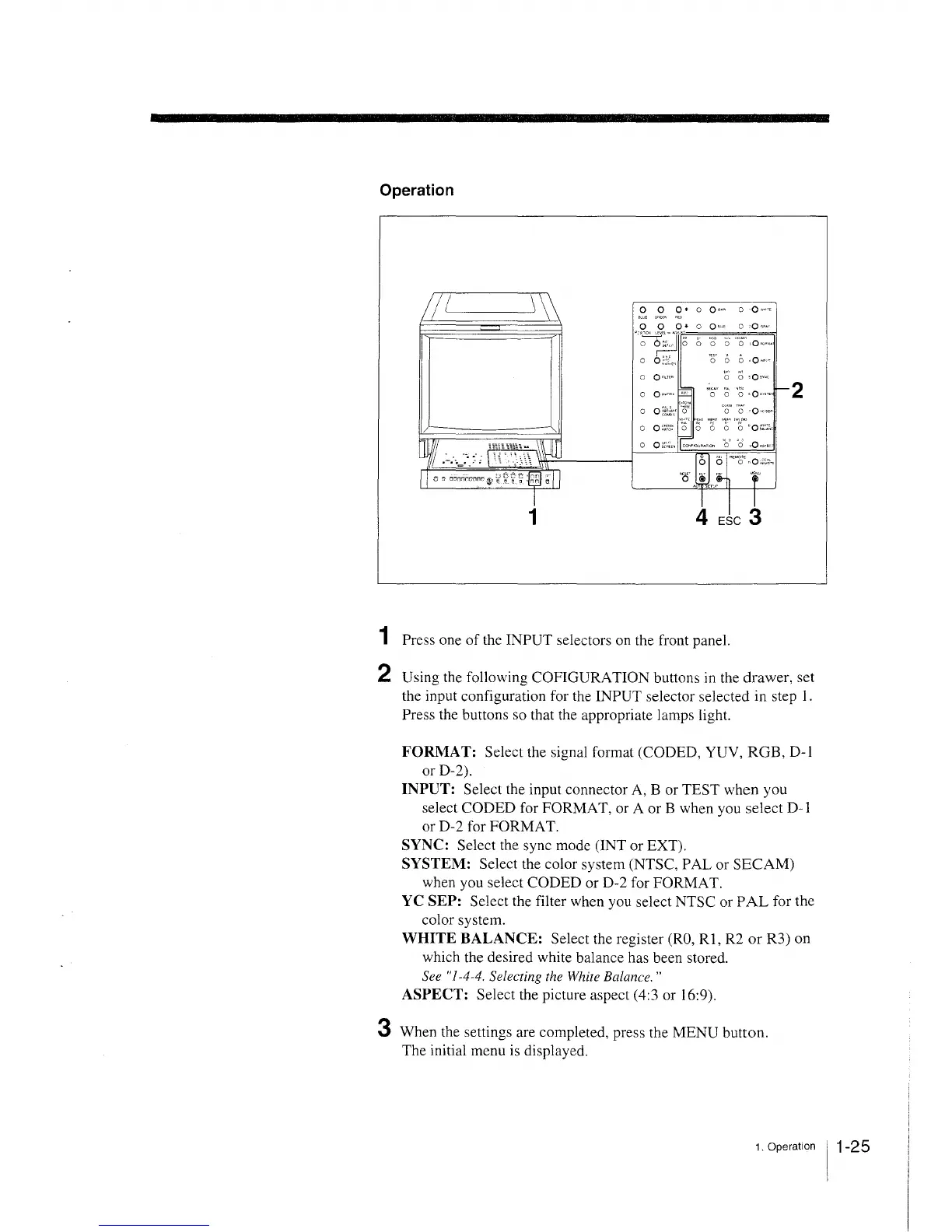
1 Press one of the INPUT selectors on the front panel.
2 Using the following COFIGURATION buttons in the drawer, set
the input configuration for the INPUT selector selected in step 1.
Press the buttons so that the appropriate lamps light.
FORMAT: Select the signal format (CODED, YUV, RGB, D-1
or D-2).
INPUT: Select the input connector A, B or TEST when you
select CODED for FORMAT, or A or B when you select D-1
or D-2 for FORMAT.
SYNC: Select the sync mode (INT or EXT).
SYSTEM: Select the color system (NTSC, PAL or SECAM)
when you select CODED or D-2 for FORMAT.
YC SEP: Select the filter when you select NTSC or PAL for the
color system.
WHITE BALANCE: Select the register (RO, RI, R2 or R3) on
which the desired white balance has been stored.
See "1-4-4. Selecting the White Balance. "
ASPECT: Select the picture aspect (4:3 or 16:9).
3 When the settings are completed, press the MENU button.
The initial menu is displayed.
1. Operation 11-25







 To Next Page