1-4-3. Presetting the Picture Levels
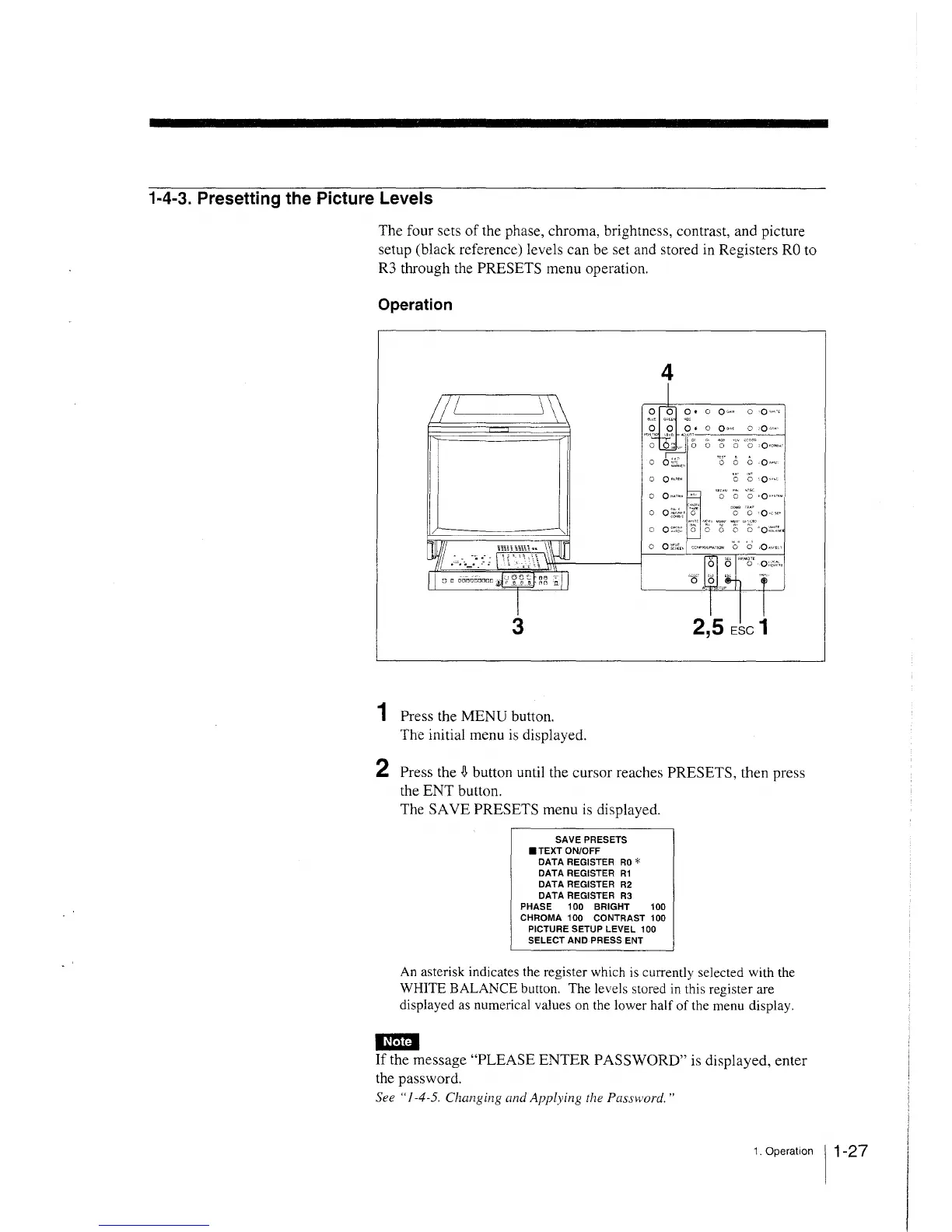
The four sets of the phase, chroma, brightness, contrast, and picture
setup (black reference) levels can be set and stored in Registers RO to
R3 through the PRESETS menu operation.
Operation
3
4
0 0 0 • o 0•·'" o ·0 ,. •. ,
0 0 0• o 0"" o ·0·•·•·
, ·~~J .... l Me · crnw
0
~
C, 0 0 0 0 •0•oew
o o, ... .; .. " TO' 0 0 .o~""
0 0""'" 0 0 '0""
o o .. ., •. "· o o o ,o--····
o O ~~.h· ·o~ CO" 'O" ·Ov~se·
o o,:,:: 8 o o o ·o;·::,~
1 Press the MENU button.
The initial menu is displayed.
2 Press the
~
button until the cursor reaches PRESETS, then press
the ENT button.
The SA VE PRESETS menu is displayed.
SAVE PRESETS
• TEXT ON/OFF
DATA REGISTER RO*
DATA REGISTER R1
DATA REGISTER R2
DATA REGISTER R3
PHASE 100 BRIGHT 100
CHROMA 100 CONTRAST 100
PICTURE SETUP LEVEL 100
SELECT AND PRESS ENT
An asterisk indicates the register which is currently selected with the
WHITE BALANCE button. The levels stored in this register are
displayed as numerical values on the lower half of the menu display.
Em
If the message "PLEASE ENTER PASSWORD" is displayed, enter
the password.
See "1-4-5. Changing and Applying the Password."
1. Operation 11-27







 To Next Page