CONFIGURE PARALLEL mode
The functions of the buttons or switches on the front panel or in the
drawer listed below can be assigned to pins I, 2 and 4 through 7, as
desired.
Front panel
INPUT selectors 2 to 4 (input selection)
MONO MODE switch (AUTO/MONO mode switching)
HY board inside the drawer
WHITE button (ON/OFF)
SYNC button (INT/EXT sync mode switching)
YC SEP button (COMB/TRAP filter switching)
ASPECT button (I 6:9/4:3 picture aspect switching)
S.A.D /VITC/MARKER button (S.A.D. or VITC ON/OFF)
FILTER button (ON/OFF)
MATRIX button (ON/OFF)
PAL S/SECAM F/COMB S button (mode or type switching)
CROSSHATCH button (ON/OFF)
SPLIT SCREEN button (ON/OFF)
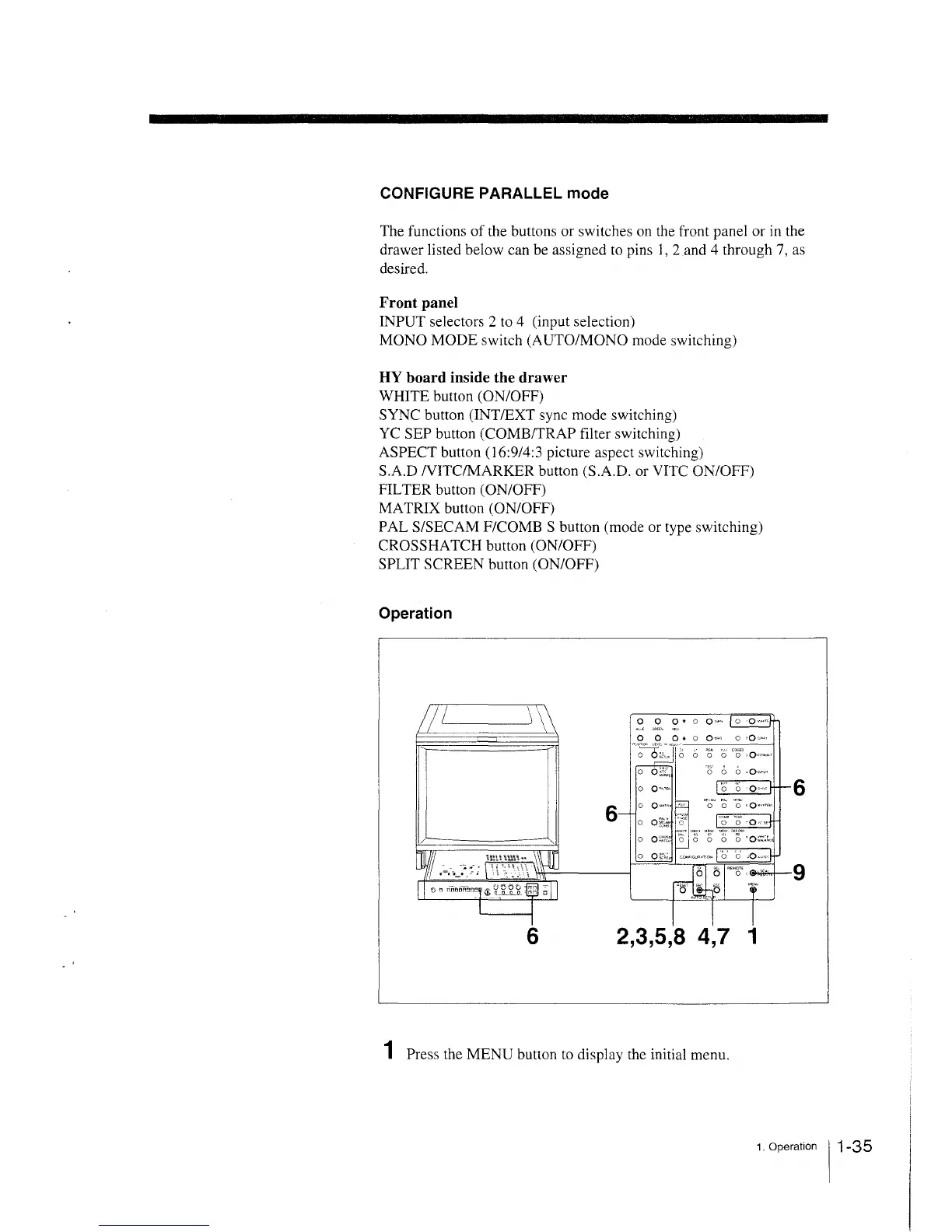
Operation
0 0 0. 0 o,., 0 ,o,,.,
-·~;~.,.,,·
~
6
~a~
0 '0° ,Q·
0
~ ... ,
6
6 2,3,5,8 4, 7 1
1 Press the MENU button to display the initial menu.
1. Operation 11-35







 To Next Page