23
Creating/editing a configuration
1
Click the [Edit] button for a configuration.
The configuration edit screen appears.
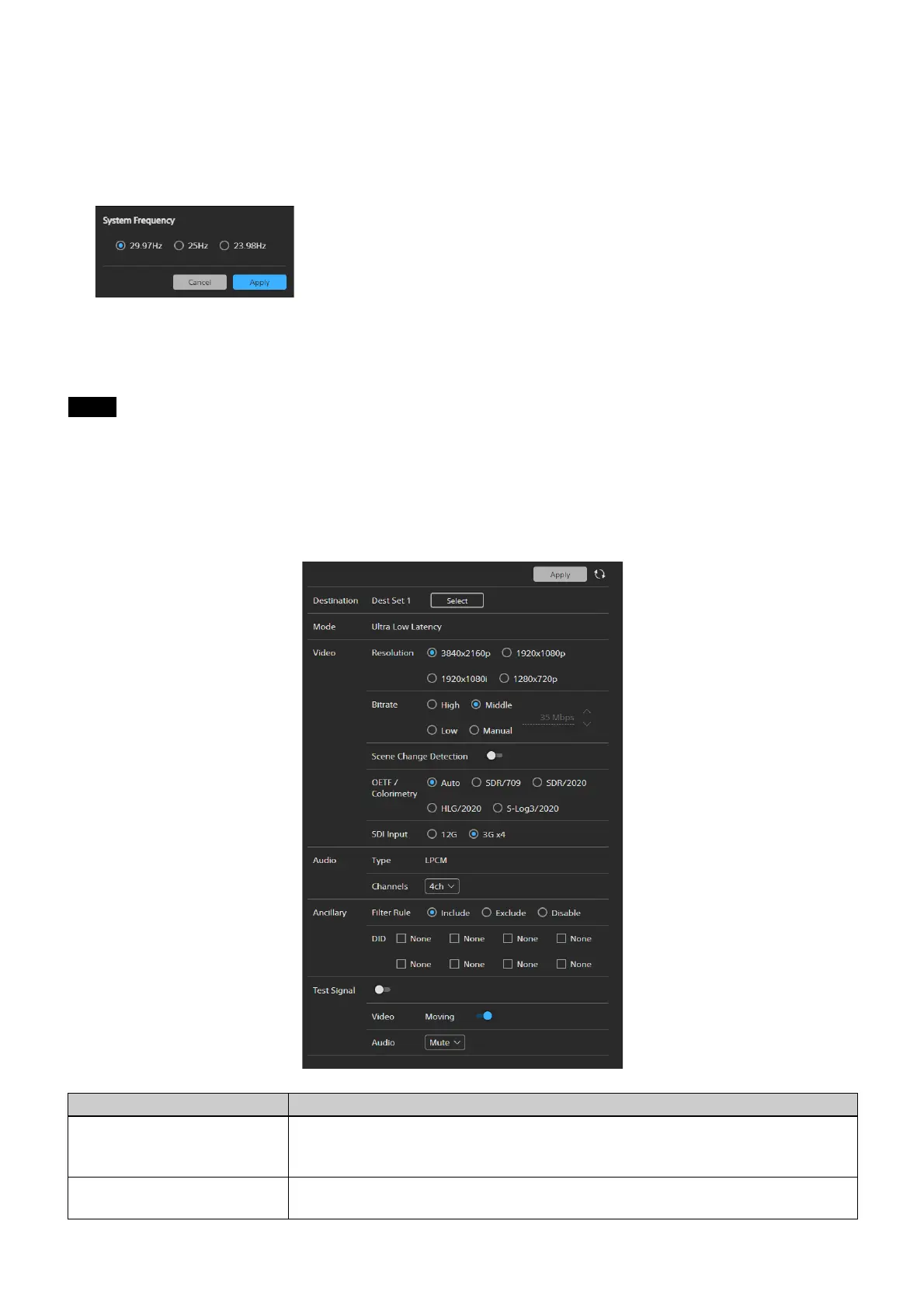
Editing screen example
2
Select the system frequency in [System Frequency] and click the [Set] button.
3
Click the [Apply] button.
If the currently selected configuration is edited, the unit must be rebooted.
Settings tab
This tab is used to configure stream transmit settings.
The structure of the screen will vary depending
on the configuration.
The settings on this screen are sav
ed for each configuration.
Note
Item Description
Destination Click [Select] and select a destination and str
eam number. The destination and stream
number are selected from the transmit destinations list created in [Destination] on the
[WAN List] tab.
Mode Displays the low latency transmission mode.
Ultra Low Latency: Ultra-low latency transmission mode








 To Next Page