32
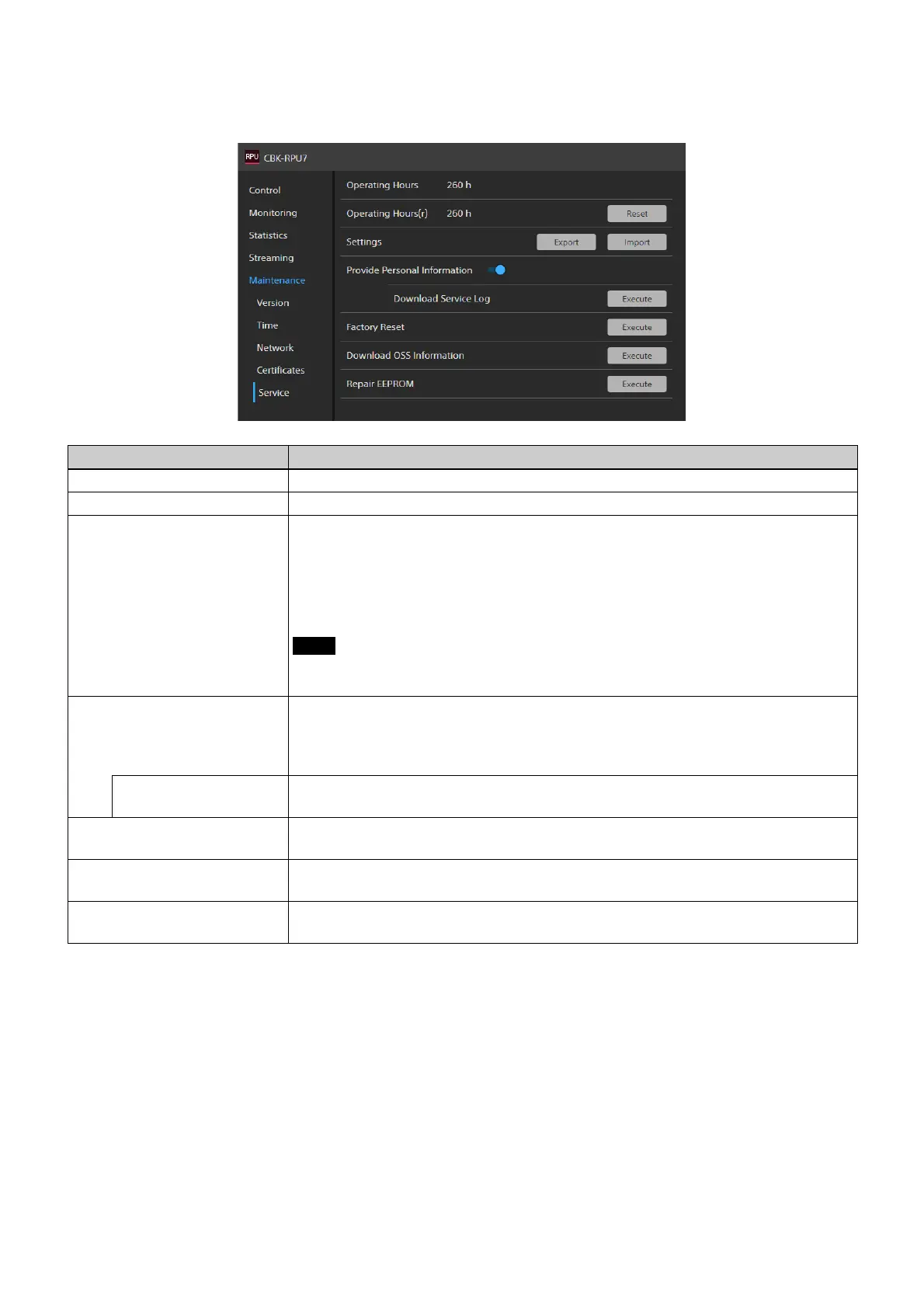
Service tab
This tab is used to configure and run service tasks.
The role required for changing settings and
operations is described for each item.
Item Description
Operating Hours Displays the cumulative operating time of the unit.
Operating Hours (r) Service item. Only users with Maintainer role have permission to reset.
Settings You can export the settings as a file, or apply the se
ttings from a file to the unit. Use to
back up settings and to apply the same settings to multiple units. Only users with
Maintainer role have permission to operate.
• Export: Export the settings of the unit as a file.
• Import: Imports settings saved in a file and apply them t
o the unit. The unit will
reboot automatically when executed.
Notes
• User accounts, IP addresses, network settings, and dates are not transferable.
• The unit may reboot twice, depending on the file that is imported.
Provide Personal Information Includes IP address and other personal information in the service log downloaded using
[Download Service Log]. To download a service log, you must set this switch to the
enabled position and agree to provide logs containing personal information. Only users
with Maintainer role or Operator role have permission to operate.
Download Service Log Downloads a service log. To download, [Pr
ovide Personal Information] must be
enabled. Only users with Maintainer role or Operator role have permission to operate.
Factory Reset Resets to the factory default state. After execution, the unit will reboot.
Only users with Maintainer role have permis
sion to operate.
Download OSS Information Downloads a file containing open-source softw
are (OSS) license information. Users with
any role have permission to operate.
Repair EEPROM Service item. After execution, the unit will reboot.
Only users with Maintainer role have permis
sion to operate.













 To Next Page