10
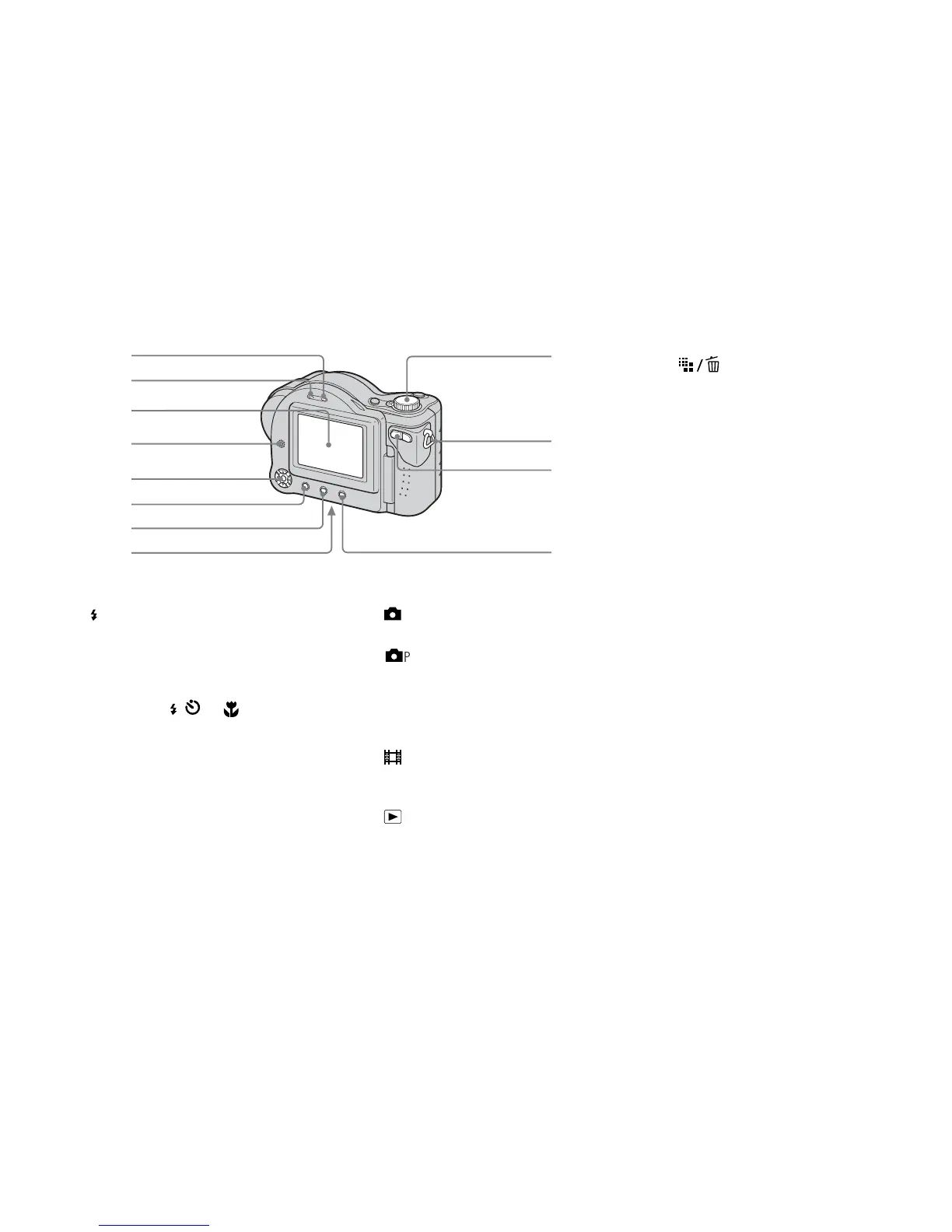
A ACCESS lamp (18)
B /CHG (charge) lamp (12)
C LCD screen
D Speaker
E Control button
(Menu on) (v/V/b/B/z)
(Menu off) ( / /7/) (27, 26,
24, 25)
F MENU button (40, 101)
G DISPLAY ON/OFF button (29)
H RESET button (bottom surface)
(88)
I Mode dial (16)
: To shoot still images in auto
adjustment mode
: To shoot still images in
programmed mode
SCN: To shoot in the Scene
Selection mode
SET UP: To set the SET UP items
: To shoot movies, Clip
Motion images or Multi
Burst mode images
: To view or edit images
1
2
3
6
4
qa
9
q;
8
7
qs
5
J Hook for shoulder strap
K Zoom button (for shooting) (24)/
Index button (for viewing) (32)
L (Image Size/Delete)
button (20, 35)



 To Next Page
 Loading...







