38
, Select [Delete] with v on the
control button, then press z.
When the message “Disc access”
disappears, the image has been deleted.
To cancel deleting
Select [Exit] with V on the control button,
then press z.
3
10:30
PM
2003 7 4101-0002
Delete
Exit
BACK/NEXTOK
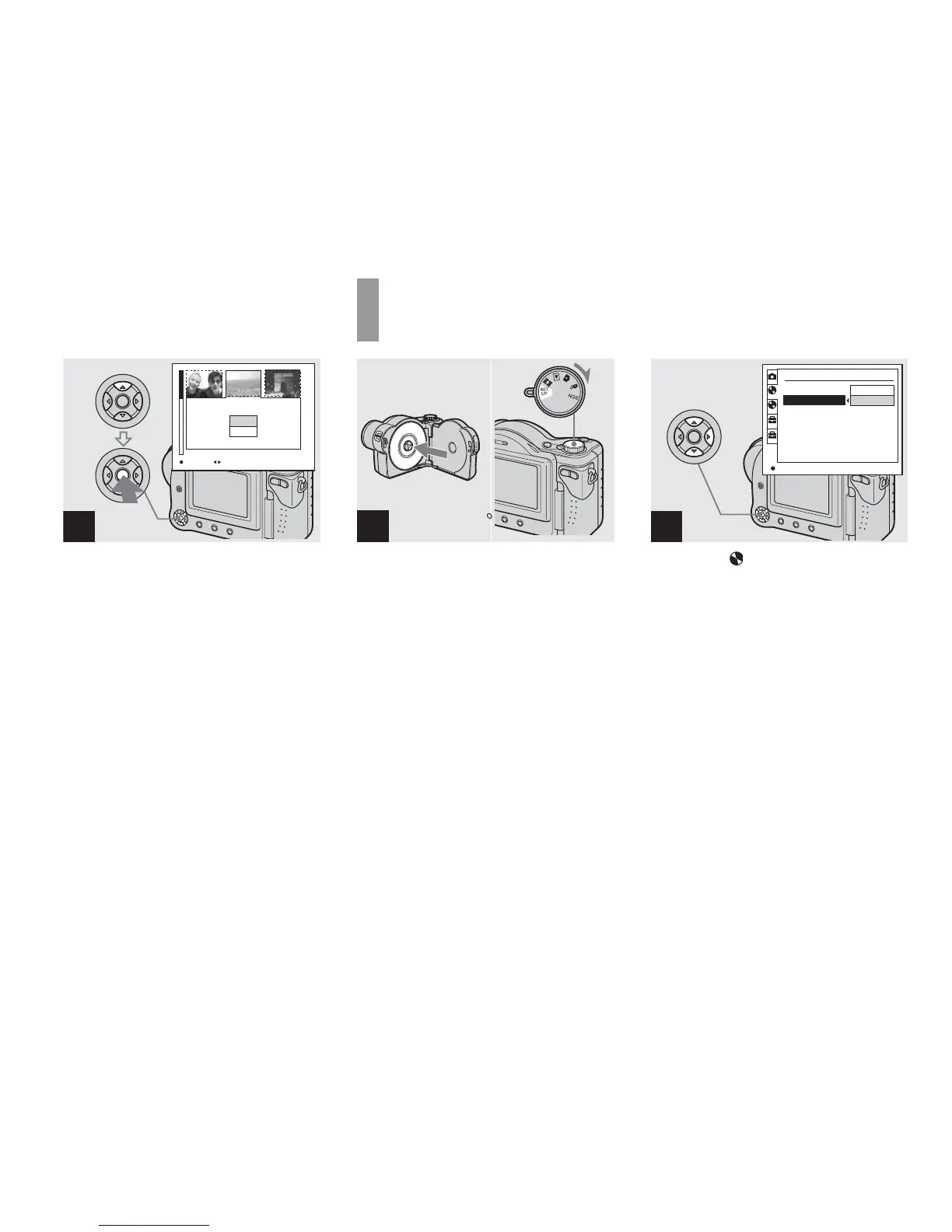
Formatting a CD-RW
, Place the CD-RW you want to
format in the disc tray.
Set the mode dial to SET UP,
and turn on the camera.
• A CD-R cannot be formatted.
• Formatting is performed to delete all the images
on the CD-RW or to use a CD-RW formatted
with other equipment than this camera.
• When you format a CD-RW, all data
stored on the disc including protected
images will be deleted. The CD-RW is
also automatically initialized after
formatting.
, Select (Disc Tool 1) with v/
V on the control button, then
press B. Select [Format] with
v/V, then press B.
• We recommend using the AC Adaptor to
prevent the power from turning off partway
through the formatting.
1
2
Disc Tool 1
Finalize:
Format:
Initialize:
Unfinalize:
OK
Cancel
OK
1
2
2
1
1



 To Next Page
 Loading...







