13
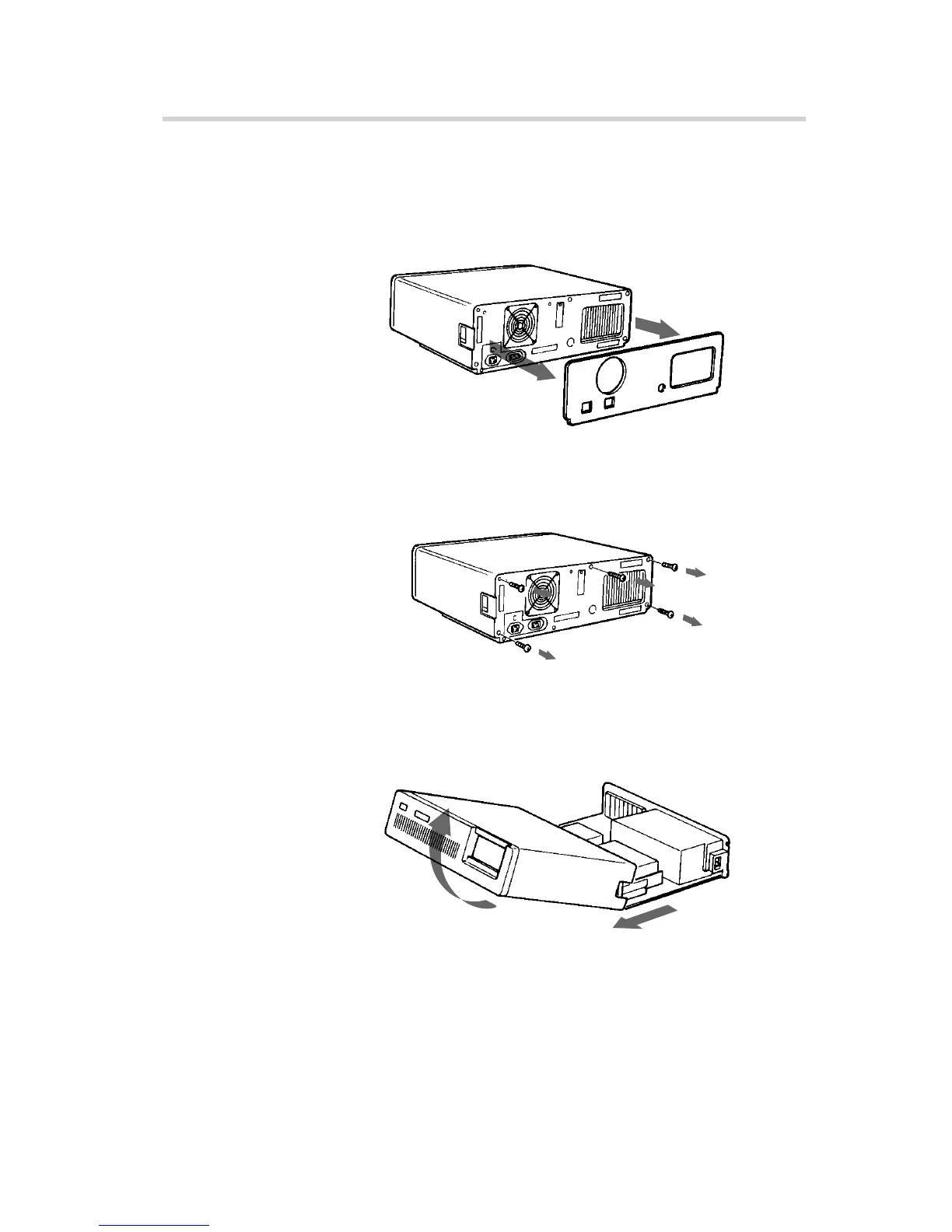
Opening the Computer
1 If your computer has its rear side covered by a plastic panel
attached with plastic hook pad, pull it off.
2 Remove the cover mounting screws.
3 Remove the cover of the computer.
Installing the Drive in Your Computer
Computer
Remove the plastic panel.
Rear plastic panel
Cover mounting screw
Remove the screws.
Remove the computer cover.



 To Next Page