19
Reassembling the Computer
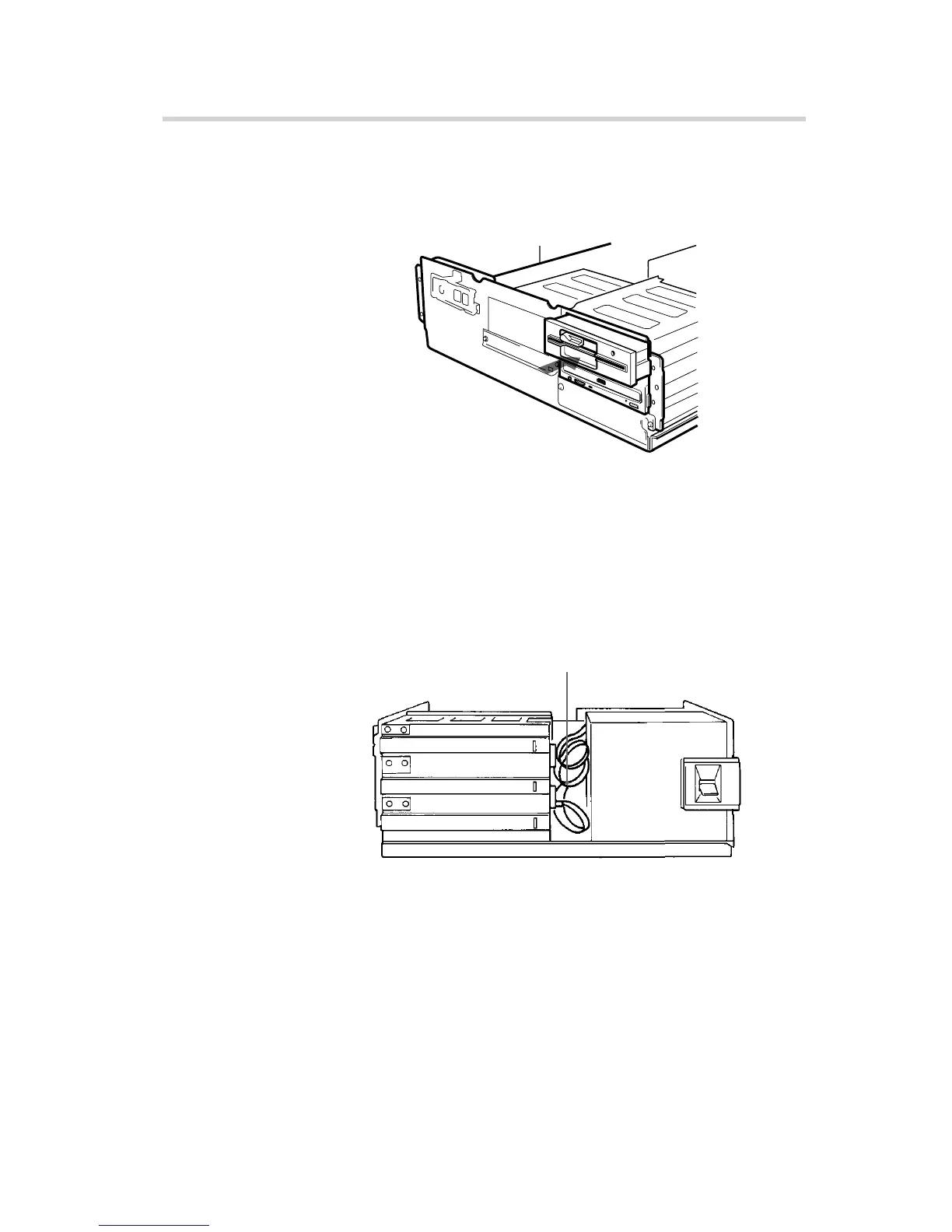
1 Reinstall the floppy disk drive in the top drive bay.
2 Reconnect the cables to the floppy disk drive.
3 Fasten the screws and front brackets as they were before.
4 Tuck the cables behind the drives so that they do not protrude
above the power supply module.
5 After checking the following points, slide the computer’s cover
on and fasten the cover mounting screws at the back of the
computer.
• Are the connections between the drive and computer correct?
• Are the jumpers set to the appropriate positions?
6 Remount the rear plastic panel, if any.
Installing the Drive in Your Computer
Reinstall the floppy disk drive.
Tuck the cables.
Power supply



 To Next Page