15
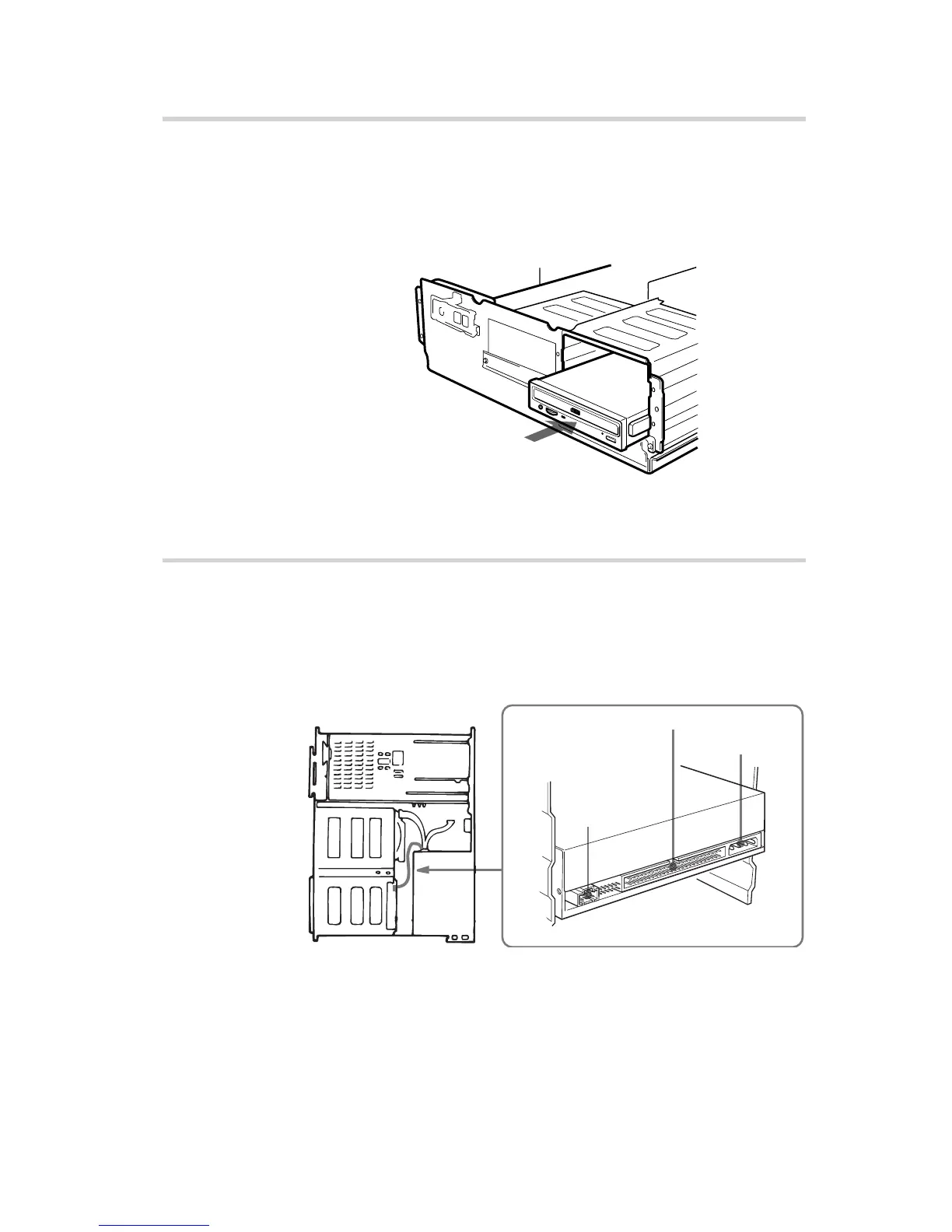
Mounting the Drive
If mounting rails are necessary, attach them to the drive in the same
way as the ones on your floppy disk drive and slide the drive into
the lower drive bay. Otherwise screw the drive in place.
Connecting the Drive
Connect the drive to the computer with the following connectors:
• DC INPUT connector
• AUDIO OUT connector (if you plan to connect audio equipment)
• INTERFACE CONNECTOR.
Installing the Drive in Your Computer
Slide the drive into the lower bay.
AUDIO
OUT
connector
INTERFACE CONNECTOR
DC INPUT
connector



 To Next Page