24
How to Use the Disc Locks
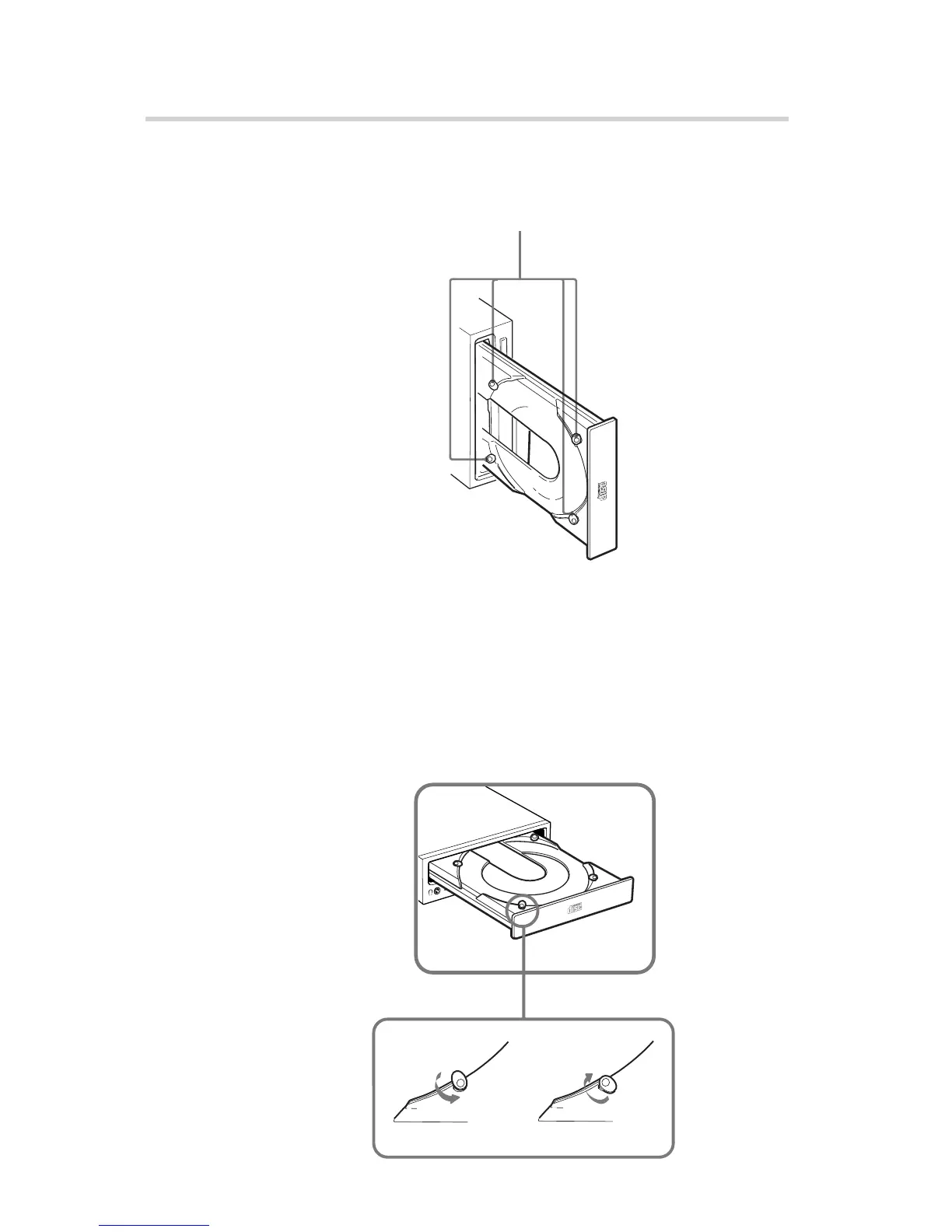
The disc tray has four disc locks that prevent the disc from falling
when the drive is set up in vertical position.
Note:
When the drive is used in horizontal position, you do not need to
lock the disc.
■ Locking and unlocking
All of the four locks are set in the unlocked position (facing
outward) when the drive is shipped from the factory. To set the lock
in the locked position, turn it with your fingers until you hear a click
so that it faces inward.
Operating the Drive
Disc locks
locked unlocked
to unlock
to lock



 To Next Page