14
Preparing a Space for the Drive
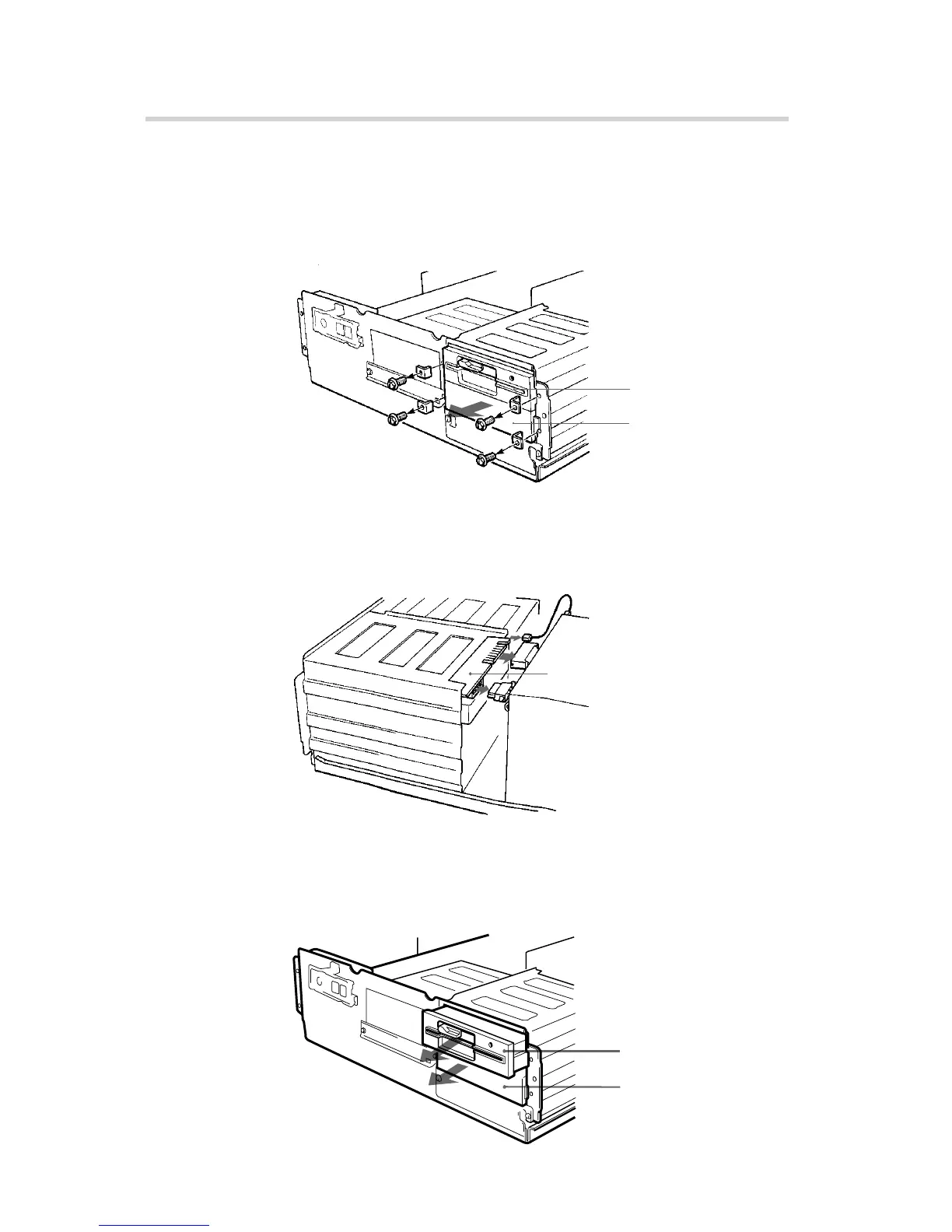
1 Remove the screws and brackets securing the floppy disk drive
and the lower drive bay blanking plate.
2 Disconnect the floppy disk drive.
3 Remove the floppy disk drive and the blanking plate.
Installing the Drive in Your Computer
Floppy disk drive
Lower drive bay
blanking plate
Remove the screws
and brackets.
Floppy disk drive
Floppy disk drive
Blanking plate



 To Next Page