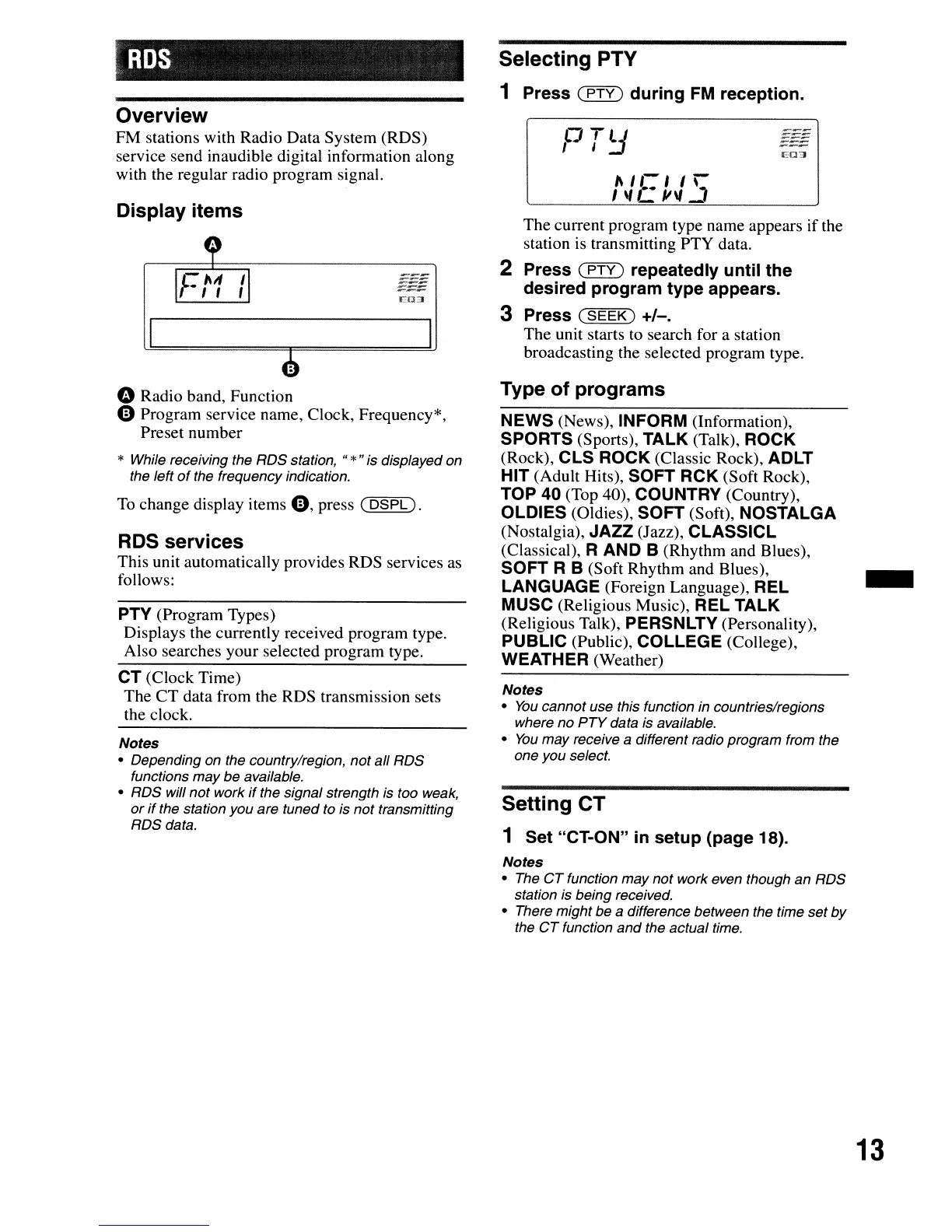
Selecting PTY
1 Press
(PTY)
during
FM
reception.
The current program type name appears if the
station is transmitting PTY data.
2 Press
(PTY)
repeatedly until the
desired program type appears.
3 Press
(SEEK)
+/-.
The unit starts to search for a station
broadcasting the selected program type.
CO:J
1\
I
f..
, I
')
, \I
L..
/1\1
_
(J
TlJ
,
I.:J
ED:J
Display items
Overview
FM stations with Radio Data System (RDS)
service send inaudible digital information along
with the regular radio program signal.
" Radio band, Function
o Program service name, Clock, Frequency*,
Preset number
* While receiving the RDS station,
"*"
is displayed on
the left
of
the frequency indication.
To
change display items
0,
press
(DSPL).
RDS
services
This unit automatically provides RDS services as
follows:
PTY (Program Types)
Displays the currently received program type.
Also searches your selected program type.
CT (Clock Time)
The CT data from the RDS transmission sets
the clock.
Notes
• Depending on the country/region, not all RDS
functions may be available.
• RDS will not work
if
the signal strength is too weak,
or
if
the station you are tuned to is not transmitting
RDSdata.
Type
of
programs
NEWS (News), INFORM (Information),
SPORTS (Sports), TALK (Talk), ROCK
(Rock), CLS ROCK (Classic Rock), ADLT
HIT (Adult Hits), SOFT RCK (Soft Rock),
TOP 40 (Top 40), COUNTRY (Country),
OLDIES (Oldies), SOFT (Soft), NOSTALGA
(Nostalgia), JAZZ (Jazz), CLASSICL
(Classical),
RAND
B (Rhythm and Blues),
SOFT R B (Soft Rhythm and Blues),
LANGUAGE (Foreign Language), REL
MUSC (Religious Music), REL TALK
(Religious Talk), PERSNLTY (Personality),
PUBLIC (Public), COLLEGE (College),
WEATHER (Weather)
Notes
•
You
cannot use this function
in
countries/regions
where no
PTY
data is available.
•
You
may receive a different radio program from the
one you select.
Setting CT
1 Set "CT-ON"
in
setup (page 18).
-
Notes
• The
CT
function may not work even though an RDS
station is being received.
• There might be a difference between the time set
by
the
CT
function and the actual time.
13





 To Next Page