•
16
Customizing the equalizer curve
-EQ3
"CUSTOM"
of
EQ3 allows you to make your
own equalizer settings.
1 Select a source, then press
the
select
button
repeatedly
to
select "EQ3."
2 Rotate
the
volume
control
dial
to
select "CUSTOM."
3 Press
the
select
button
repeatedly
until
"LOW,"
"MID"
or
"HI"
appears.
4 Rotate
the
volume
control
dial
to
adjust
the
selected item.
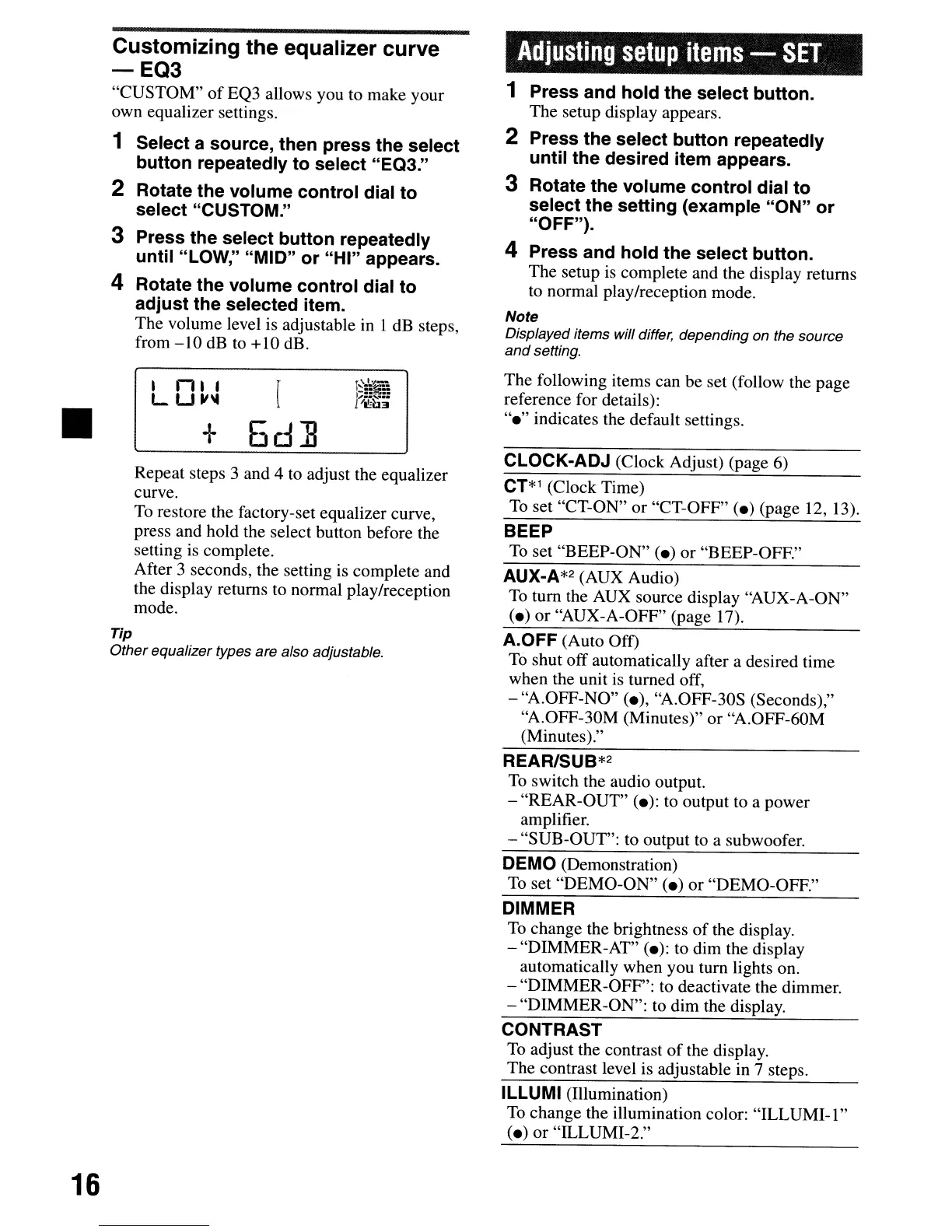
The volume level is adjustable in 1 dB steps,
from
-10
dB
to +10 dB.
a n a• r
L
U"'"
1
+
6d]
Repeat steps 3 and 4 to adjust the equalizer
curve.
To
restore the factory-set equalizer curve,
press and hold the select button before the
setting is complete.
After 3 seconds, the setting is complete and
the display returns
to
normal play/reception
mode.
Tip
Other equalizer types are also adjustable.
Adjusting
setup
items
-
SET
1 Press and
hold
the
select button.
The setup display appears.
2 Press
the
select
button
repeatedly
until
the
desired item appears.
3 Rotate
the
volume
control
dial
to
select
the
setting
(example
"ON"
or
"OFF").
4 Press and
hold
the
select button.
The setup
is
complete and the display returns
to
normal play/reception mode.
Note
Displayed items will differ, depending on the source
and
setting.
The following items can be set (follow the page
reference for details):
"e"
indicates the default settings.
CLOCK-ADJ (Clock Adjust) (page 6)
CT*1
(Clock Time)
To
set "CT-ON" or "CT-OFF" (e) (page 12, 13).
BEEP
To
set "BEEP-ON" (e) or "BEEP-OFF."
AUX-A*2 (AUX Audio)
To
tum the AUX source display "AUX-A-ON"
(e) or "AUX-A-OFF" (page 17).
A.OFF (Auto Off)
To
shut off automatically after a desired time
when the unit is turned off,
- "A.OFF-NO" (e), "A.OFF-30S (Seconds),"
"A.OFF-30M (Minutes)" or "A.OFF-60M
(Minutes)."
REARISUB*2
To
switch the audio output.
- "REAR-OUT" (e): to output to a power
amplifier.
- "SUB-OUT": to output to a subwoofer.
DEMO (Demonstration)
To
set "DEMO-ON" (e) or "DEMO-OFF."
DIMMER
To
change the brightness
of
the display.
- "DIMMER-AT" (e): to dim the display
automatically when you tum lights on.
- "DIMMER-OFF": to deactivate the dimmer.
- "DIMMER-ON": to dim the display.
CONTRAST
To
adjust the contrast
of
the display.
The contrast level is adjustable in 7 steps.
ILLUMI (Illumination)
To
change the illumination color:
"ILLUMI-l"
(e) or "ILLUMI-2."
•
16
Customizing the equalizer curve
-EQ3
"CUSTOM"
of
EQ3 allows you to make your
own equalizer settings.
1 Select a source, then press
the
select
button
repeatedly
to
select "EQ3."
2 Rotate
the
volume
control
dial
to
select "CUSTOM."
3 Press
the
select
button
repeatedly
until
"LOW,"
"MID"
or
"HI"
appears.
4 Rotate
the
volume
control
dial
to
adjust
the
selected item.
The volume level is adjustable in 1 dB steps,
from
-10
dB
to +10 dB.
a n a• r
L
U"'"
1
+
6d]
Repeat steps 3 and 4 to adjust the equalizer
curve.
To
restore the factory-set equalizer curve,
press and hold the select button before the
setting is complete.
After 3 seconds, the setting is complete and
the display returns
to
normal play/reception
mode.
Tip
Other equalizer types are also adjustable.
Adjusting
setup
items
-
SET
1 Press and
hold
the
select button.
The setup display appears.
2 Press
the
select
button
repeatedly
until
the
desired item appears.
3 Rotate
the
volume
control
dial
to
select
the
setting
(example
"ON"
or
"OFF").
4 Press and
hold
the
select button.
The setup
is
complete and the display returns
to
normal play/reception mode.
Note
Displayed items will differ, depending on the source
and
setting.
The following items can be set (follow the page
reference for details):
"e"
indicates the default settings.
CLOCK-ADJ (Clock Adjust) (page 6)
CT*1
(Clock Time)
To
set "CT-ON" or "CT-OFF" (e) (page 12, 13).
BEEP
To
set "BEEP-ON" (e) or "BEEP-OFF."
AUX-A*2 (AUX Audio)
To
tum the AUX source display "AUX-A-ON"
(e) or "AUX-A-OFF" (page 17).
A.OFF (Auto Off)
To
shut off automatically after a desired time
when the unit is turned off,
- "A.OFF-NO" (e), "A.OFF-30S (Seconds),"
"A.OFF-30M (Minutes)" or "A.OFF-60M
(Minutes)."
REARISUB*2
To
switch the audio output.
- "REAR-OUT" (e): to output to a power
amplifier.
- "SUB-OUT": to output to a subwoofer.
DEMO (Demonstration)
To
set "DEMO-ON" (e) or "DEMO-OFF."
DIMMER
To
change the brightness
of
the display.
- "DIMMER-AT" (e): to dim the display
automatically when you tum lights on.
- "DIMMER-OFF": to deactivate the dimmer.
- "DIMMER-ON": to dim the display.
CONTRAST
To
adjust the contrast
of
the display.
The contrast level is adjustable in 7 steps.
ILLUMI (Illumination)
To
change the illumination color:
"ILLUMI-l"
(e) or "ILLUMI-2."



 To Next Page