Note
Pressing the RESETbutton will erase the clock setting
and
some stored contents.
Preparing
the
card
remote
commander
Getting
Started
Resetting
the
unit
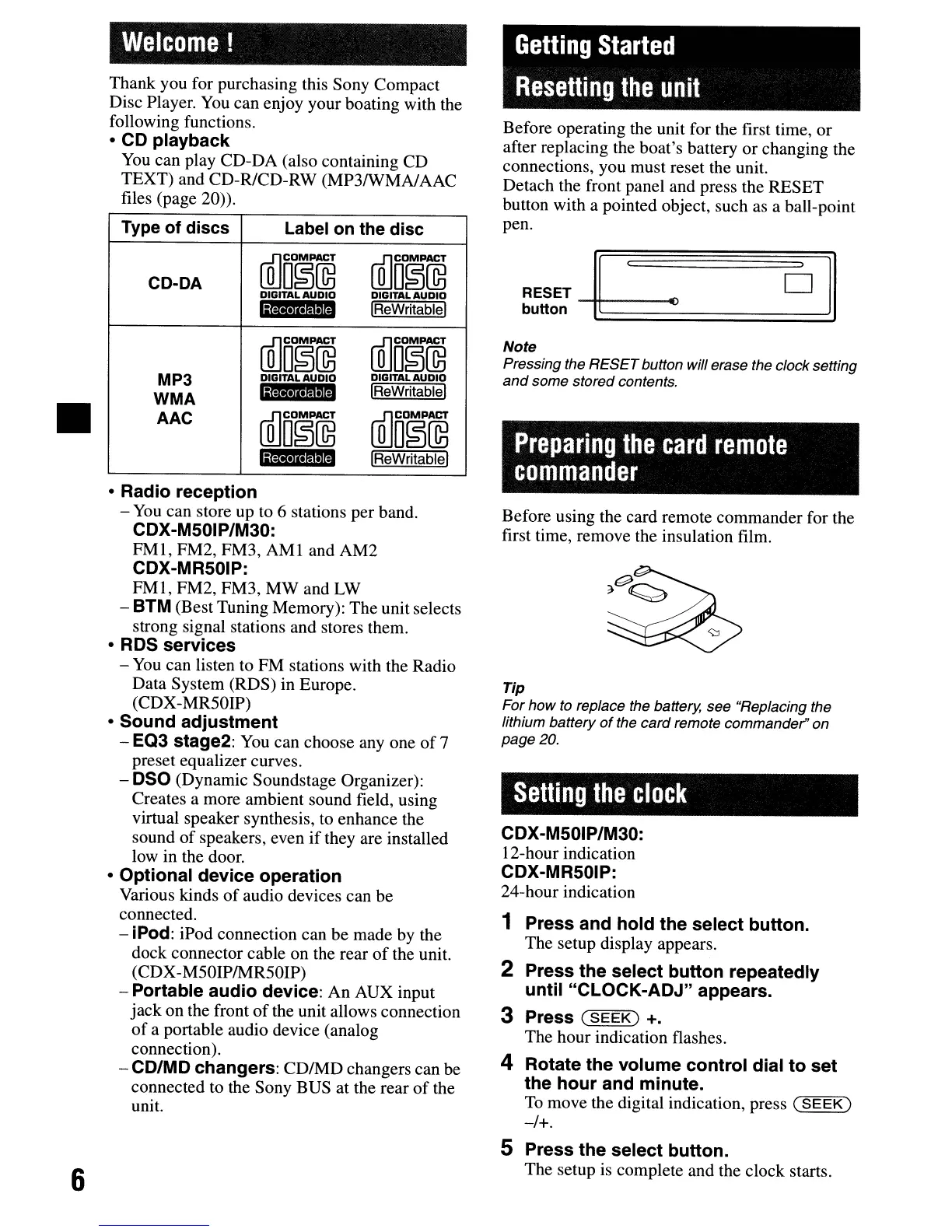
Before operating the unit for the first time, or
after replacing the boat's battery or changing the
connections, you must reset the unit.
Detach the front panel and press the RESET
button with a pointed object, such as a ball-point
pen.
oil
RESET
~
~
button
~
Welcome!
Thank you for purchasing this Sony Compact
Disc Player.
You
can enjoy your boating with the
following functions.
• CD playback
You
can play CD-DA (also containing CD
TEXT) and CD-R/CD-RW (MP3/WMA/AAC
files (page 20)).
Type of discs
Label
on
the disc
CD-DA
[[]D~~
ffi]D~@
DIGITAL
AUDIO
DIGITAL
AUDIO
la·,MII
IReWritablel
[[]D~~
[[]OO~~
MP3
DIGITAL
AUDIO
DIGITAL
AUDIO
WMA
GM·,M'MI
IReWritablel
AAC
ffi]D~~
ffi]o~~
IiM·I
••
mml
IReWritablel
•
6
• Radio reception
-
You
can store up to 6 stations per band.
CDX-M501P/M30:
FMI,
FM2, FM3,
AMI
and AM2
CDX-MR50IP:
FMI,
FM2, FM3,
MWand
LW
-
8TM
(Best Tuning Memory): The unit selects
strong signal stations and stores them.
• RDS services
-
You
can listen to FM stations with the Radio
Data System (RDS) in Europe.
(CDX-MR50IP)
• Sound adjustment
- EQ3 stage2:
You
can choose
anyone
of
7
preset equalizer curves.
- DSO (Dynamic Soundstage Organizer):
Creates a more ambient sound field, using
virtual speaker synthesis, to enhance the
sound
of
speakers, even
if
they are installed
low in the door.
• Optional device operation
Various kinds
of
audio devices can be
connected.
- iPod: iPod connection can be made by the
dock connector cable on the rear
of
the unit.
(CDX-M50IPIMR50IP)
- Portable audio device: An AUX input
jack
on the front
of
the unit allows connection
of
a portable audio device (analog
connection).
- CD/MD changers:
CDIMD
changers can be
connected to the Sony BUS at the rear
of
the
unit.
Before using the card remote commander for the
first time, remove the insulation film.
Tip
For
how
to replace the battery, see "Replacing the
lithium battery
of
the card remote commander" on
page 20.
Setting
the
clock
CDX-M501P/M30:
I2-hour indication
CDX-MR50IP:
24-hour indication
1 Press and hold the select button.
The setup display appears.
2 Press the select button repeatedly
until "CLOCK-ADJ" appears.
3 Press
(SEEK)
+.
The hour indication flashes.
4 Rotate the volume control dial to set
the hour and minute.
To
move the digital indication, press
(SEEK)
-/+.
5 Press the select button.
The setup is complete and the clock starts.
Note
Pressing the RESETbutton will erase the clock setting
and
some stored contents.
Preparing
the
card
remote
commander
Getting
Started
Resetting
the
unit
Before operating the unit for the first time, or
after replacing the boat's battery or changing the
connections, you must reset the unit.
Detach the front panel and press the RESET
button with a pointed object, such as a ball-point
pen.
oil
RESET
~
~
button
~
Welcome!
Thank you for purchasing this Sony Compact
Disc Player.
You
can enjoy your boating with the
following functions.
• CD playback
You
can play CD-DA (also containing CD
TEXT) and CD-R/CD-RW (MP3/WMA/AAC
files (page 20)).
Type of discs
Label
on
the disc
CD-DA
[[]D~~
ffi]D~@
DIGITAL
AUDIO
DIGITAL
AUDIO
la·,MII
IReWritablel
[[]D~~
[[]OO~~
MP3
DIGITAL
AUDIO
DIGITAL
AUDIO
WMA
GM·,M'MI
IReWritablel
AAC
ffi]D~~
ffi]o~~
IiM·I
••
mml
IReWritablel
•
6
• Radio reception
-
You
can store up to 6 stations per band.
CDX-M501P/M30:
FMI,
FM2, FM3,
AMI
and AM2
CDX-MR50IP:
FMI,
FM2, FM3,
MWand
LW
-
8TM
(Best Tuning Memory): The unit selects
strong signal stations and stores them.
• RDS services
-
You
can listen to FM stations with the Radio
Data System (RDS) in Europe.
(CDX-MR50IP)
• Sound adjustment
- EQ3 stage2:
You
can choose
anyone
of
7
preset equalizer curves.
- DSO (Dynamic Soundstage Organizer):
Creates a more ambient sound field, using
virtual speaker synthesis, to enhance the
sound
of
speakers, even
if
they are installed
low in the door.
• Optional device operation
Various kinds
of
audio devices can be
connected.
- iPod: iPod connection can be made by the
dock connector cable on the rear
of
the unit.
(CDX-M50IPIMR50IP)
- Portable audio device: An AUX input
jack
on the front
of
the unit allows connection
of
a portable audio device (analog
connection).
- CD/MD changers:
CDIMD
changers can be
connected to the Sony BUS at the rear
of
the
unit.
Before using the card remote commander for the
first time, remove the insulation film.
Tip
For
how
to replace the battery, see "Replacing the
lithium battery
of
the card remote commander" on
page 20.
Setting
the
clock
CDX-M501P/M30:
I2-hour indication
CDX-MR50IP:
24-hour indication
1 Press and hold the select button.
The setup display appears.
2 Press the select button repeatedly
until "CLOCK-ADJ" appears.
3 Press
(SEEK)
+.
The hour indication flashes.
4 Rotate the volume control dial to set
the hour and minute.
To
move the digital indication, press
(SEEK)
-/+.
5 Press the select button.
The setup is complete and the clock starts.



 To Next Page