17
CDX-M50IP/MR50IP
SECTION 4
DIAGNOSIS FUNCTION
Description of the Diagnostics function:
1. Setting the Diag display mode
With the power off, press the [4/SHUF] button, [5] button, and
[4/SHUF] button on the set body or the remote control (for more
than 2 seconds) in turn.
2. Canceling the Diag display mode
During the Diag function mode, press the [OFF] button.
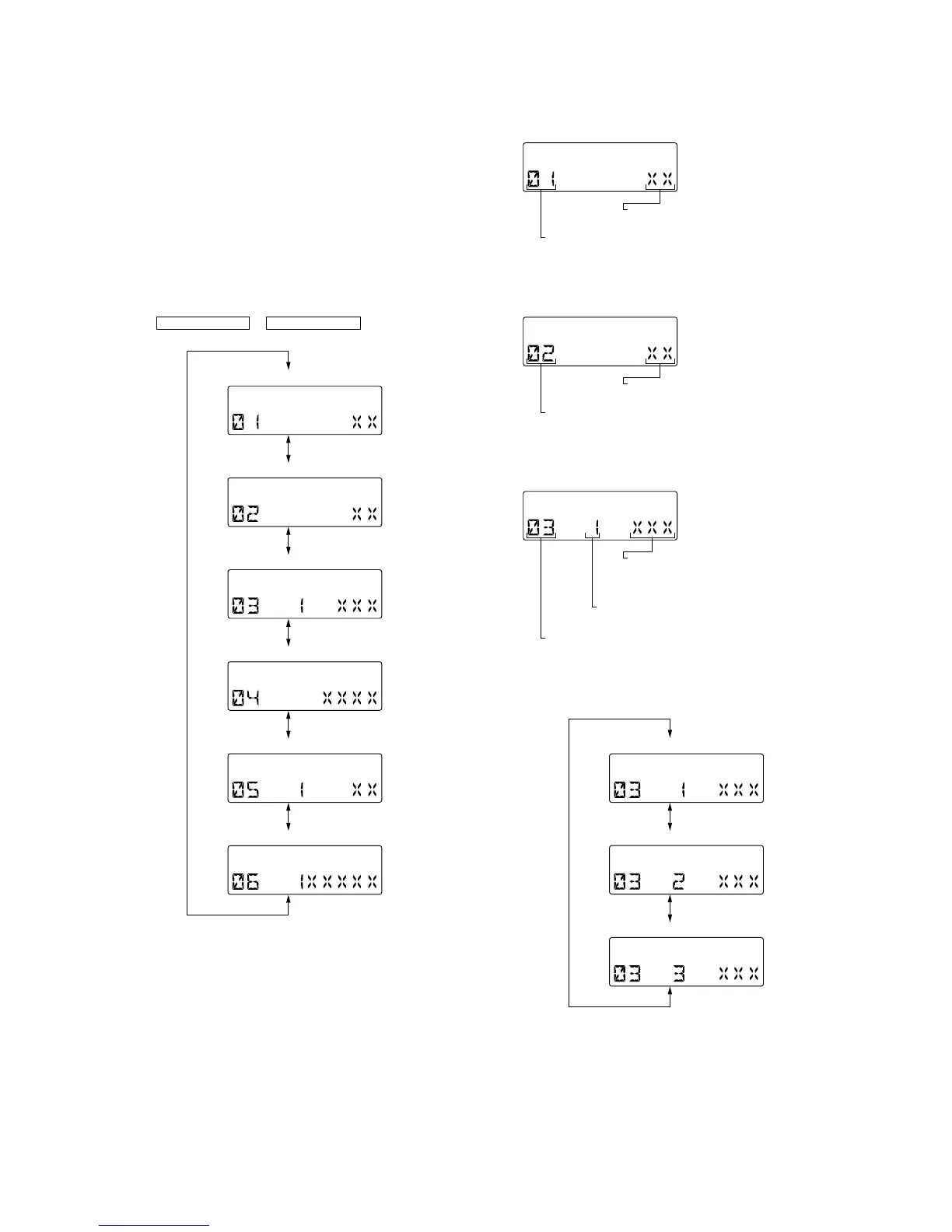
3. Initial display in the Diag display mode
Just when the Diag mode is entered, “reset count” is displayed.
The display mode is switched by each rotation of
SEEK +/M > or SEEK –/. m buttons.
4. Contents of each display mode
4-1. Reset count display mode
4-2. Reset count by watchdog timer display mode
4-3. Number of connected units display mode
The display mode is switched by each rotation of [ALBM +] or [ALBM
--] buttons during the number of connected units display mode.
Reset count display
OFFSET/FAILURE error display
CD error information display
Operating hours display
Number of connected units display
Reset count by watchdog timer display
Reset count
(in hexadecimal format)
Diag code
01: Reset count
Reset count
(in hexadecimal format)
Diag code
02: Number of resets by watchdog timer
Shown the number of connected units for
CD-C, MD-C and XM respectivery from
the rightmost (in hexadecimal format).
Recency of information
1 - 3: 1 represents the latest.
Diag code
03: Number of connected unit
No. of connected units history 1 (latest) display
No. of connected units history 3 display
No. of connected units history 2 display



 To Next Page