Using the Bluetooth™ function 151
Exchanging data using the Bluetooth™ function
Tip
Sending image files
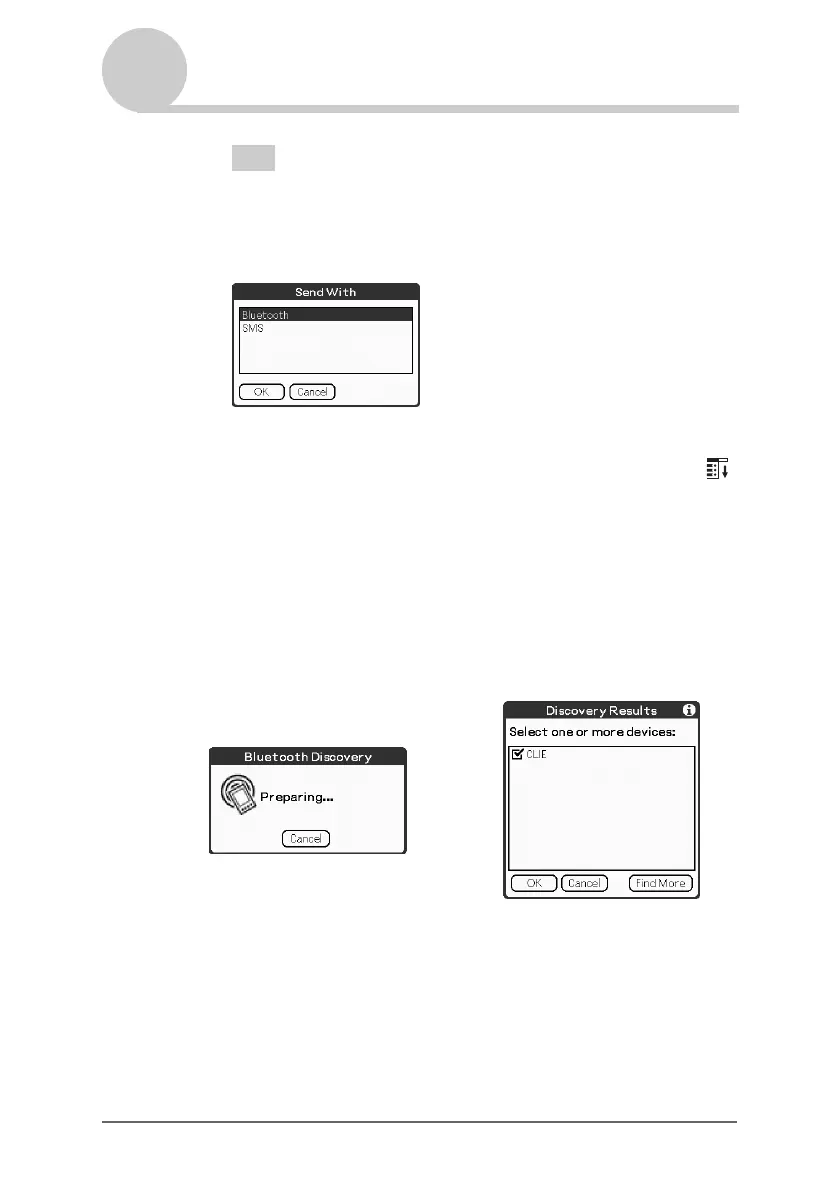
You can select a method of sending data in the dialog box.
(The dialog box below may not be displayed depending on your operating
environment)
2 Sending Date Book data or Address Book data
Tap schedule data or address data you want to send, tap the Menu
icon, and then select Send Event (for Date Book application) or
Send Address (for Address application) from the menu.
2 Send a file.
After Bluetooth Discovery dialog box is displayed, the list of
Bluetooth compatible CLIÉ handhelds within a range of the
communication area is displayed on the Discovery Results dialog box.
Tap to select a CLIÉ handheld to which you want to send data.
The Bluetooth Progress dialog box will be displayed on both CLIÉ
handhelds. Follow the on-screen instructions.
b
Continued on next page
• • • • • • • • • • • • • • • • • • •


 To Next Page
 Loading...









