99
Exchanging and updating data using a HotSync
®
operation
(Other HotSync
®
operations)
Customizing HotSync
®
application settings
(Conduit)
The programs handling data of an application during a HotSync
®
operation are called “conduit”.
For each application, you can define a set of options that determine how data
are handled during synchronization. By default, a HotSync
®
operation
synchronizes all data between your CLIÉ handheld and the Palm™ Desktop for
CLIÉ software.
In addition to the conduits for Date Book, Address Book, To Do List, and
Memo Pad, the Palm™ Desktop for CLIÉ software offers System and Install
conduits. The System conduit backs up the system information stored on your
CLIÉ handheld. The Install conduit installs add-on applications to your CLIÉ
handheld. You can select them as needed.
1 Click the HotSync icon in the Windows task tray and
select Custom from the HotSync
®
Manager menu.
You can also select Custom from the HotSync menu of the Palm™
Desktop for CLIÉ software.
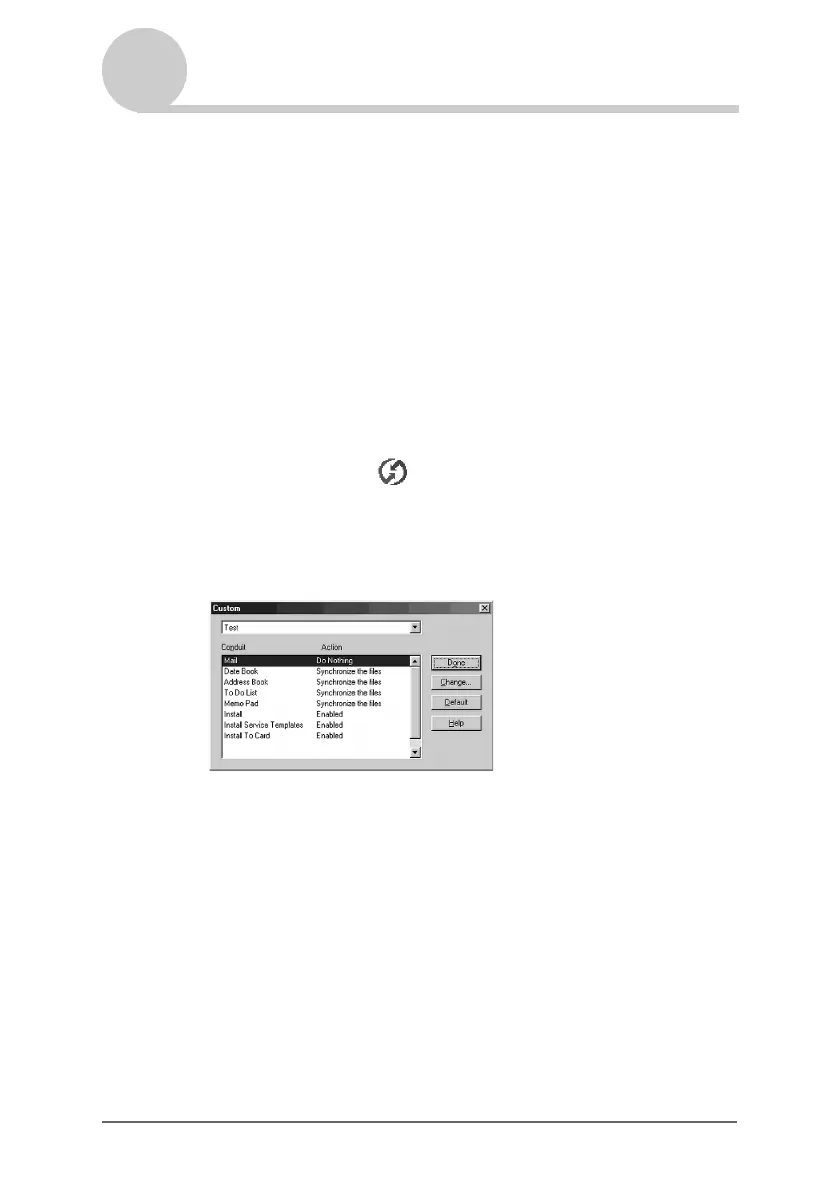
The Custom dialog box is displayed.
2 Select the user name you are using on your CLIÉ handheld
from the list at the top.
3 Select an application in the Conduit list.
Continued on next page
• • • • • • • • • • • • • • • • • • •


 To Next Page
 Loading...









