Entering data on your Sony CLIÉ™ handheld 55
Using Graffiti
®
writing to enter data
Using Navigation strokes and shortcuts
You can navigate within the fields of your application and also
quickly enter symbols that are frequently used, by entering the
navigation strokes and shortcuts with Graffiti.
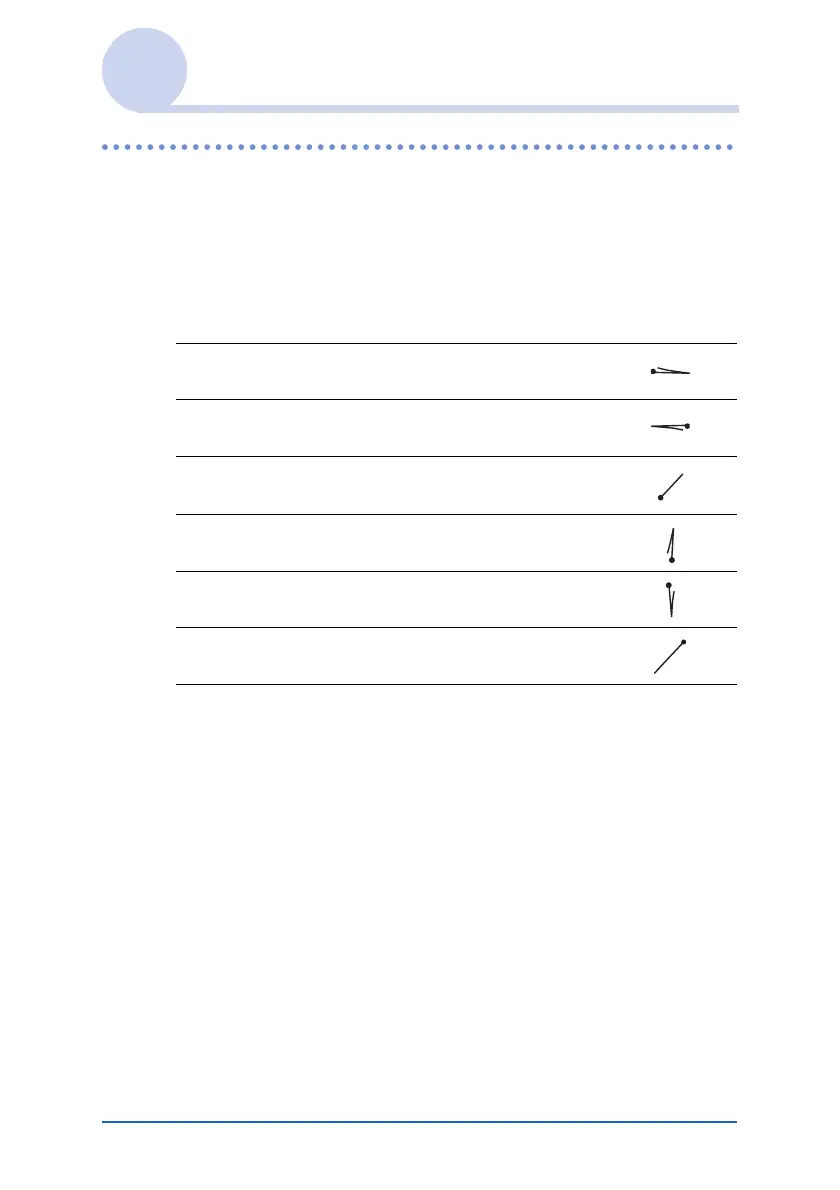
Using navigation strokes
Move cursor right
Move cursor left
Copy or delete data
(depending on your settings)
Go to the previous field (Address Book only)
Go to the next field (Address Book only)
Open Address Record (Address Book only)


 To Next Page
 Loading...









