Sony CLIÉ™ handheld basic operations 22
Using “CLIE Launcher”
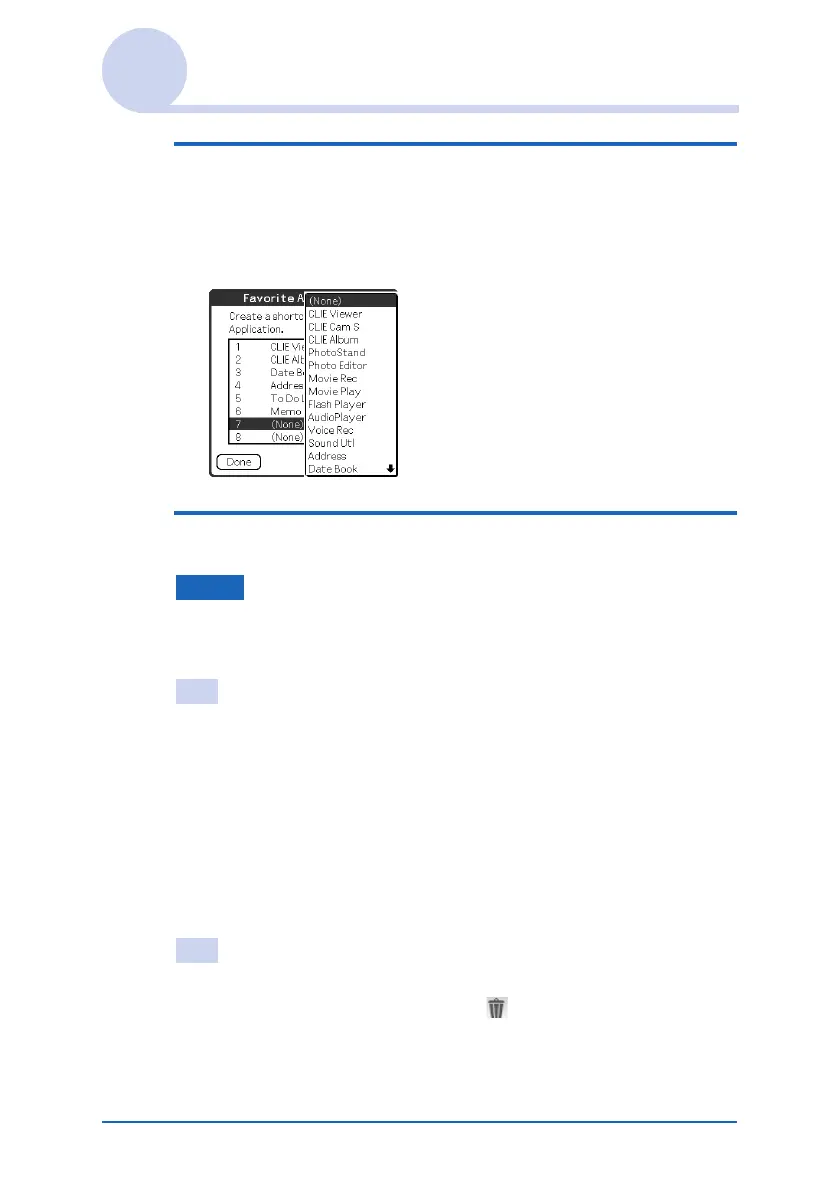
4 Tap a Favorite Application (shortcut) number
that you want to assign to an application.
The list of applications is displayed. Tap the application
name to create a Favorite Application (shortcut).
5 Tap Done.
Note
When you delete an application that is saved as a shortcut, the shortcut
is automatically deleted from the Favorite Application list.
Tip
You can also create a Favorite Application (shortcut) for an application
by dragging an icon and dropping it in the empty shortcut area when
the Use Drag&Drop check box on the CLIE Launcher
Preferences screen (page 26) is on.
To delete a Favorite Application (shortcut)
In step 4, tap a Favorite Application (shortcut) number that you
want to delete and select (None) at the top of the list.
Tip
You can also delete a Favorite Application (shortcut) for an application
by dragging an icon and dropping it in in the top right-hand corner
of the screen (page 178) when the Use Drag&Drop check box on the
CLIE Launcher Preferences screen (page 26) is on.


 To Next Page
 Loading...









