108
General setup information
Additional Information
General setup information
1
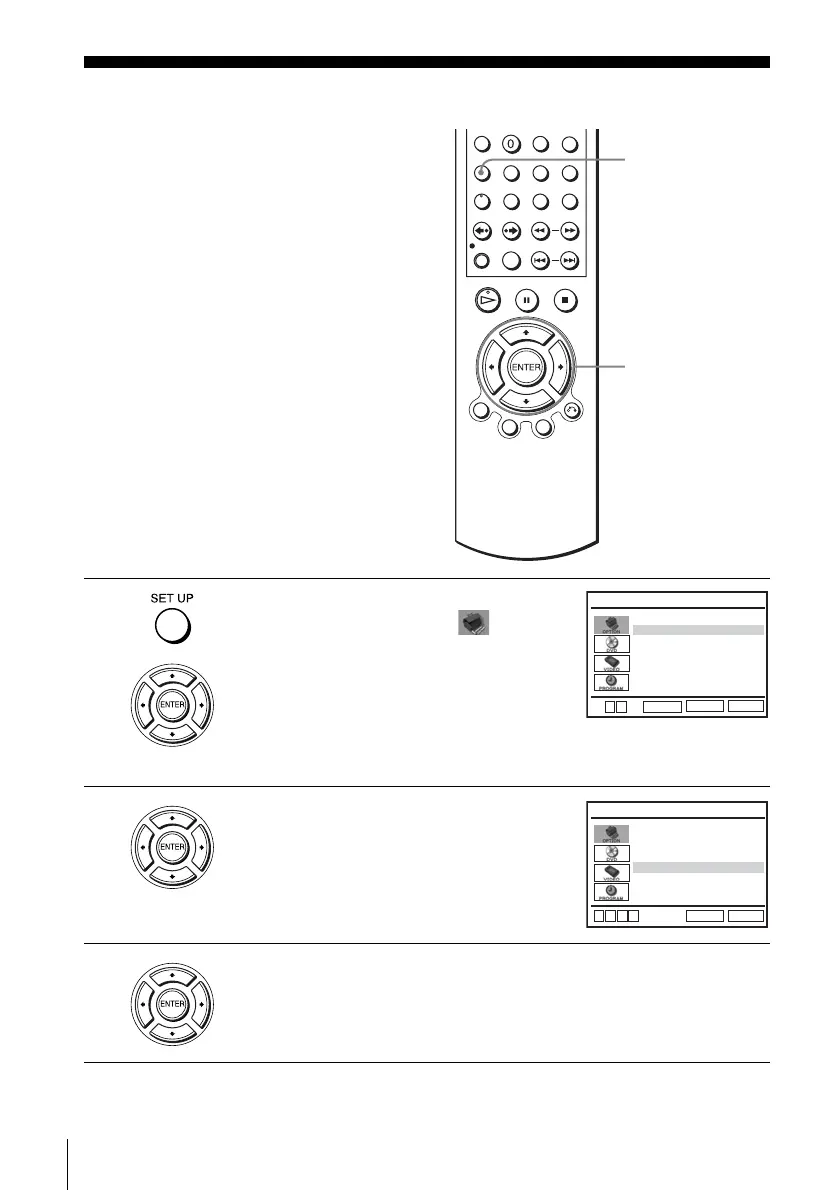
Press SET UP when the DVD player is in stop
mode, then press V/v to select
(OPTION), then press ENTER.
2
Press V/v to select the option to change.
3
Press B/b to change the setting.
When changing the “RF Output Channel,” confirmation messages will
appear. Press ENTER to confirm the messages.
SET UP
V/v/B/b
ENTER
Language
Channel Setup
Auto Power Off
RF Output Channel
Clock Set/Adjust
:English
[ Off ]
[
3CH]
RETURN
OPTION SETUP
SET UP
ENTER
v
V
Language
Channel Setup
Auto Power Off
RF Output Channel
Clock Set/Adjust
:English
[ Off ]
[
3CH]
RETURN
OPTION SETUP
SET UP
v
V
b
B



 To Next Page