93
Playing JPEG image files
DVD Additional Operations
Playing JPEG image files
You can play JPEG image files on DATA CDs
(CD-ROMs/CD-Rs/CD-RWs).
1
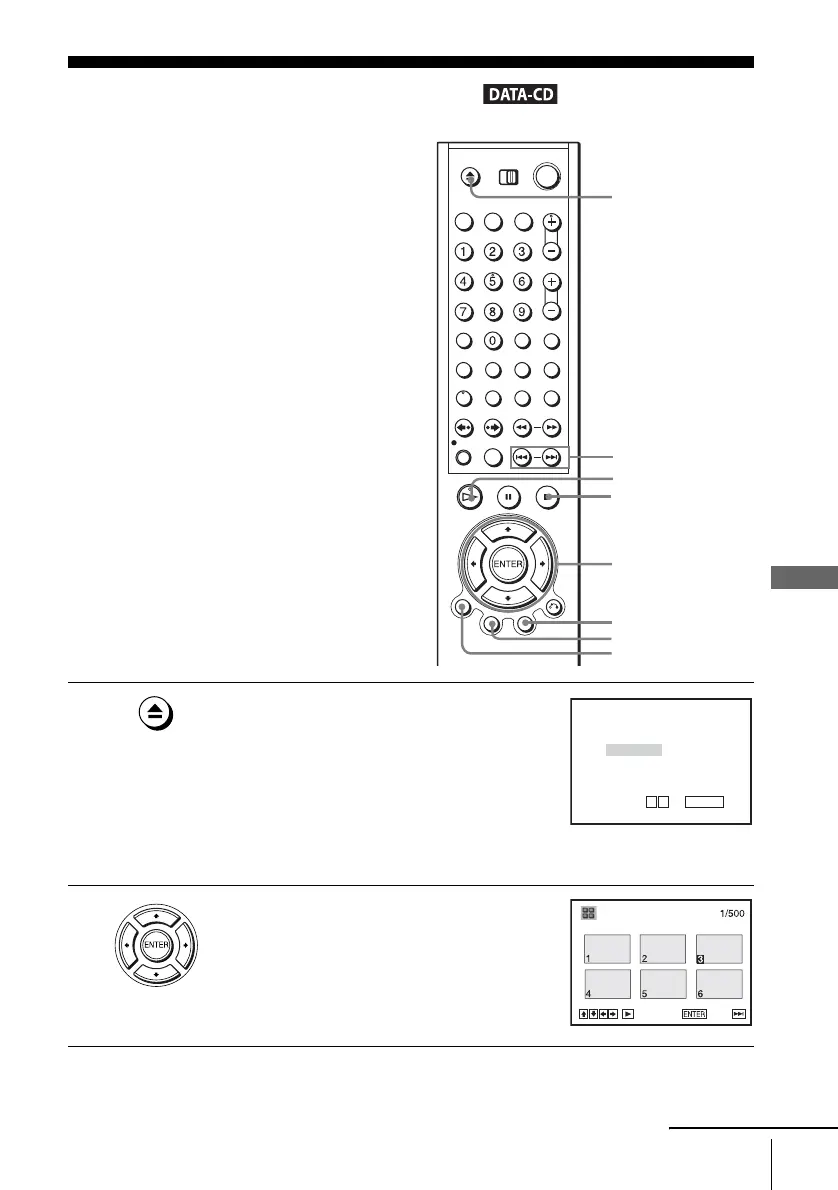
Press Z and place a DATA CD on the disc tray,
then press Z to close the tray.
When you load a DATA CD which contains
MP3 audio tracks and JPEG image files,
“Select a Media Type” menu appears.
If you load a DATA CD which contains only
JPEG image files, the “Album” display
appears. Then you can skip step 2.
2
Press V/v to select “JPEG”, then press
ENTER.
The “Album” display will appears.
If you do not press ENTER after selecting a
media type, the selected media will be
automatically played.
V/v/B/b
ENTER
H PLAY
Z
TOP MENU
./ >
DISPLAY
x STOP
MENU
Select a Media Type
2 JPEG
1 MP3
ENTER
v
V
Album Photo
SLIDE SHOW
continued















 To Next Page