67
Screen Setup
DVD Settings and Adjustments
Screen Setup
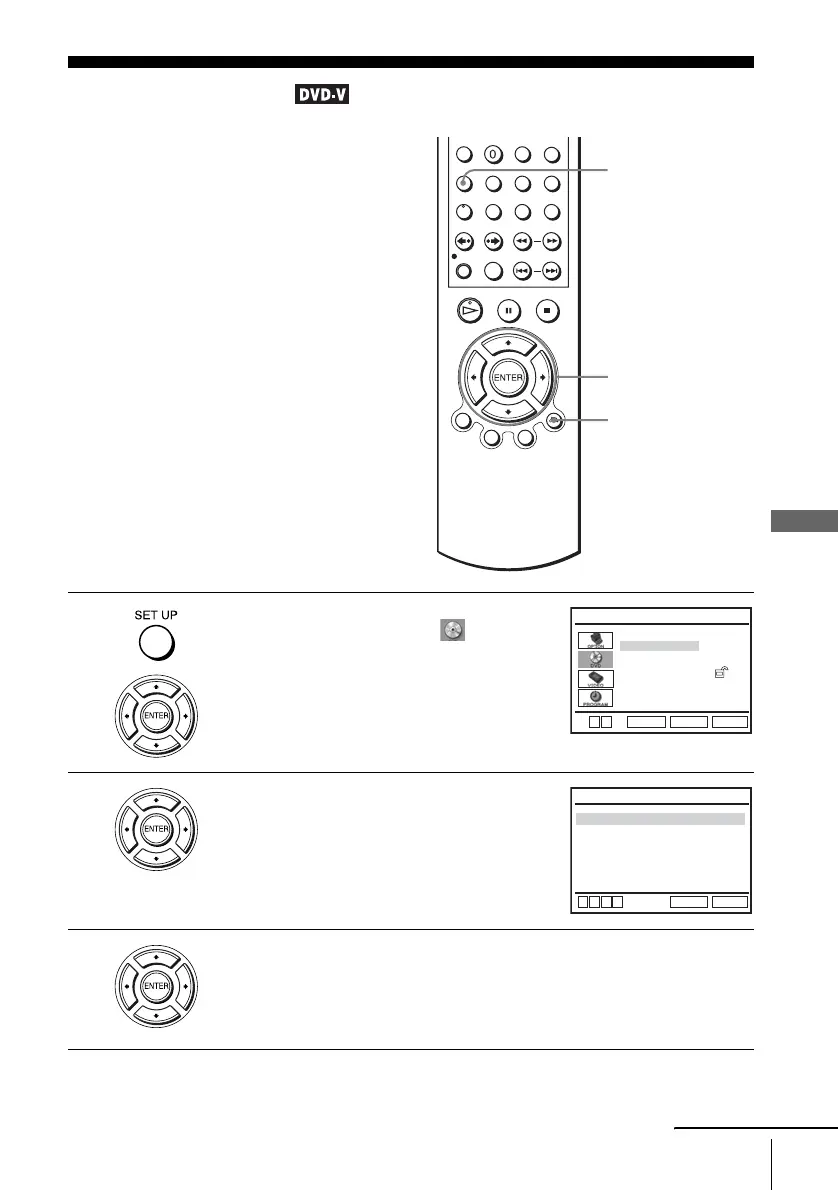
“Screen Setup” allows you to set the screen
according to the playback and connection
conditions.
1
Press SET UP when the DVD player is in stop
mode, then press V/v to select (DVD),
then press ENTER.
2
Press V/v to select “Screen Setup,” then press
ENTER.
3
Press V/v to select the setup item from the displayed list:
“TV Type,” or “Black Level.”
To set the “Progressive” setting, see page 69.
V/v/B/b
ENTER
SET UP
O RETURN
Language Setup
Screen Setup
Parental Setup:
Audio Setup
RETURN
DVD SETUP
SET UP
ENTER
V
v
Black Level
TV Type
Progressive
RETURN
SCREEN SETUP
SET UP
v
V
b
B
[
Off
]
[
Off
]
[
4:3 Letter Box
]
continued















 To Next Page