38
Guide to the on-screen display
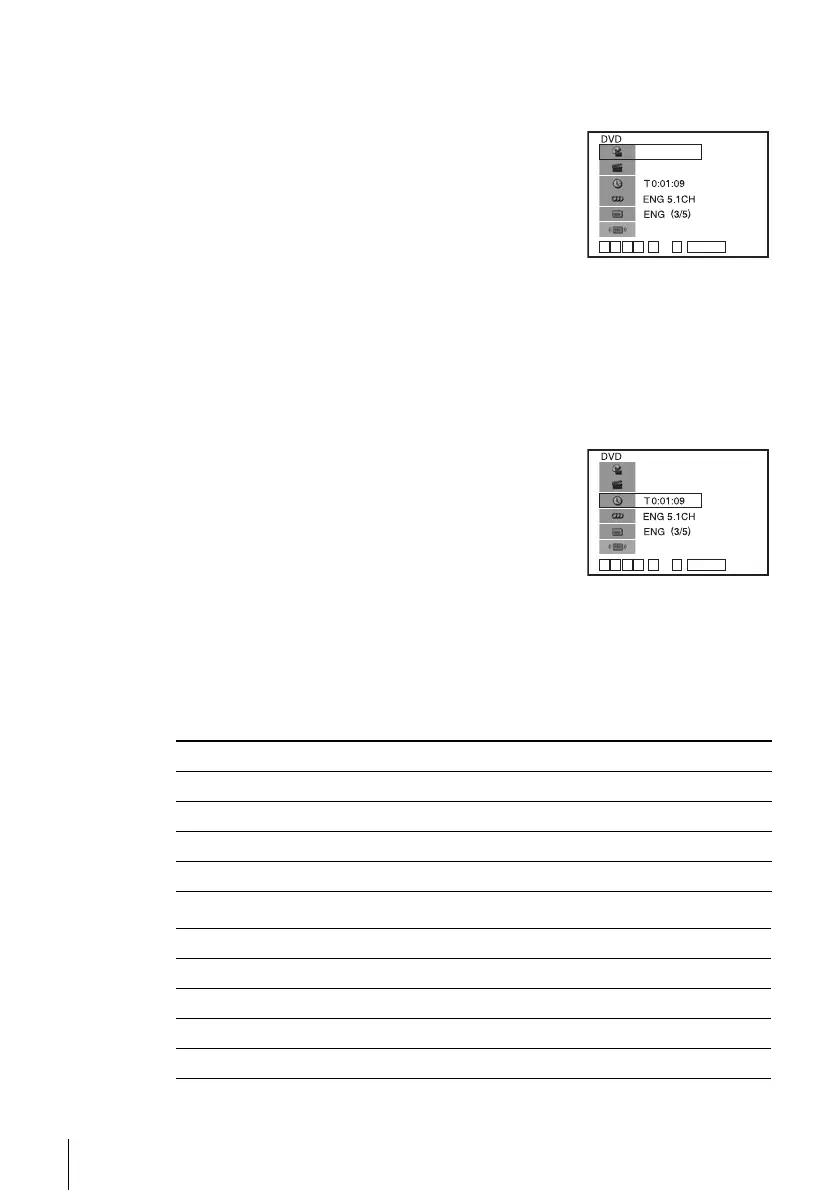
To playback the desired title/track or chapter
You can playback the desired title/track or chapter using
this menu.
The title/track or chapter icon will appear on the DVD playback screen followed by
the current title/track or chapter number and the counter position.
To playback from the desired title/track counter position
You can playback from the desired title/track counter
position using this menu.
Tip
• You can change the counter position information (playing time or remaining time) using
B/b (DVD and CD only).
DVD
CD
1
Press V/v during playback to select the desired item.
2
Press B/b to change the item.
3
Press ENTER to start playback.
4
Press DISPLAY or O RETURN to turn off the
menu.
1
Press V/v during playback to select the counter
position icon.
2
Enter the desired elapsed playing time of the current
title/track using the number buttons.
3
Press ENTER to start playback.
4
Press DISPLAY or O RETURN to turn off the
menu.
Indication Counter information
T ∗ : ∗∗ : ∗∗ Elapsed playing time of the current title
T– ∗ : ∗∗ : ∗∗ Remaining time of the current title
C ∗ : ∗∗ : ∗∗ Elapsed playing time of the current chapter
C– ∗ : ∗∗ : ∗∗ Remaining time of the current chapter
Indication Counter information
T ∗ : ∗∗ : ∗∗ Elapsed playing time of the current track
T– ∗ : ∗∗ : ∗∗ Remaining time of the current track
D ∗ : ∗∗ : ∗∗ Elapsed playing time of the disc
D– ∗ : ∗∗ : ∗∗ Remaining time of the disc
v
V
b
B
ENTER
1/3
1/36
Standard
~
09
v
V
b
B
ENTER
1/3
1/36
Standard
~
09















 To Next Page