14
US
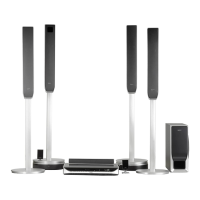
Perform all connections and settings by following Steps 1 to 7.
“Step 1: Speaker System Hookup” (page 15)
“Step 2: Antenna (Aerial) Hookup” (page 24)
“Step 3: TV Hookup” (page 25)
“Step 4: Other Component Hookup” (page 30)
“Step 5: Connecting the AC Power Cord (Mains Lead)” (page 32)
“Step 6: Turning off the Demonstration” (page 32)
“Step 7: Performing the Quick Setup” (page 33)
Video signal is sent to the TV, and is output from the TV screen; audio signals are processed by this
system and output from the speakers of this system. You can also enjoy sound of other sources, such
as TV programs, in addition to DVDs or CDs.
Hookup Overview



 To Next Page