Playing Discs
53
US
[INDEX]
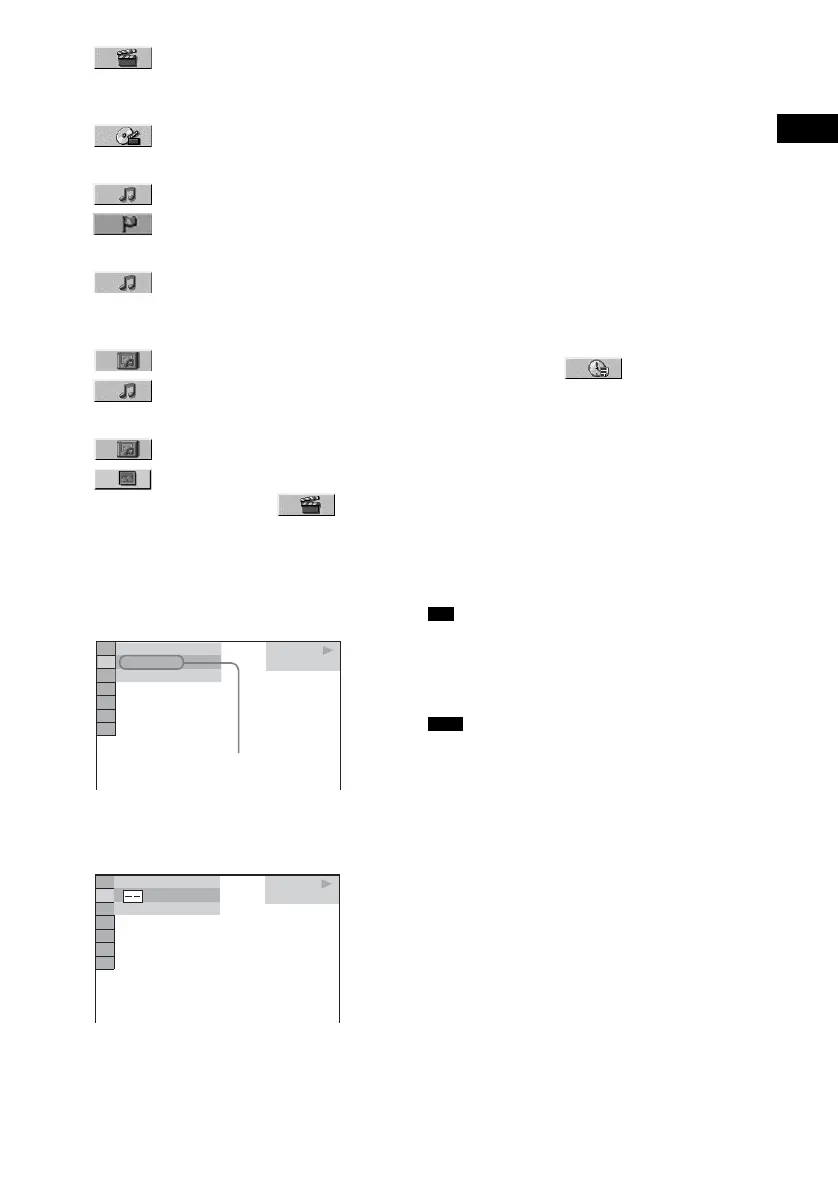
x When playing a VIDEO CD/Super
VCD with PBC Playback
[SCENE]
x When playing a Super Audio CD
[TRACK]
[INDEX]
x When playing a CD
[TRACK]
x When playing a DATA CD (MP3
audio)
[ALBUM]
[TRACK]
x When playing a DATA CD (JPEG file)
[ALBUM]
[FILE]
Example: when you select
[CHAPTER]
[** (**)] is selected (** refers to a number).
The number in parentheses indicates the
total number of titles, chapters, tracks,
indexes, scenes, albums or files.
3 Press ENTER.
[** (**)] changes to [– – (**)].
4 Press X/x or the number buttons to
select the title, chapter, track, index,
scene, etc., number you want to search
for.
If you make a mistake
Cancel the number by pressing CLEAR,
then select another number.
5 Press ENTER.
The system starts playback from the
selected number.
To search for a scene using the
time code (DVD VIDEO only)
1 In Step 2, select [TIME/TEXT].
[T **:**:**] (playing time of the current title)
is selected.
2 Press ENTER.
[T **:**:**] changes to [T --:--:--].
3 Input the time code using the number
buttons, then press ENTER.
For example, to find the scene at 2 hours, 10
minutes, and 20 seconds after the beginning,
just enter [2:10:20].
• When the Control Menu display is turned off, you can
search for a chapter (DVD VIDEO/DVD-RW) or
track (Super Audio CD/CD) by pressing the number
buttons and ENTER.
• You cannot search for a scene on a DVD+RW using
the time code.
• The title, chapter or track number displayed is the
same number recorded on the disc.
DVD VIDEO
1 8
(
3 4
)
1 2
(
2 7
)
T
1 : 3 2 : 5 5
Selected row
DVD VIDEO
(
3 4
)
1 2
(
2 7
)
T
1 : 3 2 : 5 5
Tip
Note



 To Next Page