42
US
Some DVD-RWs in VR (Video Recording)
mode have two types of titles for playback:
originally recorded titles ([ORIGINAL]) and
titles that can be created on recordable DVD
players for editing ([PLAY LIST]). You can
select the type of title to be played.
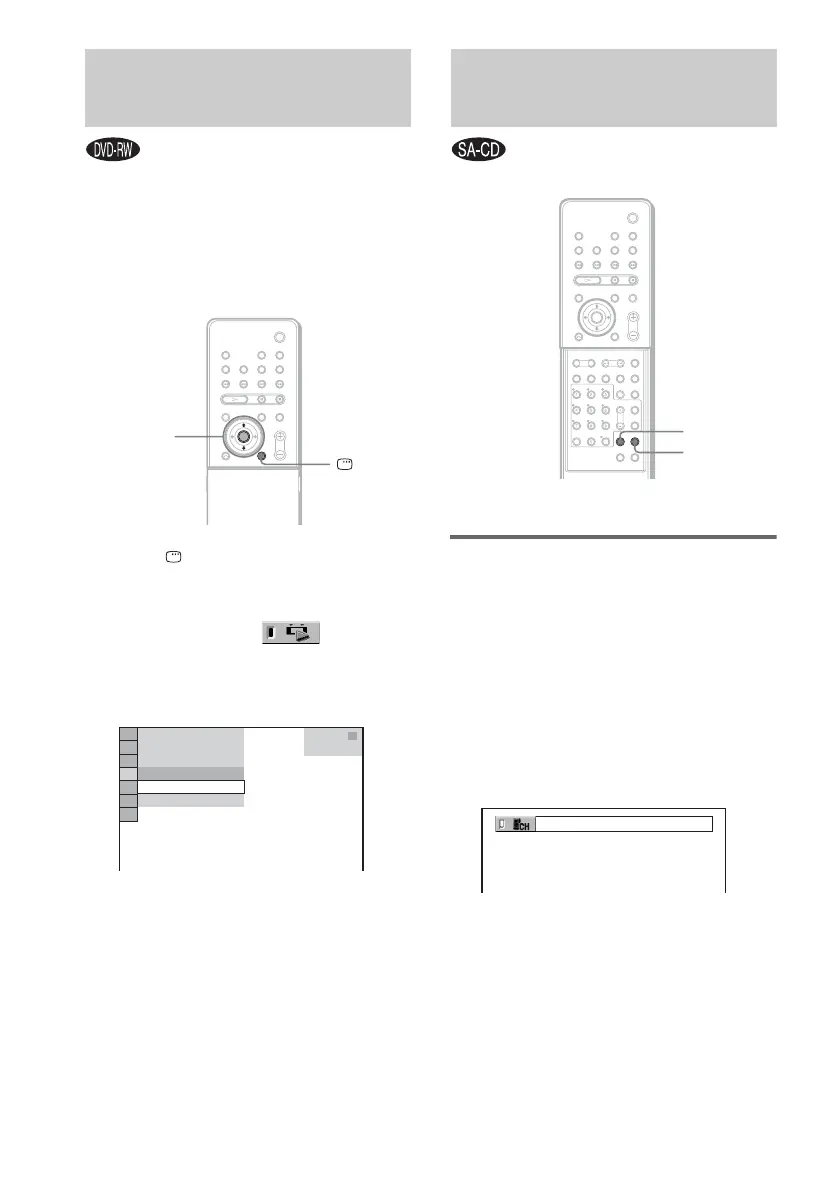
1 Press DISPLAY when the system is
in stop mode.
The Control Menu appears.
2 Press X/x to select [ORIGINAL/
PLAY LIST], then press ENTER.
The options for [ORIGINAL/PLAY LIST]
appear.
3 Press X/x to select a setting.
• [PLAY LIST]: plays the titles created
from [ORIGINAL] for editing.
• [ORIGINAL]: plays the titles originally
recorded.
4 Press ENTER.
Selecting a playback area on
a 2 channel + Multi-channel
Super Audio CD
Some Super Audio CDs consist of a 2 channel
playback area and a multi-channel playback
area. You can select the playback area you want
to listen to.
1 Press MULTI/2CH when the system is
in stop mode.
The following display appears.
2 Press MULTI/2CH repeatedly to select
the item.
• [MULTI]: plays a multi-channel playback
area.
• [2CH]: plays a 2 channel playback area.
“MULTI” lights up in the front panel
display when playing a multi-channel
playback area.
Selecting [ORIGINAL] or
[PLAY LIST] on a DVD-RW
X/x
ENTER
DISPLAY
3
(
2 8
)
1
(
4 4
)
DVD-RW
T
1 : 3 0 : 5 0
PLAY LIST
PLAY LIST
ORIGINAL
Selecting a Playback Area
for a Super Audio CD
MULTI/2CH
SA-CD/CD
With cover opened.
2CH



 To Next Page