32
US
Before connecting the AC power cord (mains
lead) of this system to a wall outlet (mains),
connect the speakers to the system (page 15).
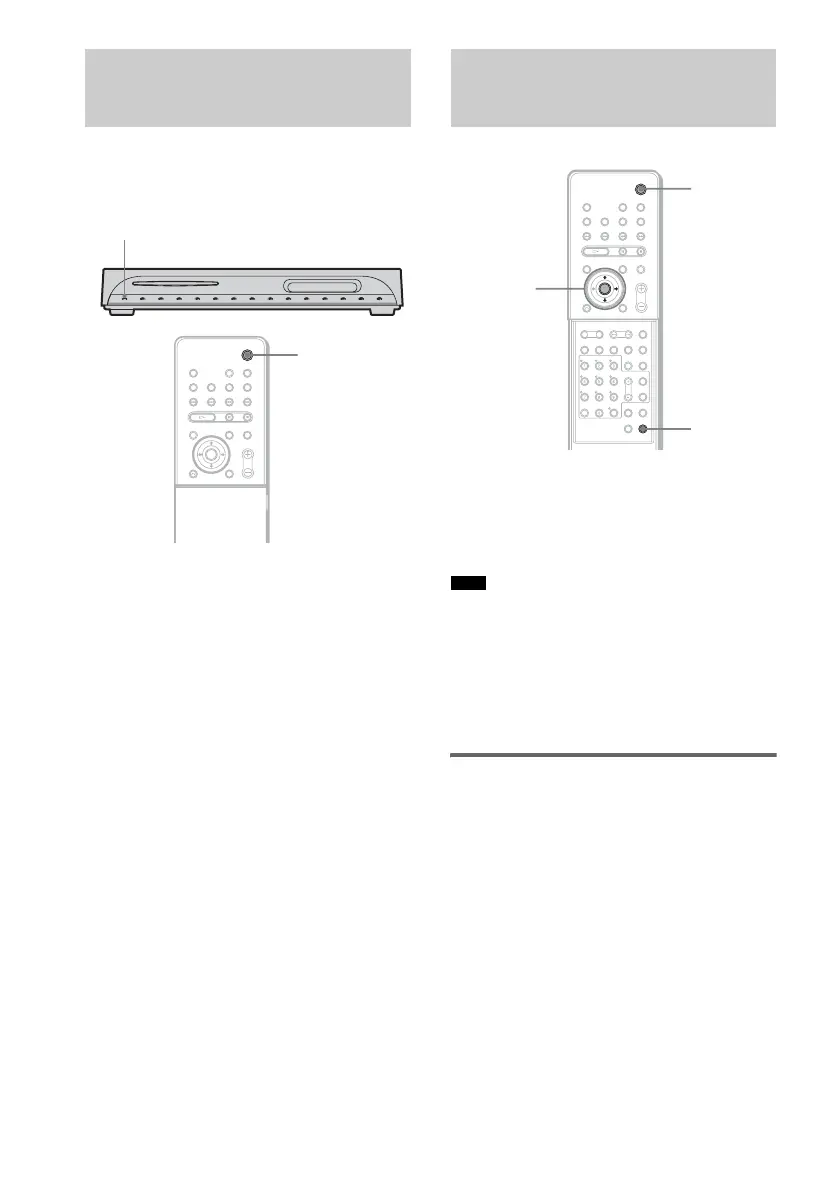
To turn on the system
Press "/1.
To turn off the system
Press "/1. The system enters standby mode.
While playing a disc, do not turn off the system
by pressing "/1. Doing so may cancel the menu
settings. When you turn off the system, first
press x to stop playback and then press "/1.
After connecting the AC power cord (mains
lead), the demonstration appears in the front
panel display. When you press "/1 on the
remote, the demonstration turns off.
• When you press "/1 on the system, the demonstration
does not turn off.
• When you set the demonstration mode in the AMP
menu to on, the demonstration does not turn off even
though you press "/1 on the remote. To turn off the
demonstration, set the demonstration mode to off,
then press "/1 on the remote.
Setting the demonstration
mode on/off
1 Press AMP MENU.
2 Press X/x repeatedly until “DEMO”
appears in the front panel display, then
press ENTER or c.
3 Press X/x to select the setting.
• DEMO OFF: sets the demonstration mode
off.
• DEMO ON: sets the demonstration mode
on.
4 Press ENTER or AMP MENU.
The AMP menu turns off.
Step 5: Connecting the AC
Power Cord (Mains Lead)
"/1
"/1
Step 6: Turning off the
Demonstration
Note
AMP MENU
X/x/c
ENTER
With cover opened.
"/1



 To Next Page