73
Using a Computer
DCR-HC32/HC42 2-584-906-11(1)
(Disc drive).*
* Drive names (such as (E:)) may vary
depending on the computer.
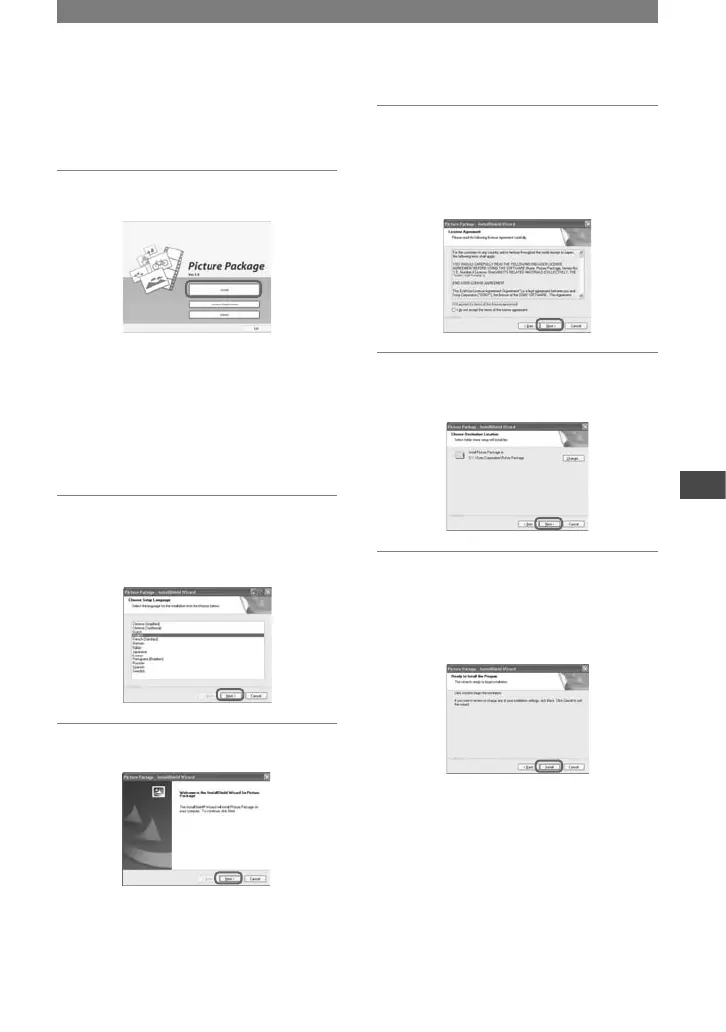
4 Click [Install].
Depending on the OS on the computer,
a message appears notifying you that
“First Step Guide” cannot be installed
automatically with the InstallShield
Wizard. In such a case, manually copy
“First Step Guide” to your computer
according to the message instructions.
5 Select the language for the
application to be installed, then
click [Next].
6 Click [Next].
7 Read [License Agreement], check
[I accept the terms of the license
agreement] when you agree, then
click [Next].
8 Select where to save the
software, then click [Next].
9 Click [Install] on the [Ready to
Install the Program] screen.
The installation of Picture Package
starts.
Continued



 To Next Page