11-GB
Introduction
Basic operations in the NETWORK mode
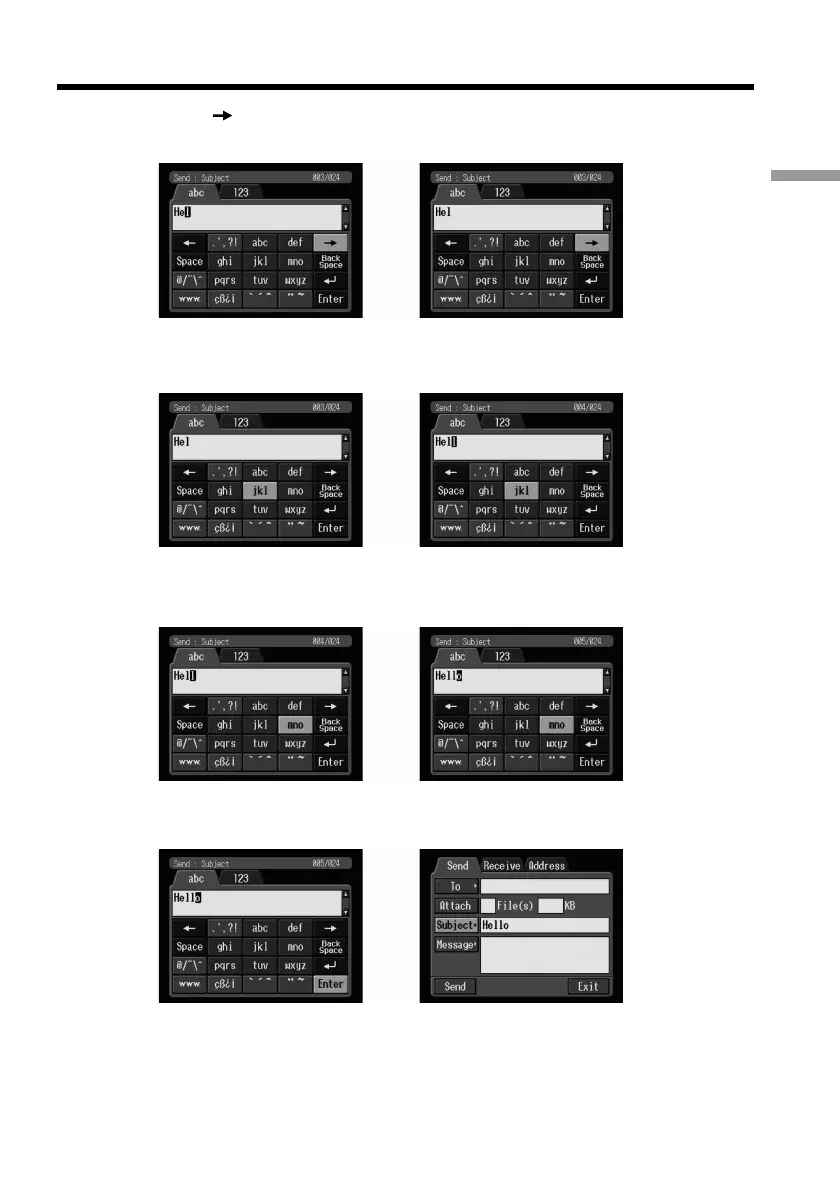
(5) Select [ ], then press the centre z on the control button.
The cursor moves to the next position.
,
(6) Select [jkl], then press the centre z on the control button three times.
“l” is entered.
,
(7) Select [mno], then press the centre z on the control button three times.
“o” is entered.
,
(8) Select [Enter], then press the centre z on the control button.
“Hello” is entered and the Send screen appears again.
,











 To Next Page