6-GB
Basic operations in the NETWORK mode
This section describes basic control ways to operate the camcorder, those which are
used for network operations.
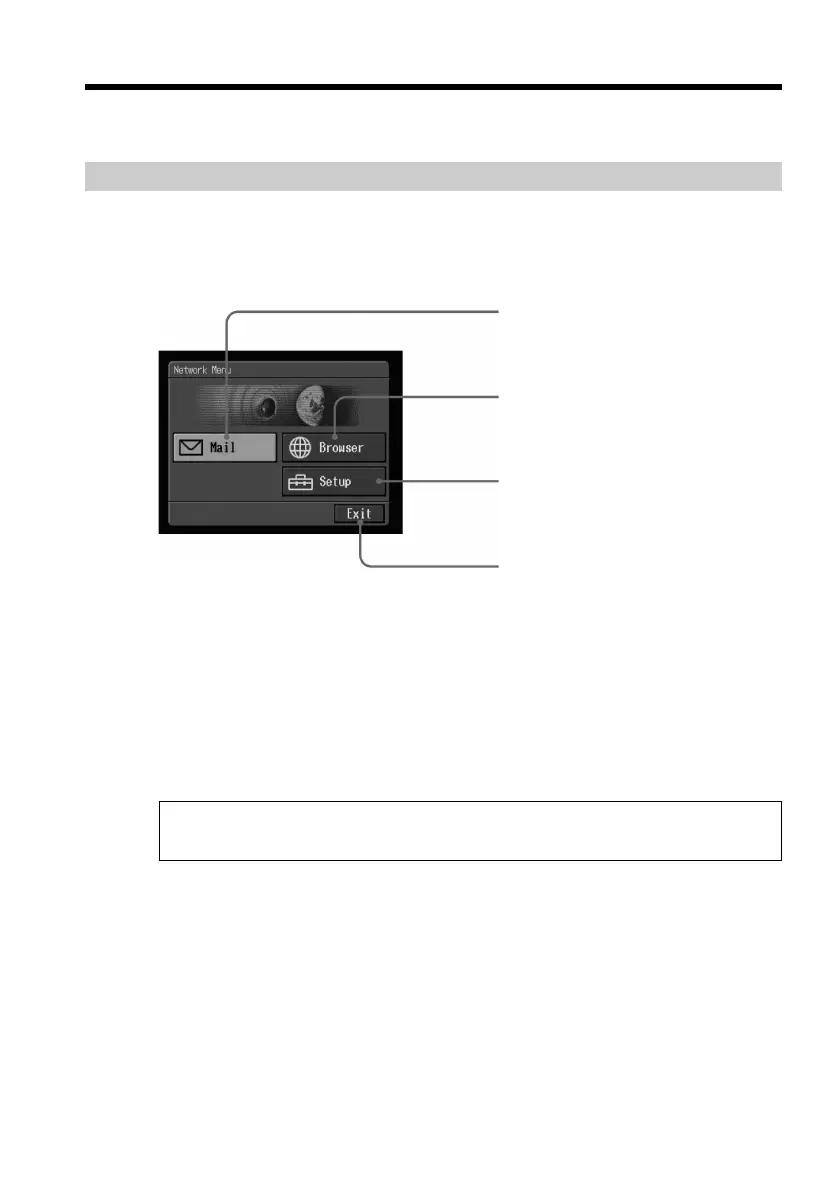
How to use the Network Menu
To access the Network Menu, refer to “Accessing the network” in the operating
instructions supplied with your camcorder.
[a]: Send and receive e-mail. For details, see “Using e-mail” on page 29.
[b]: View a Web page through the Internet. For details, see “Viewing Web pages” on
page 54.
[c]: You have to make various settings using this menu before using the network
function. For details, see “Setting network preferences” on page 22.
[d]: Exit the NETWORK mode.
The actual screens may differ slightly from the illustrations in this network
function operating instructions.
[a]
[b]
[c]
[d]











 To Next Page