28-GB
Setting network preferences
Note on “Save Mail to Server”
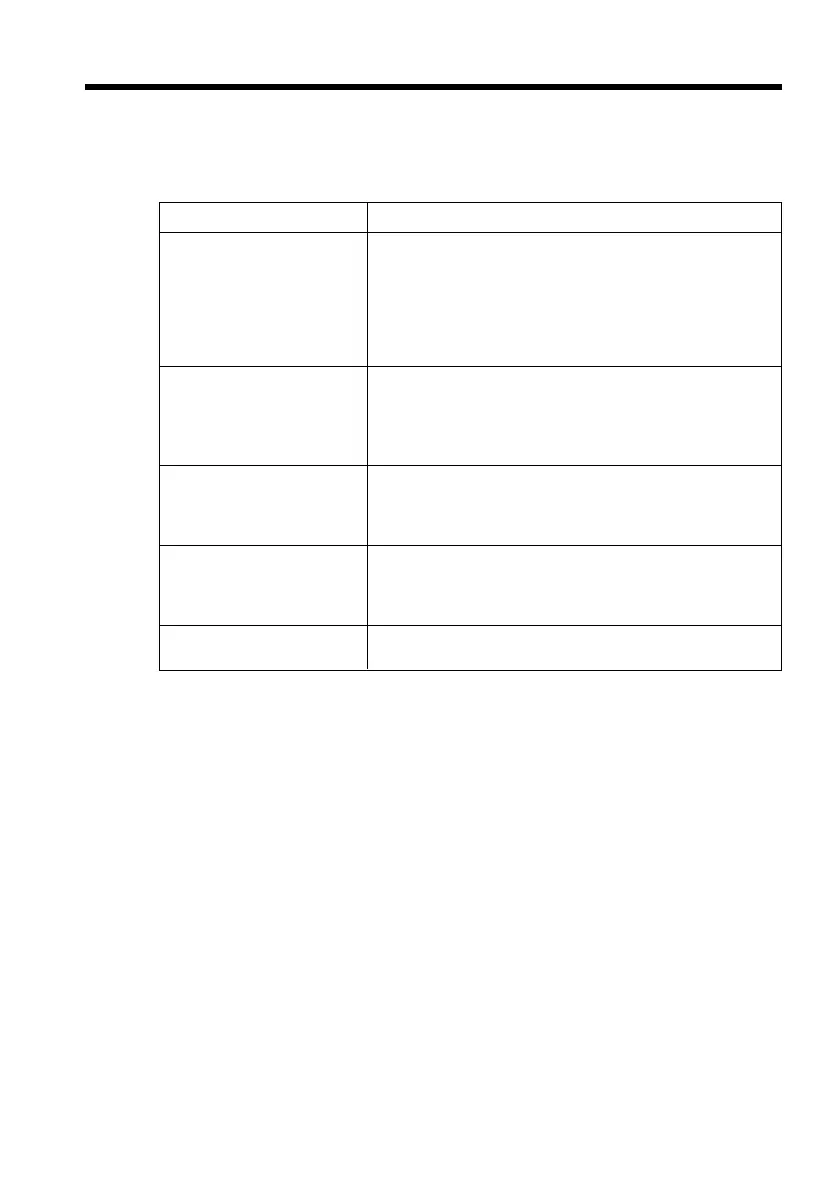
When “Save Mail to Server” is not checked, copies of e-mail messages received will not
be stored on your server. However, the following error messages described below
depend on the type of e-mail messages. See the table below.
Messages
1)
Cause and/or Corrective Actions
Memory Stick Memory Full
Mail Over Size Limit
Attached Invalid File Deleted
Mail Over Size Limit
Memory Stick Directory Error
1)
These error messages are indicated in a message.
2)
These e-mail messages are stored on the server even if you did not check the item
“Save Mail to Server”. You can retrieve that e-mail using your computer etc.
3)
The previously downloaded e-mail is not stored on the server if you did not check the
item “Save Mail to Server”. You cannot retrieve this e-mail using your computer etc.
4)
For e-mail messages that have lots of line break, the number of available characters is
less than 4000.
You tried to download e-mail when the “Memory Stick” is
already full.
2)
c Delete the e-mail, and delete unnecessary e-mail
messages or image files in the “Memory Stick”, then
download your e-mail again.
c Insert another “Memory Stick” that has sufficient
memory, then download your e-mail again.
You tried to download e-mail whose size is over the size set
in the item “Restrict”.
2)
c You can download that e-mail using your computer etc.
c Delete the e-mail, and release the checkmark of the item
“Restrict”, then download that e-mail again.
You downloaded e-mail that has an attached file whose file
name extension is invalid.
3)
c The camcorder cannot receive files other than those in
the JPEG or MPEG format.
You downloaded an e-mail message whose the number of
characters of the message is more than 4000.
3)
c The camcorder cannot receive an e-mail message that
has 4000 characters or more.
4)
c Insert another “Memory Stick” that has sufficient
memory, then download your e-mail again.











 To Next Page