30-GB
Using e-mail
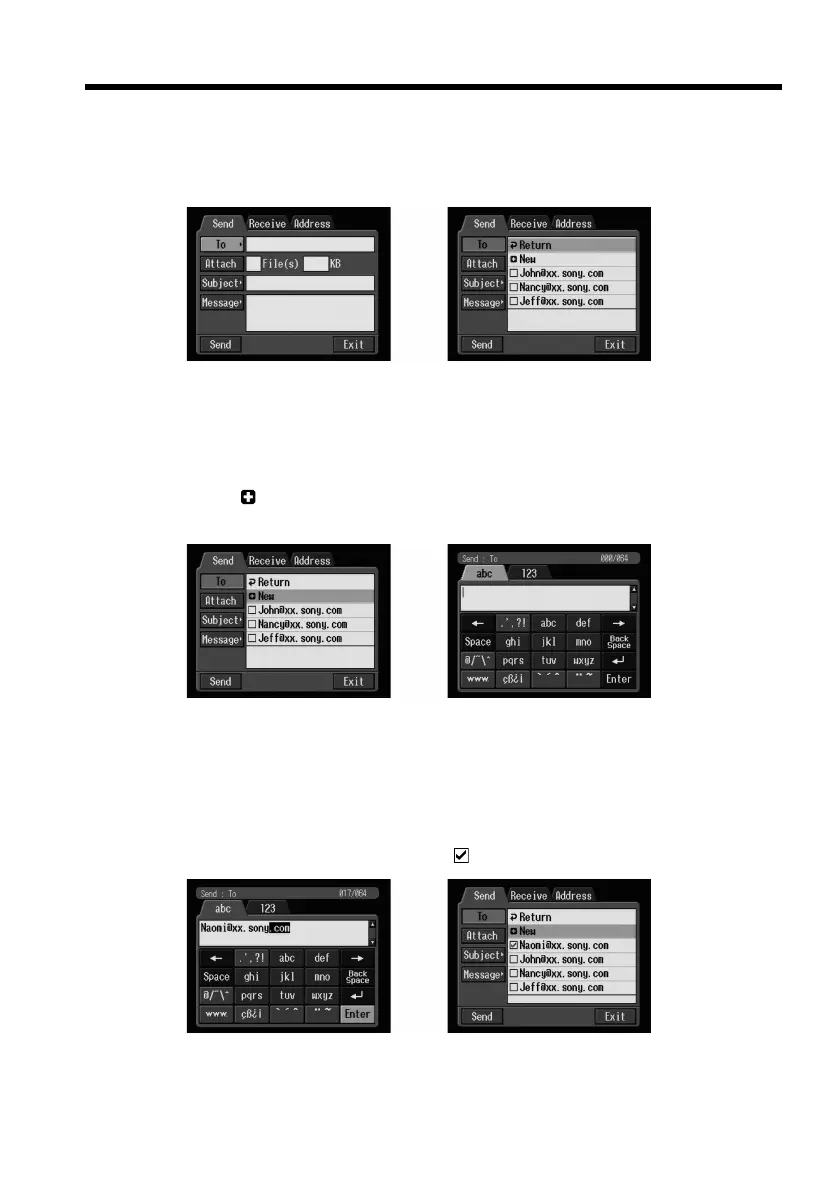
(3) Select [To], then press the centre z on the control button.
The address list appears. The list shows the addresses that are registered in the
address book. For details on the address book, see “Using the address book”
on page 40.
,
When you have selected an address listed in the address book, go to step 7.
Tips
•The last-used address is listed next to New.
•Addresses are listed in historical order.
(4) Select [ New], then press the centre z on the control button.
The character input screen appears.
,
(5) Enter the e-mail address of an addressee.
For details on how to input characters, see “How to input characters” on page
8.
(6) Select [Enter], then press the centre z on the control button.
The Send screen appears again. The new e-mail address is listed and its check
box is indicated by the checkmark (
).
,











 To Next Page