64-GB
Viewing Web pages
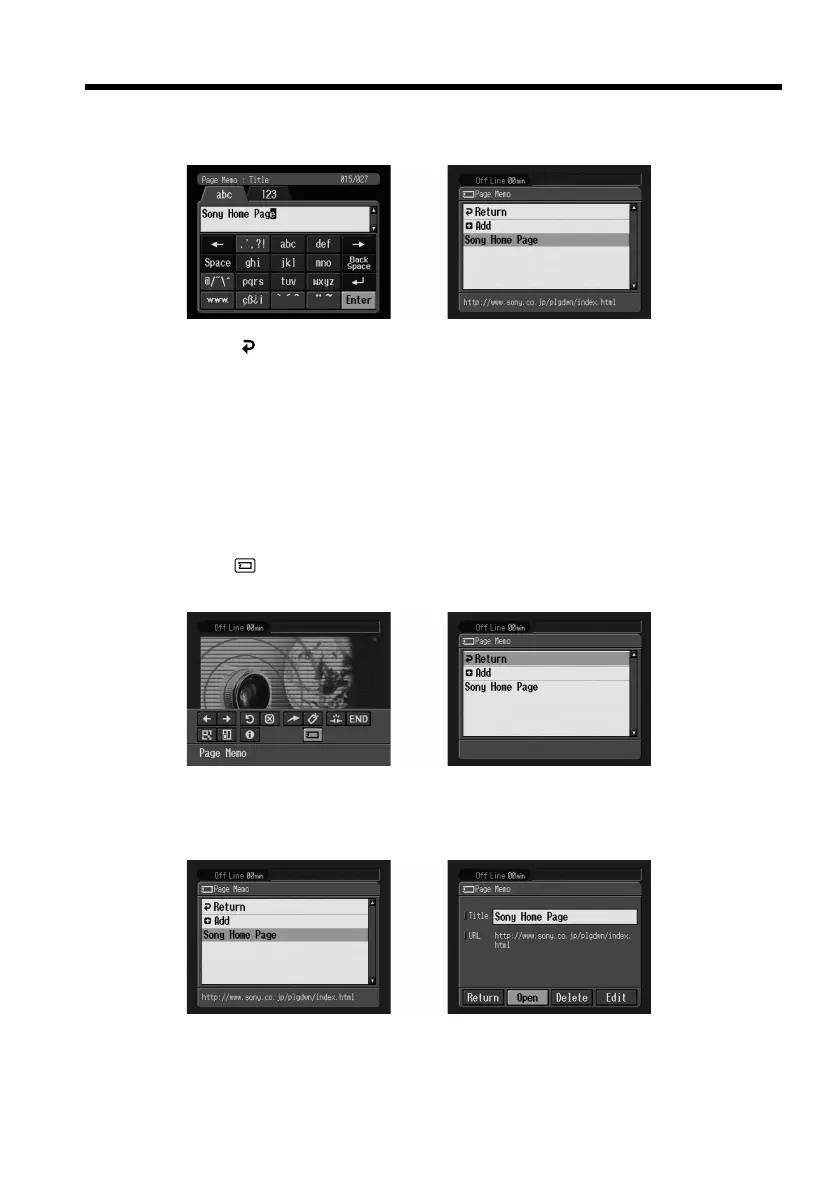
(5) Select [Enter], then press the centre z on the control button.
The title of the page memo is modified.
,
(6) Select [ Return], then press the centre z on the control button.
The browser screen appears again.
To delete the page memo
You can delete page memos. We recommend that you delete unnecessary page memos
since you can only store up to 30 page memos.
Preparation
•Insert a “Memory Stick” into the camcorder, for storing page memos.
•Release the lock of the “Memory Stick”.
(1) Select (Page Memo), then press the centre z on the control button.
The page memo list appears.
,
(2) Select the page memo you want to delete, then press the centre z on the
control button.
The following screen appears.
,











 To Next Page