12
GB
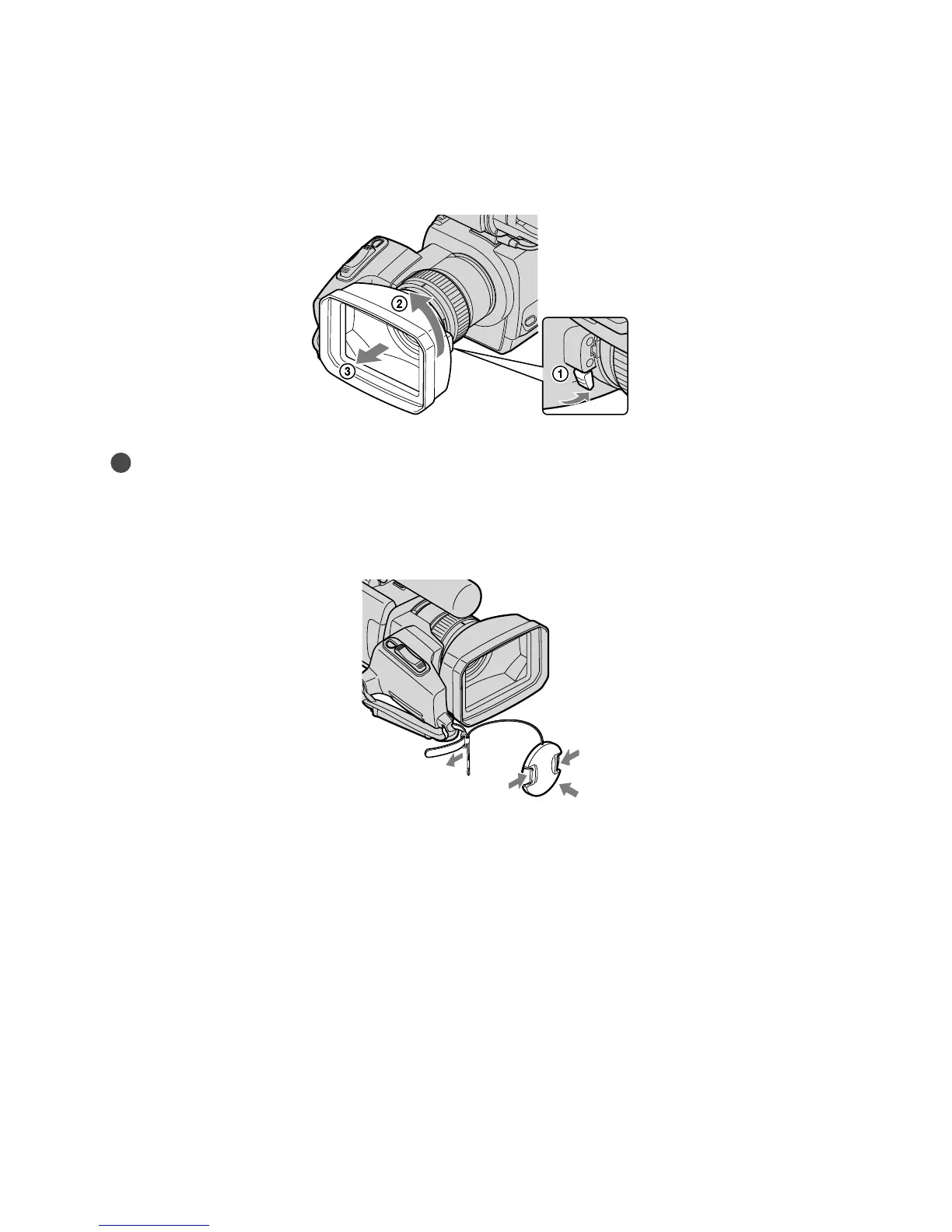
To remove the Lens hood
Turn the lens hood cover in the direction of the arrow as illustrated while pressing the lever
on the lens hood cover.
Tips
If you attach, remove or adjust an 37 mm (1 1/2 in.) PL filter or MC protector, remove the lens hood.
Attaching the lens cap
Attach the lens cap by pressing both knobs on its sides.
Remove the grip belt and attach the lens cap by leading the grip belt through the attachment
on the lens cap string. Then attach the grip belt to the camcorder again.









 To Next Page