43
Making good use of your camcorder
GB
A slight difference may occur from the point
where you touch
and the actual dividing
point, as your camcorder selects the dividing
point based on about half-second increments.
If you divide the original movie, the movie
added to the Playlist will also be divided.
Only simple editing is available on the
camcorder. Use the supplied software “PMB”
for more advanced editing.
Tips
You can divide a movie on the playback screen
from
OPTION MENU.
Capturing a photo
from a movie
You can capture photos from movies
recorded on the internal memory of your
camcorder. Set [MOVIE MEDIA SET] to
[INT
. MEMORY] beforehand (p. 20).
1
Touch (MENU) [Show
others] [PHOTO CAPTURE]
(under [EDIT] category).
The [PHOTO CAPTURE] screen
appears.
2
Touch the movie to be captured.
The selected movie starts playback.
3
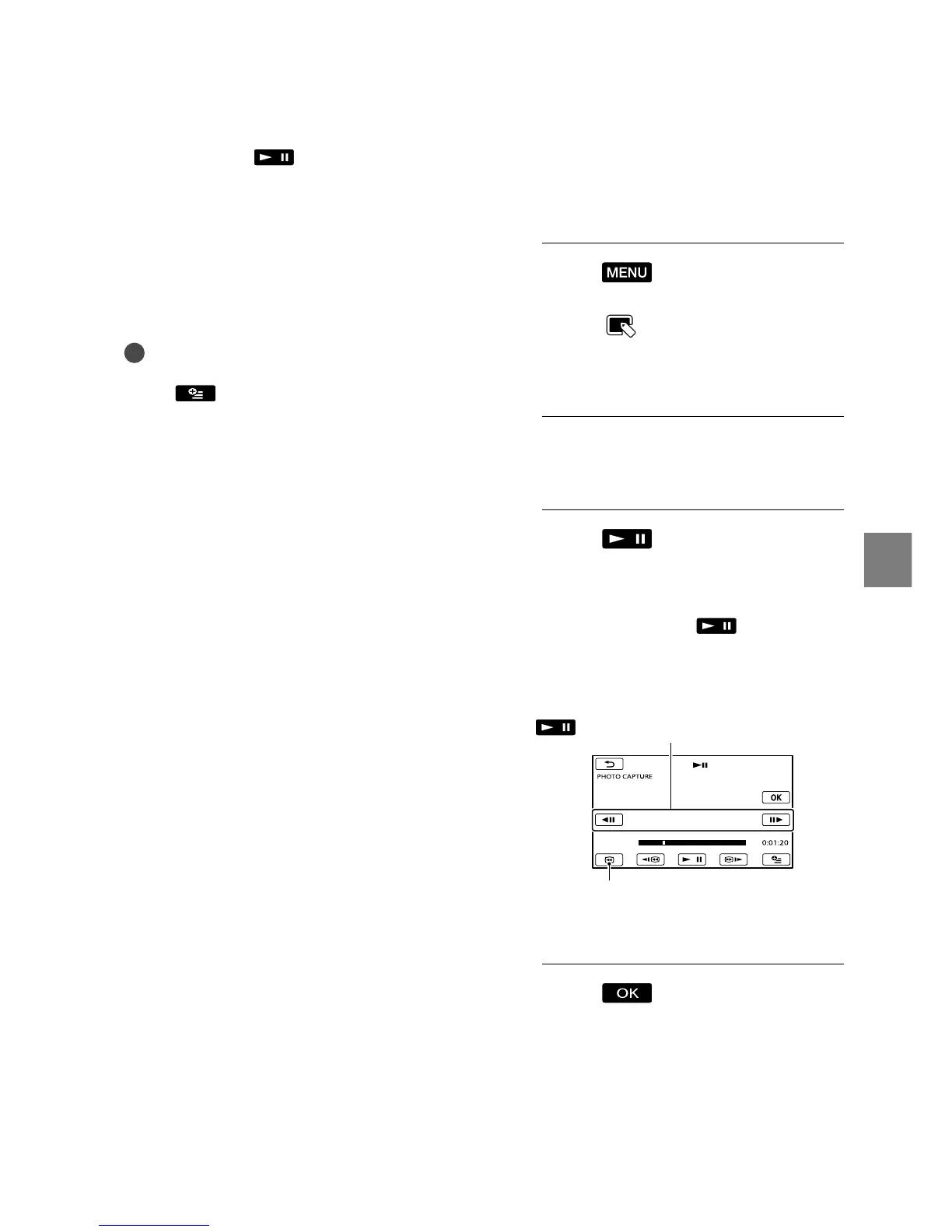
Touch at the point where
you want to capture.
The movie pauses. Play and pause
toggles as you press
.
4
Touch .
When capturing is finished, the screen
returns to pause.
The captured photo is saved on the
recording media selected in [PHOTO
MED
IA SET] (p. 20).
Adjust the capturing point with more
precision after you selected the point with
.
Returns to the beginning of the selected
movie









 To Next Page